Email Intensity Settings
Released 16th December 2025
What's new?
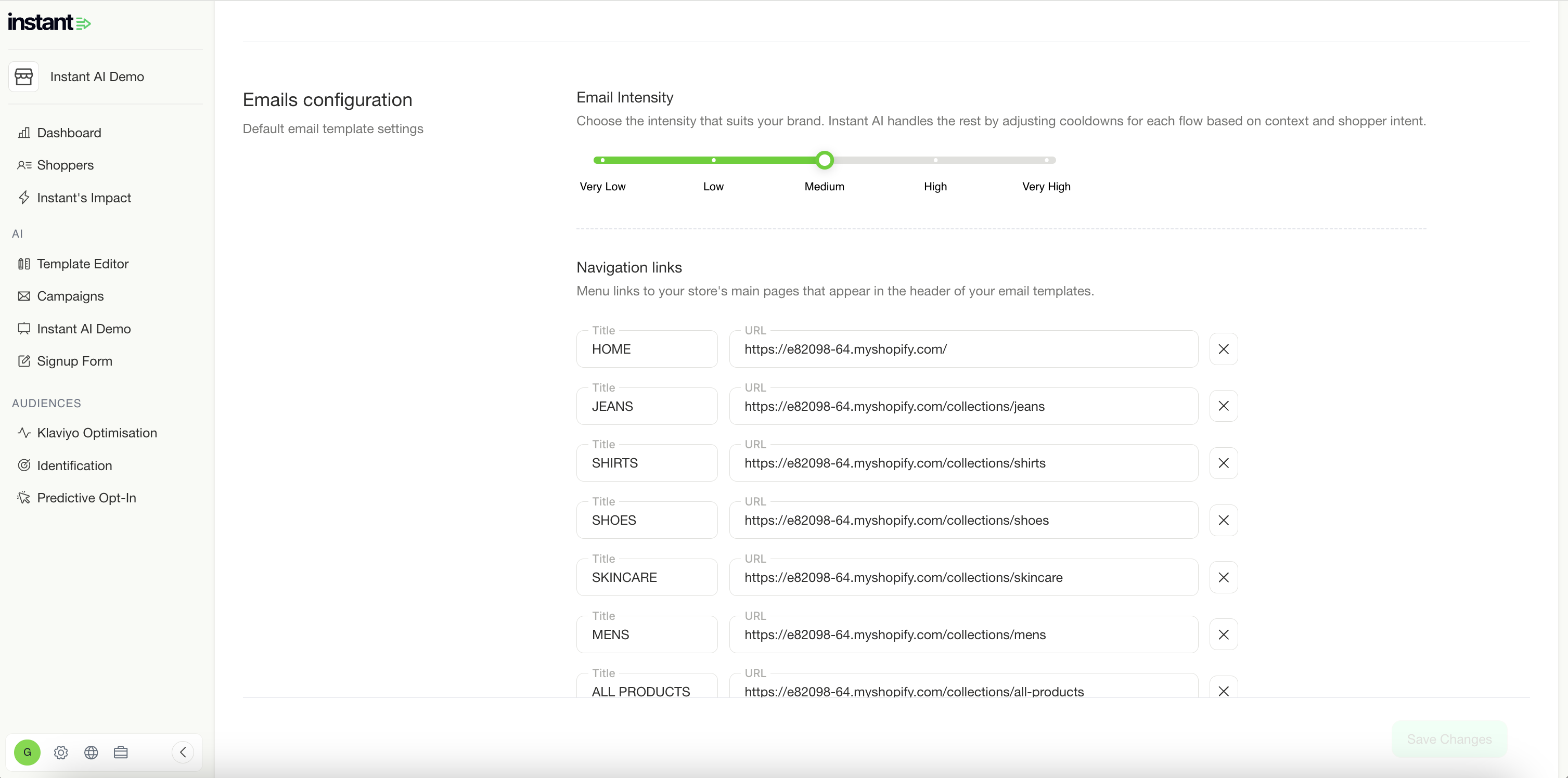
- You now have more granular control over the email sending frequency and cooldowns
- Simply change how intense you would like your email sending strategy to be
- For a conservative strategy, with very high cooldowns, set your strategy to Very Low
- For an intense strategy, with high frequency, set your strategy to Very high
- Now you can centrally control everything with one simple setting and the rest will automate across all of your flows automatically
Improved DNS Management
Released 9th December 2025
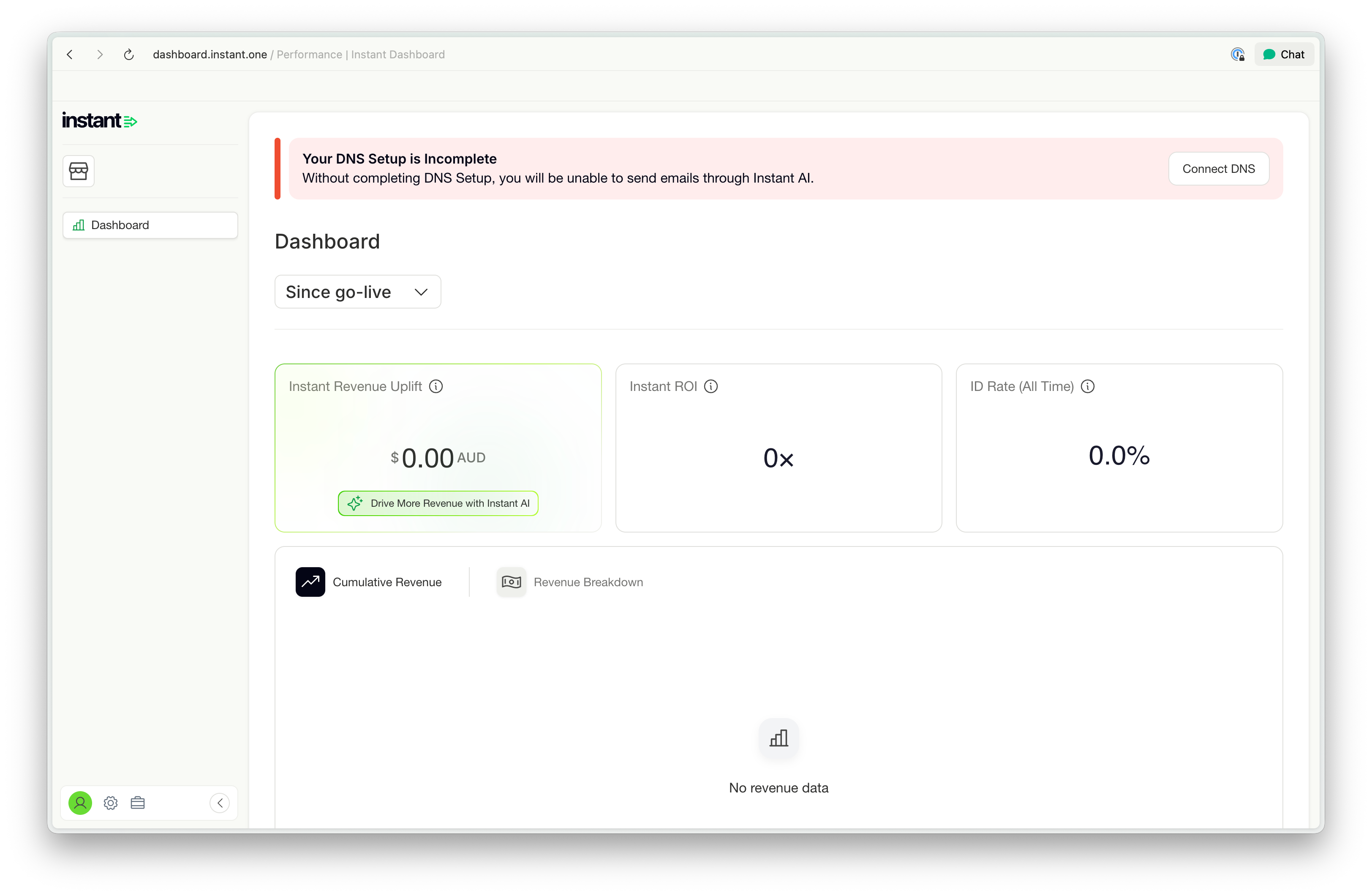
We've made some core improvements to how DNS is managed in Instant AI, ensuring that your emails are set up for success from the get go.
What's new?
- Instant will no longer send emails until SendGrid has explicitly confirmed that your DNS records are updated. We previously relied on SendGrid to enforce this block, but had a few false-positives, and are now strengthening this on our side.
- You can now change your DNS domain before you've begun set up, ensuring that if you've entered a typo in your URL, you can rectify it without manual intervention from our customer success team.
- We've now made it clearer in the dashboard when your DNS isn't connected, helping you validate why emails aren't sending!
Better Campaign Deliverability Reporting
Released 9th December 2025
What's new?
- Individual Campaigns now have a new view of deliverability reports
- As a part of the interaction funnel, you can now select deliverability to see extra data
- The data will show deliverability, bounced, blocked and dropped in counts and percentages
- This data continues to update in real time and will change while the campaign is sending
- These improvements help make it easier to understand the deliverability of individual campaigns that you're sending and how they perform with your customers
Improvements to manually Suppress & Unsupress a Profile
Released 6th December 2025
What's new?
- There's now an easy shortcut to unsubscribe a customer manually on the profile page
- Profiles can now be suppressed and unsuppressed in the same location
- This makes it easier to make quick changes to profiles
Better visibility on your email usage
Released 1st December 2025
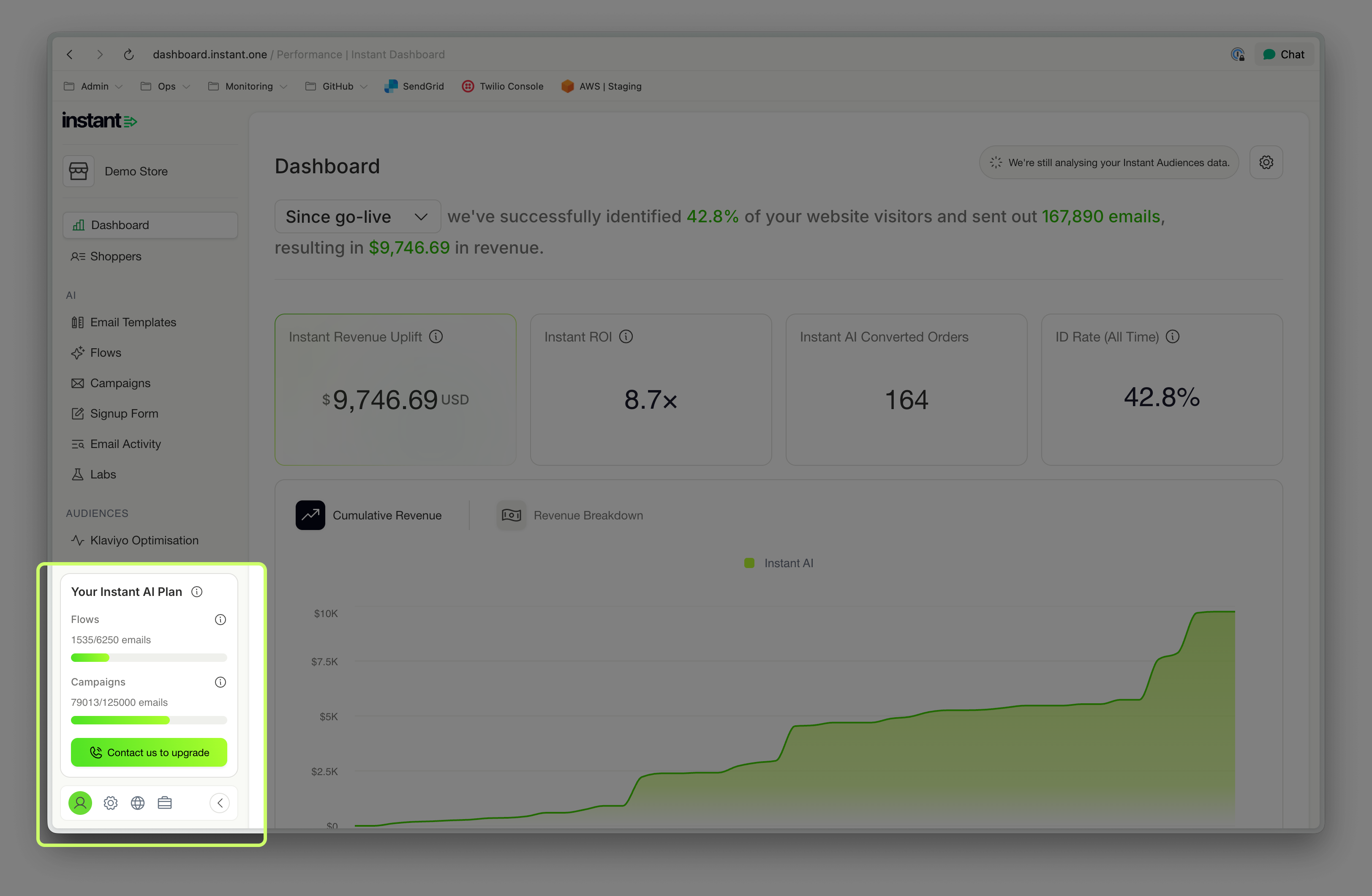
We’ve added a new dashboard card showing how many emails you’ve sent this billing period for both Flows and Campaigns, alongside how this compares to your usage tier.
This makes it easier to:
-
Monitor how close you are to your monthly allocation
-
Understand when an upgrade might be needed
-
Avoid unexpected pauses in sending
48-hour grace period for trial customers
Released 1st December 2025
Trial customers will now receive a 48-hour grace period after hitting their email send limit.
Previously, email sending stopped immediately. Now, there is additional time to continue sending before the trial pauses.
What’s new?
-
Trials continue sending emails for 48 hours after the limit is reached
-
You now have a smoother path toward upgrading without impacting performance
This update improves the trial experience and ensures you have more room to explore Instant before making a decision.
More enrolments in your Welcome Flow
Released 1st December 2025
We now pick up more events from Klaviyo and Shopify to support triggering a Welcome Flow. This means more opportunities to consolidate all if your sign-ups with Instant.
What's new?
- When shoppers opt-in to email marketing during their checkout purchase and complete their sign up, we can now enrol them in a Welcome Flow
- Customers will continue to only get a coupon code if they have never purchased before
- New sign-ups that have purchased will still enrol in your flow immediately after checkout, but won't receive a discount coupon
- This behaviour matches the default behaviour of other core email providers to provide more opportunities for upsells during their first purchase
Improved mobile-friendly designs of Product Grids
Released 1st December 2025
What's new?
- Product grids with 3 columns now display better on mobile devices by default
- CTA's now scale differently in mobile view for better readability on small devices
- Images now also scale better with multi-column grids, for better mobile viewing
View a pop-up sign-up event from the Profile Timeline
Released 1st December 2025
What's new?
- All sign-ups from a pop-up now appear on your profile timeline
- Previously showing emails only, the timeline now shows pop-up engagement
- This helps get a better timeline visualisation of your customer journey on the profile page
New fonts and improvements to your text editor
Released 1st December 2025
What's new?
- You can now customise which fonts to use in the rich text block
- All default font will still to come from your brand config, but you can now easily override
- Pick one or multiple fonts to use in a single text block
- A new spacer drop down allows you to pick single, double or triple line spacing
- We've also improved how long blocks of text preview in this screen to make it easier
New Design Updates on your email editor
Released 1st December 2025
What's new?
- The menu to see your email steps has moved from the left side, to above your emails
- The "quick shortcut" buttons on the right to add new blocks is also now more compact
- Both of these improvements help make the email editor easier to use on smaller devices
Launching Instant Smart Rules!
What’s new?
- Create custom schedules to change your email content over time
- Schedule email blocks to change over time to easily swap in sale branding
- Preview how your emails will show during different schedules
- Create any number of variants, across any periods of time!
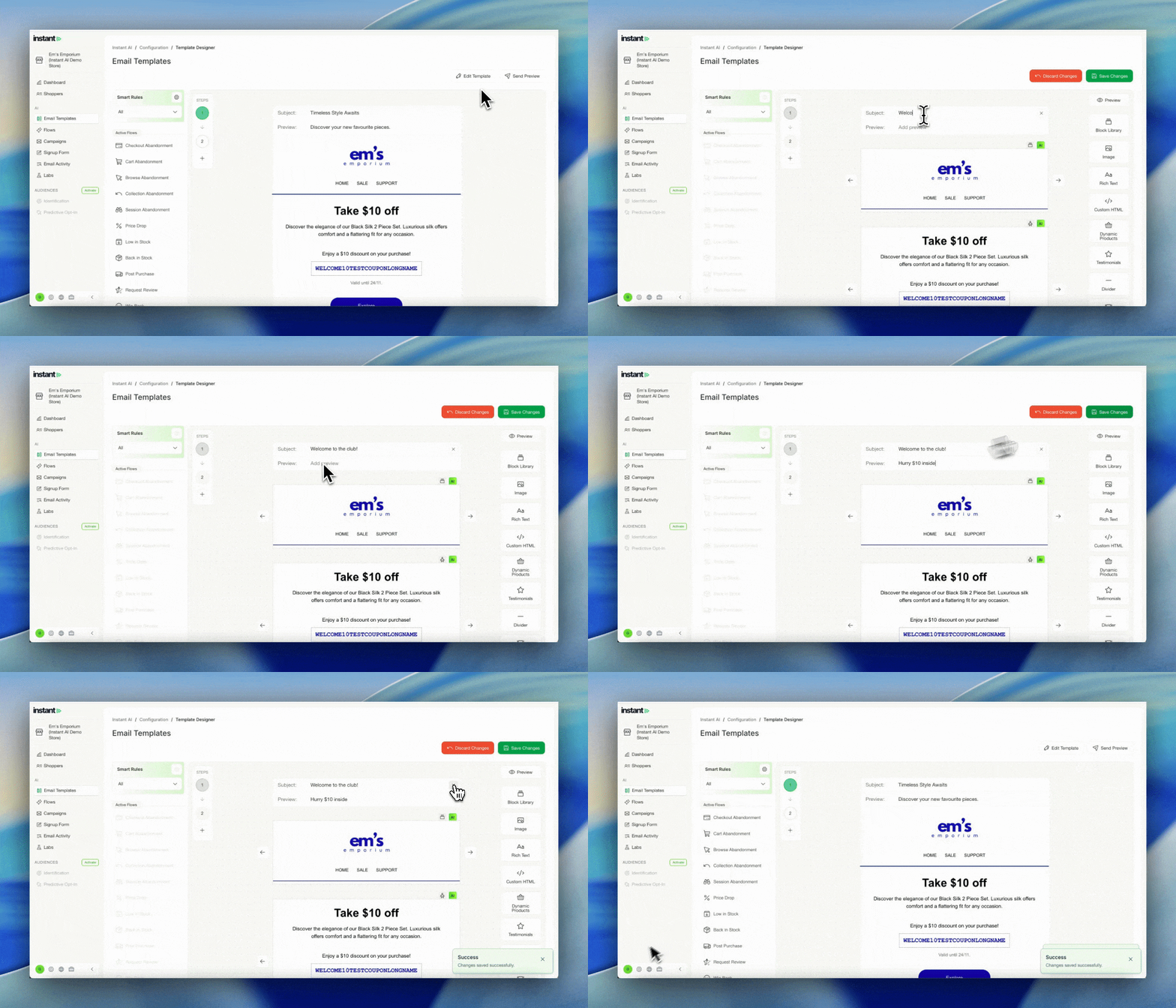
Editable Welcome Flow Subject Lines & Preview Text
Released 19th November 2025
What’s new?
You can now override AI Copy for the subject line and preview text in Welcome Flows
- We'll continue to default to personalised, AI copy for all Welcome Flows
- But if you have specific copy that you'd like to use instead, you can now override
- If overriding, you must change both the subject line and preview
- If you remove all of the override copy, we'll revert back to AI
- You can see if AI copy is in use or not by the AI tag on the subject line
Improved Login Reliability
Released 19th November 2025
What’s new?
We’ve updated how Instant handles API requests inside the dashboard to improve stability and reliability for all merchants.
- All dashboard requests now run through a dedicated endpoint.
- This prevents cross-site API issues that could occur when requests were sent through multiple domains.
- Most importantly, this update resolves the login issues some customers were experiencing on certain networks.
This change reduces friction when logging in and ensures a smoother, more reliable experience across different devices and corporate networks — no extra steps needed on your end.
Dashboard improvements addressing customer feedback
Released 19th November 2025
What’s new?
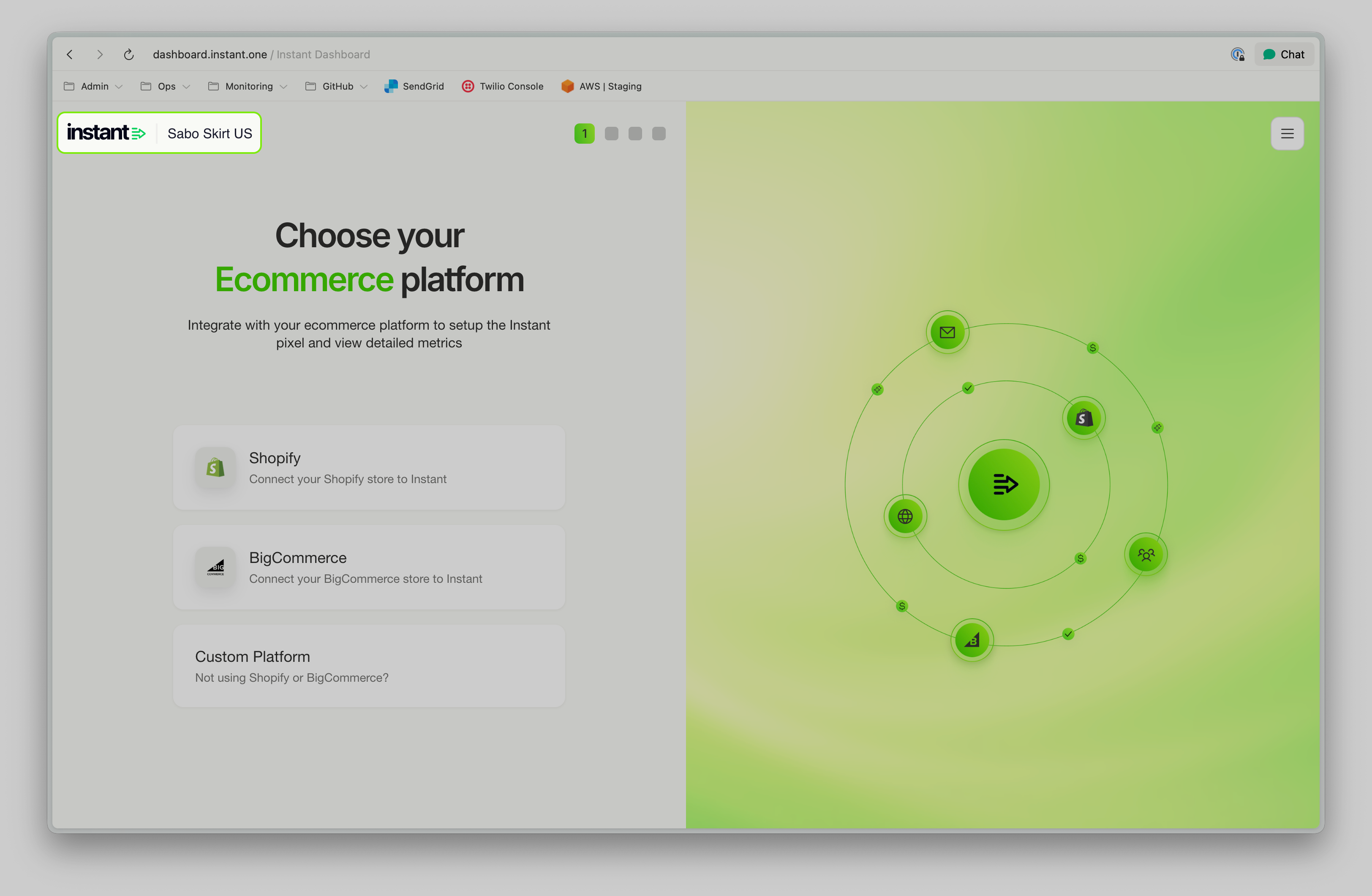
🌏 Clearer Site Identification During Onboarding
For brands operating across multiple regions, it wasn’t always obvious whether you were onboarding your AU or US site. We’ve now added the site name to the top-left of the onboarding flow. This small improvement makes it much easier to confirm you’re setting up the right storefront from the very first step.
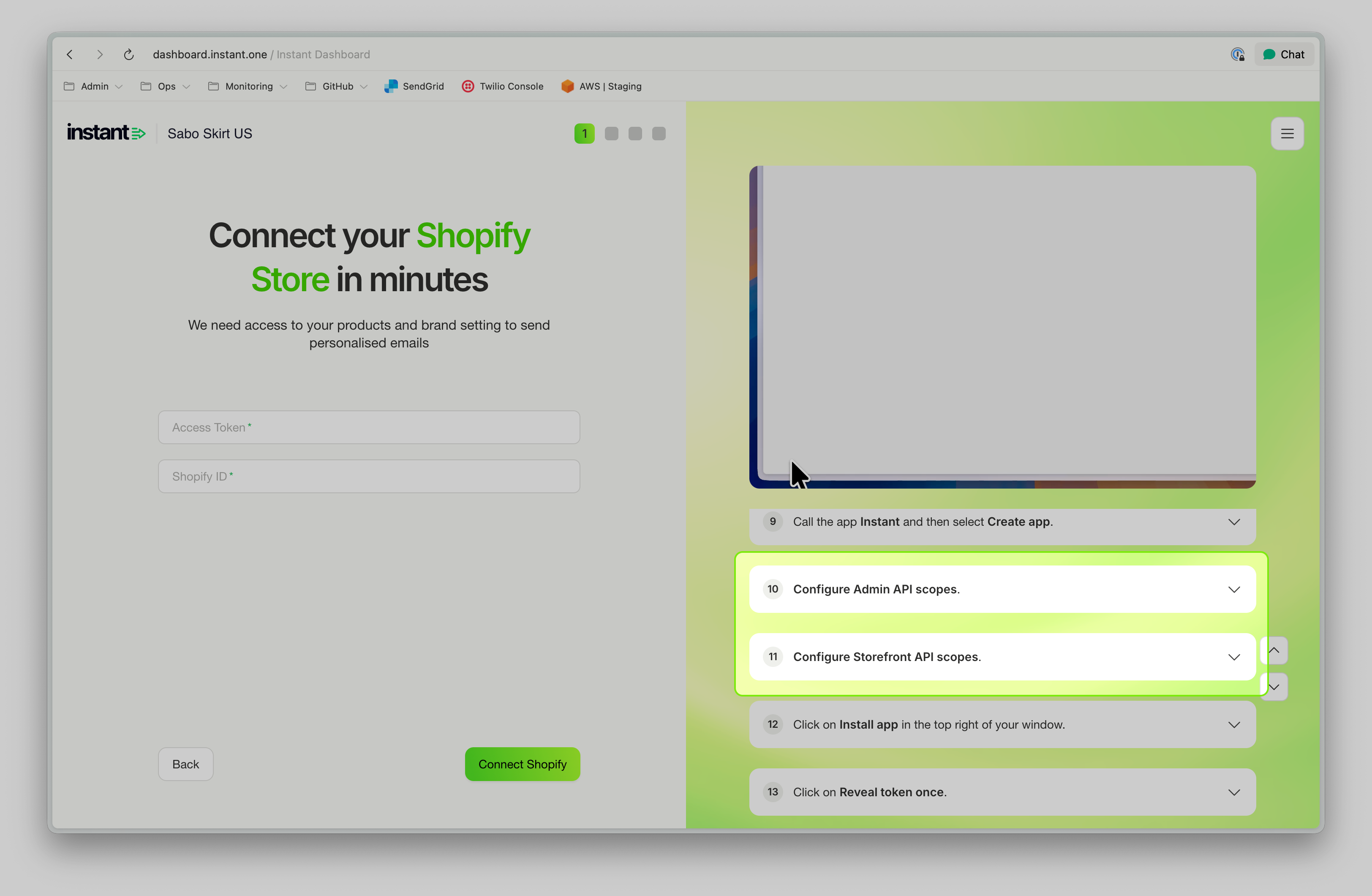
🛠️ Improved Klaviyo & Shopify Integration Instructions
We’ve refined our Shopify and Klaviyo setup guides to make them clearer and easier to follow. Some merchants were missing Shopify’s Storefront API Scopes during setup — which is understandable given how the UI is structured. Our updated instructions now walk you through the process more intuitively, reducing confusion and helping you get fully integrated, faster.
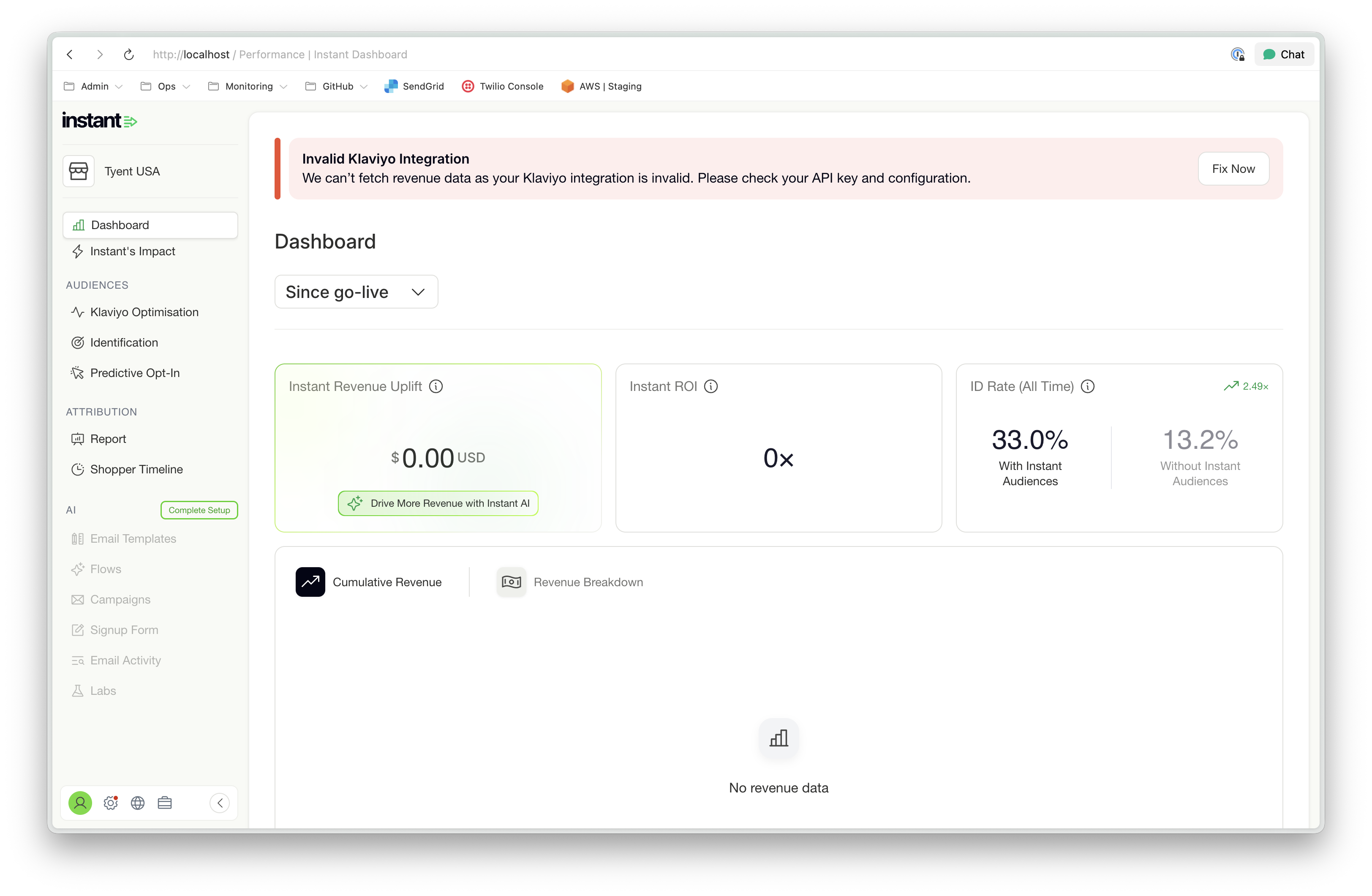
📊 Clearer Error States for Audiences-Only Merchants
If you're using Instant Audiences without Klaviyo, you’ll now see a proper empty state explaining what’s missing — rather than a generic dashboard error. This ensures it’s immediately clear what action is needed (e.g., connecting Klaviyo) and avoids the impression that something is broken.
🔍 More Accurate Metrics on the Trial Comparison Page
Your Trial Comparison Page now focuses exclusively on core abandonment flows — exactly what it’s designed to compare between Instant AI and Klaviyo. Previously, open and click rates could be influenced by additional non-abandonment flows, which made the comparison less precise. The page now reflects a cleaner, fairer, and more reliable side-by-side view of flow performance.
Automatic AI Alt Text on Images
Released 19th November 2025
What’s new?
All images included on Instant AI emails now have alt text automatically added
- All product images now have alt-text auto-generated based on product descriptions
- All custom images now have alt-text auto generated using AI describing the images
- Other minor images like logos, start ratings etc continue to have alt-tags added
This is another automatic improvement to ensure that all emails are more accessible to a broader audience and increases trust with email providers such as Microsoft.
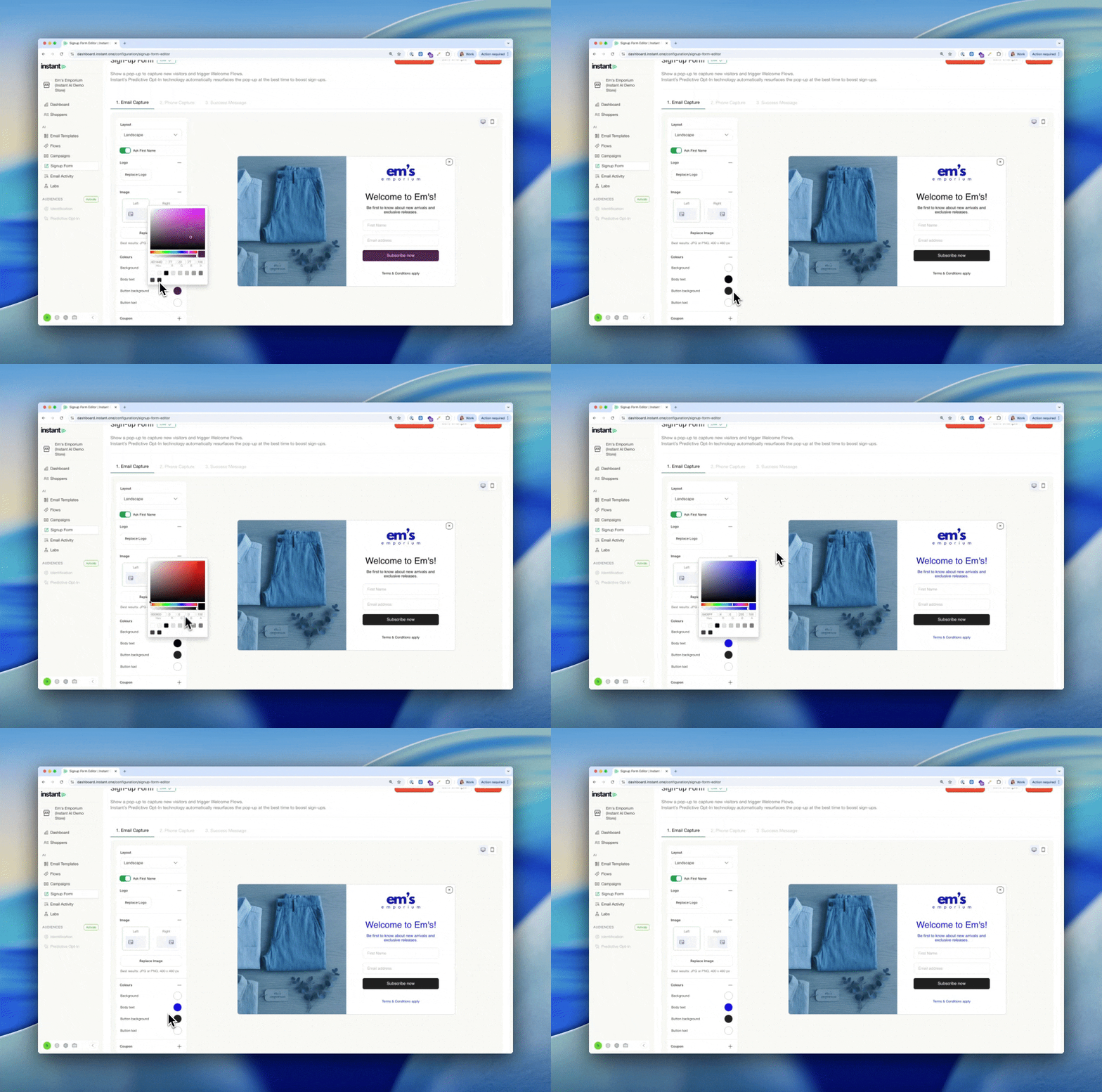
Extra Settings to Edit Pop-up Colours
Released 19th November 2025
What’s new?
Pop-ups now have more granular options to override brand colours
- You can override the pop-up background, body text, button background, button text
- These will continue using your brand colours by default
- If adding a colour override, they will change just this pop-up
- All colours added will apply on every step of the pop-up (if multiple)
Preview Text is improved on Apple Mail
Released 14th November 2025
What’s new?
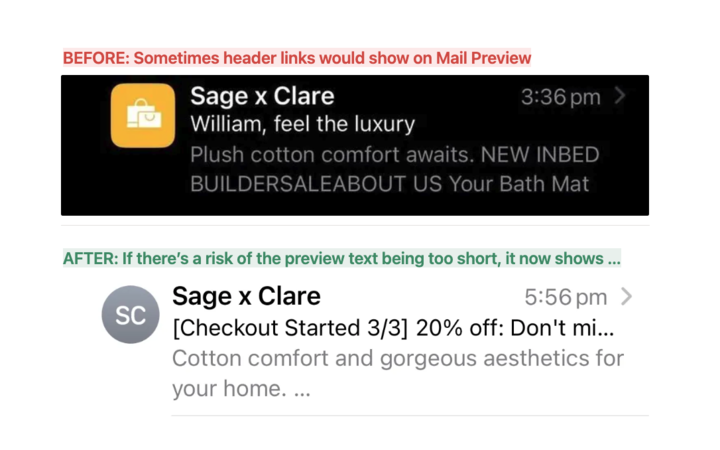
Preview text that shows on Apple Mail, particularly mobile is now optimised
- These changes apply on every header type automatically
- Safely use any content at the start of your email without Apple Mail reading it
- Content in your emails such as header links won't come through to preview text
Pop-up images can be shown on left or right side
Released 14th November 2025
What’s new?
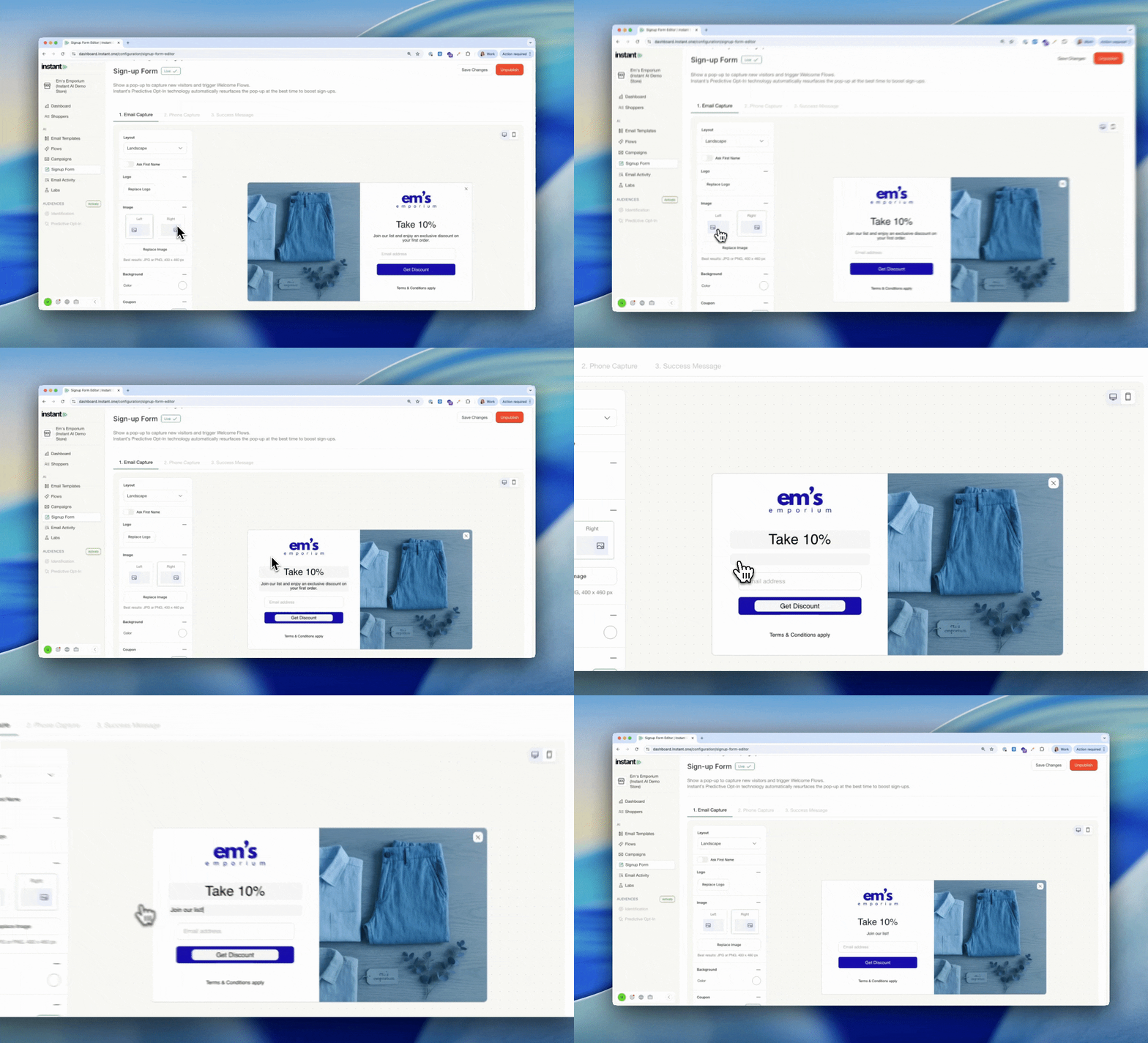
Select left or right side for your images on landscape or full size pop-ups.
- Switch the location of your image easily in your pop-up
- Improved hover states for editing text to make it easier to find
Discounts applied at Checkout now mention in AI Copy
Released 14th November 2025
What’s new?
Discounts applied automatically at cart are now mentioned in all email pricing, including AI body copy and subject lines. We'll promote any discounts in their cart to help encourage customers to convert while their products are on sale.
- Any products that have a before and after price on a product page will be highlighted
- Any carts that have a coupon automatically applied at checkout will be highlighted
- We'll calculate the $ or % of the sale and pick which one is more effective
- The subject lines of the email will automatically highlight the savings for customers
- When sales end or prices change, these prices will add or remove
Set Custom Coupons per flow
Released: 14th November 2025
What’s new?
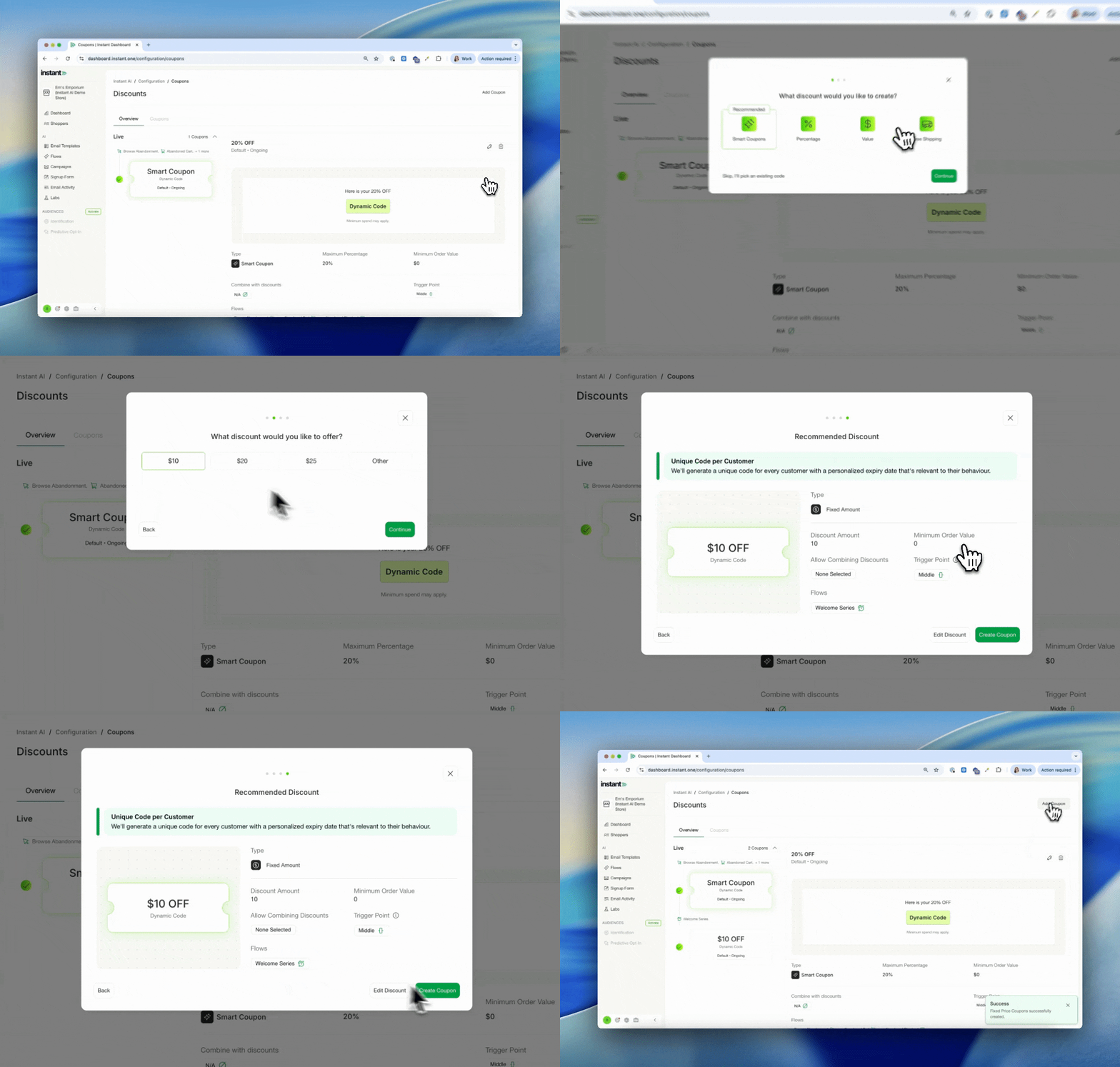
You can now create multiple coupon strategies, all live at once.
- Select Add Coupon to create a new coupon
- Customise the coupon settings and which flows they should apply too
- Only one coupon strategy can be applied per flow
- However every flow can have a different strategy
- For example, Smart Coupons on Multiple Abandonment, 10% on Welcome
- When pausing a coupon using a smart rule, all coupons pause together
Embedded Forms can now trigger a Welcome Flow
Released: 13th November 2025
What’s new?
Welcome flows can now trigger from an embedded form from Shopify or Klaviyo
- In addition to pop-ups, welcome flows can now trigger from embedded footers
- Footers can be from any provider that follows the appropriate structure
- We'll continue receiving all new subscriptions via our integration but they can now trigger a flow
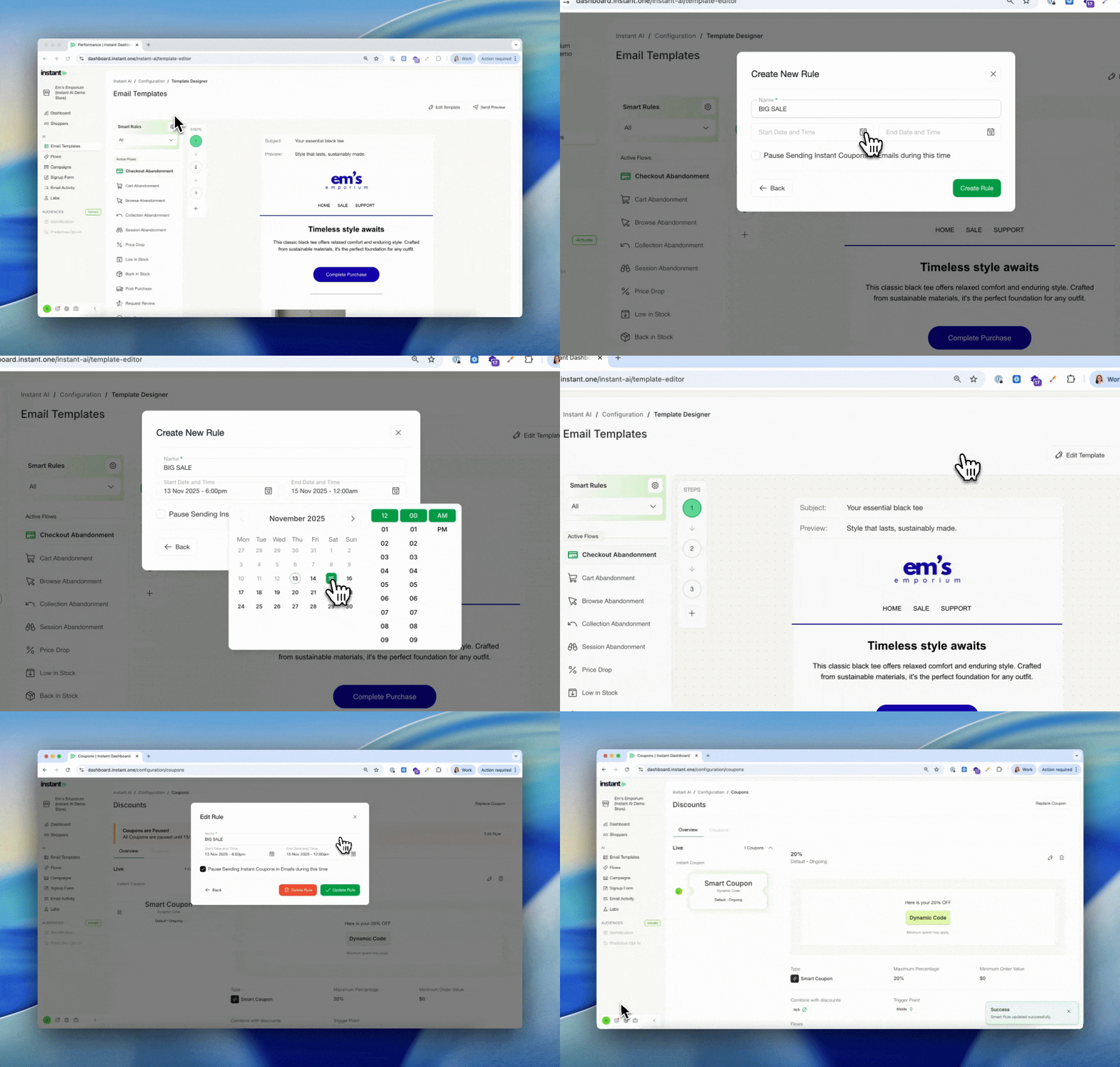
View Coupons paused during a Smart Rule
Released: 13th November 2025
What’s new?
When pausing a coupon during a smart rule, you can now see a preview of the coupon page.
- After you tick "Pause Coupon" during create a rule
- Then visit the coupons page
- Your coupon preview will show a banner with the time it will pause for
- Includes a shortcut to edit the rule and edit the pause
- Currently only works pausing all coupons at the same time
Edit Stacking Coupon Settings
Released: 12th November 2025
What’s new?
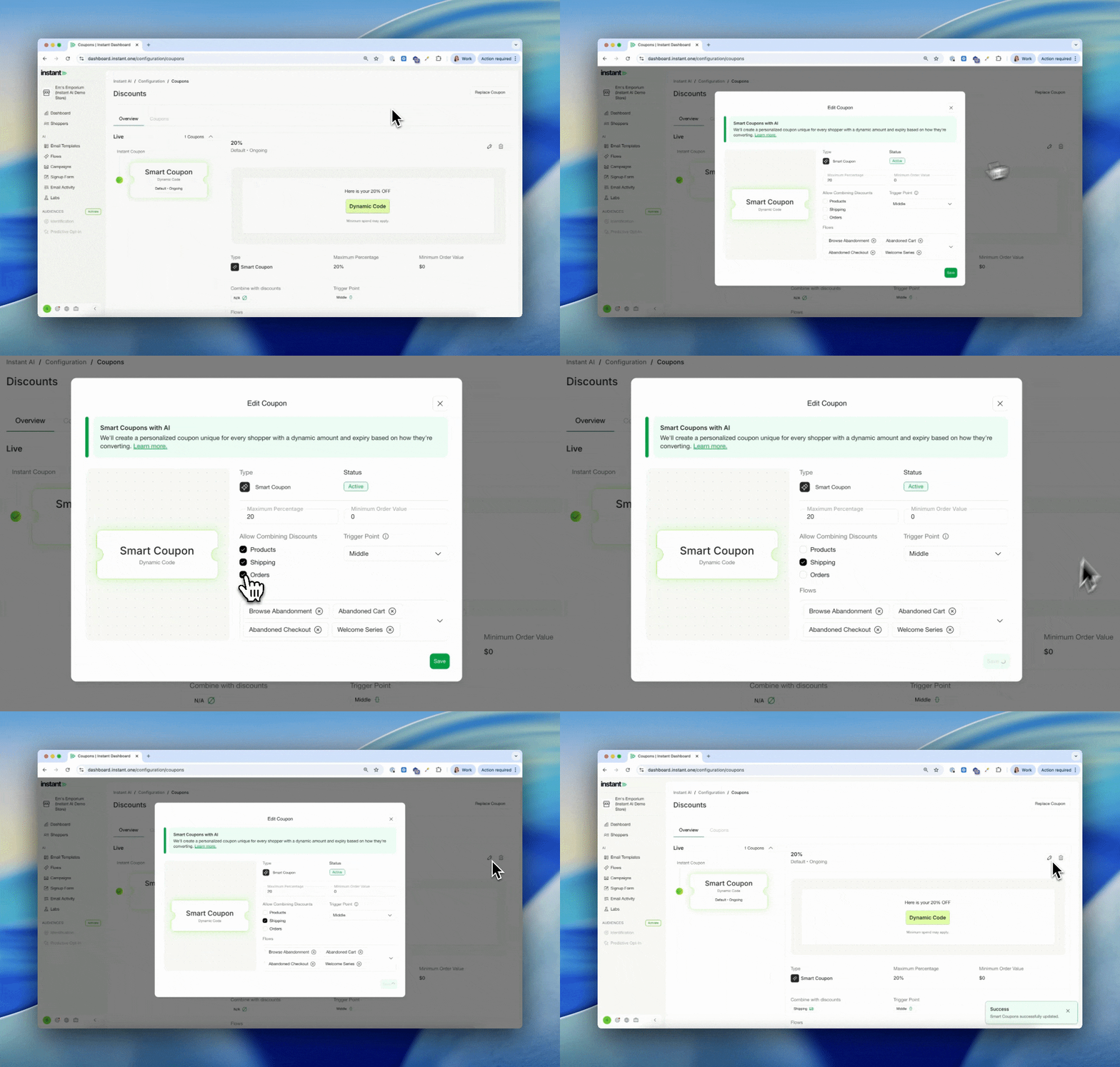
You can now configure if Instant coupons can "stack" with other Shopify Coupons
- When creating a new coupon, you can check to stack coupons
- Choose which types of coupons you'd like your customers to be able to combine:
- Shipping – e.g. Combine Instant Coupons with “Free Shipping” codes
- Products – e.g. Combine Instant Coupons with “10% off this product”
- Orders – e.g. Combine Instant Coupons with “10% off all orders”
- Previously, you may have needed to use an existing discount but now any Instant coupon can have stacking rules configured
- Available on every Instant coupon, including Smart Coupons
Reuse Coupon Codes in Flows
Released: 12th November 2025
What’s new?
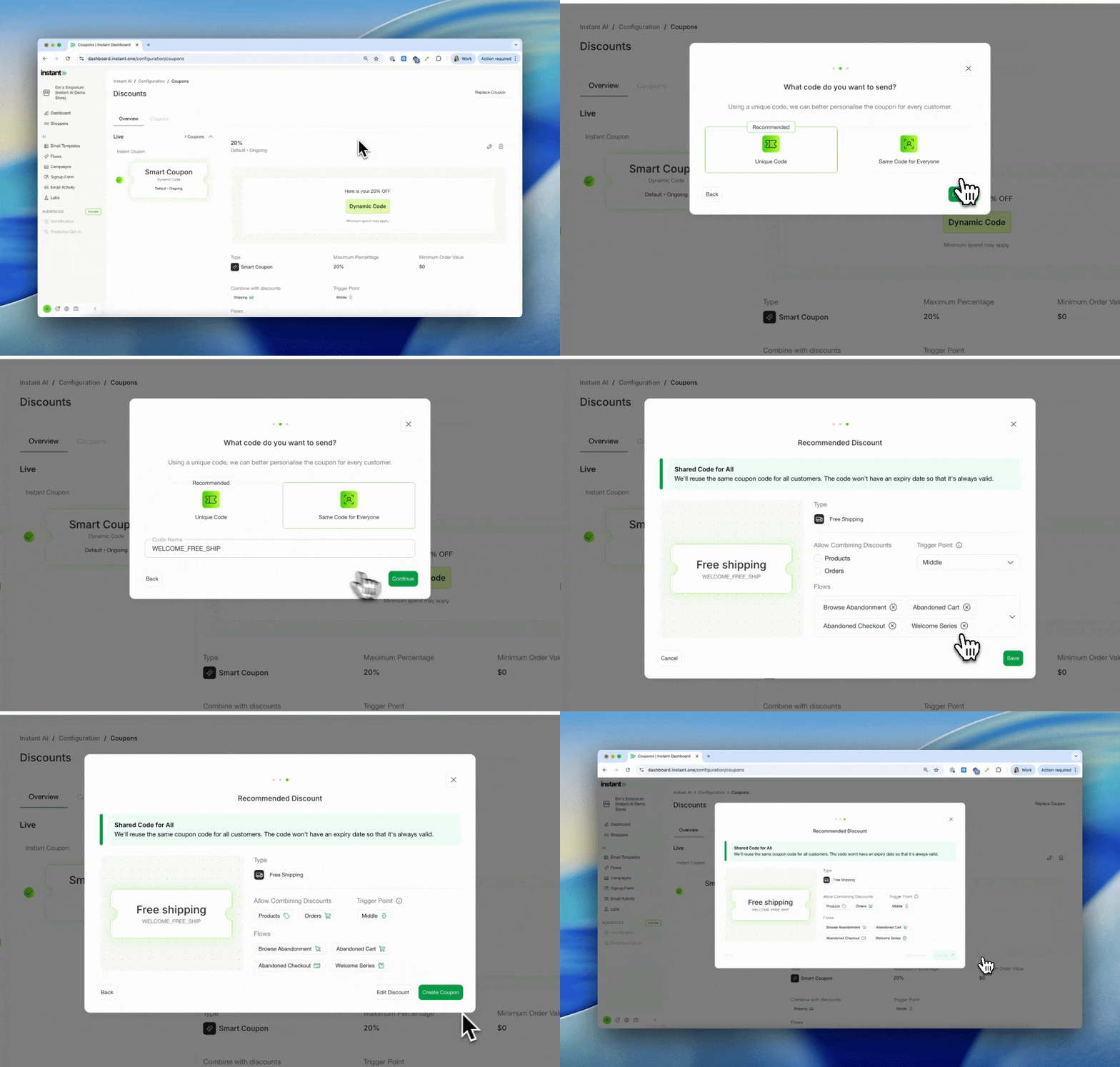
You can now choose to use the same coupon code for all of your customers instead of a unique code. We still recommend choosing a unique code as this helps us to personalise the expiry date and experience for every merchant, but sometimes it may be required to give everyone the same code.
- When creating a new coupon, you'll be asked if you want to make a unique or shared code
- When selecting shared code, you can pick the name of the code to use
- This code must be unique to your store and can't be an existing code
- No expiry data can apply to shared coupons
- We'll send all customers that coupon in your nominated flows
Editable Pop-up Text
Released: 12th November 2025
What’s new?
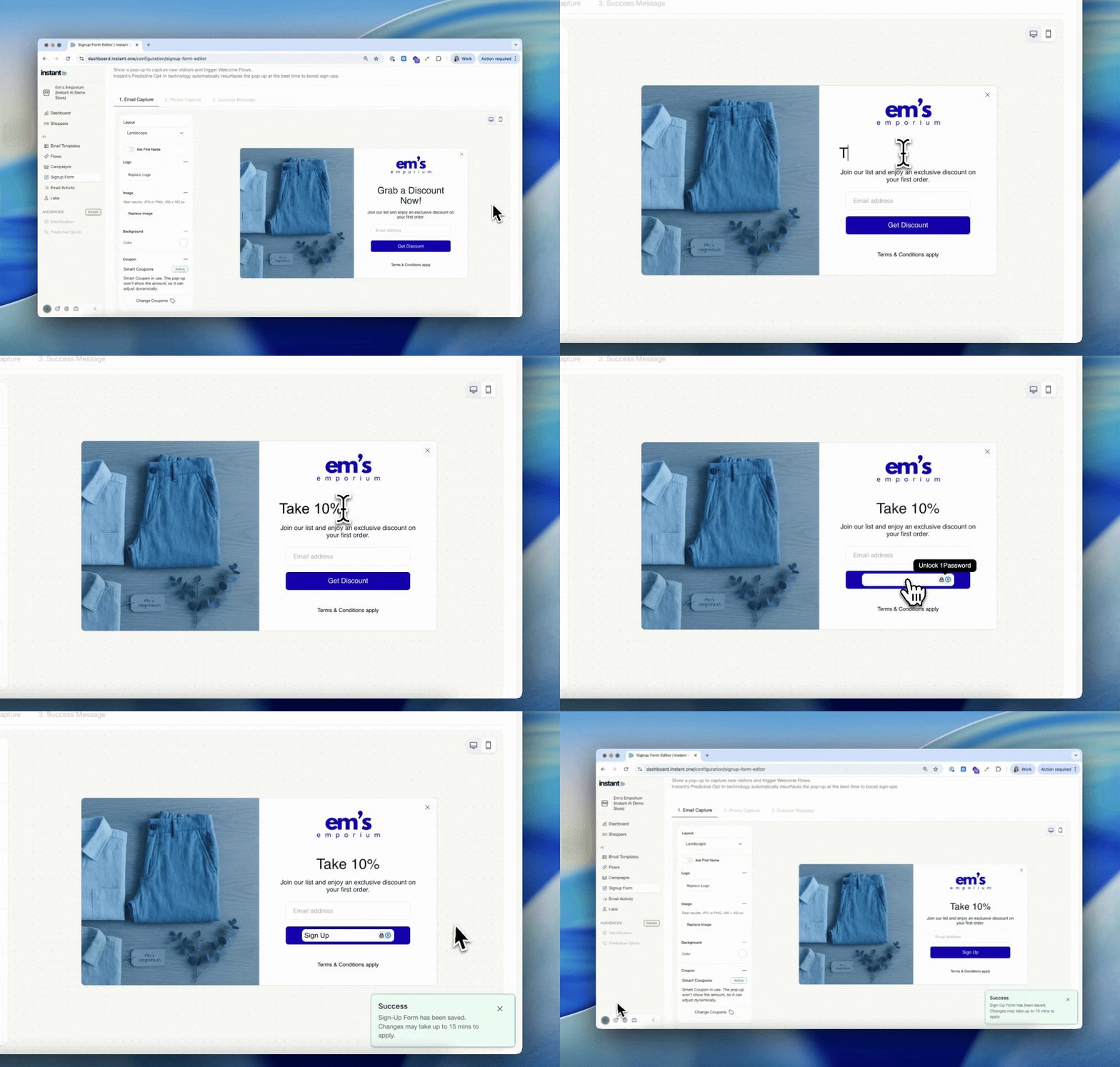
Pop-up text is now editable. You can continue to use AI generated copy, or if you wish to override it for a specific use case you can use any of your own test.
- Go to Sign Up Forms and click on the Text on screen
- Edit it to write any text you like
- If you delete all of the text, we'll automatically revert to our default AI changes
- When saving, changes can take ~10mins to update on their site so we show a message that lets you know it may take a few minutes to load