
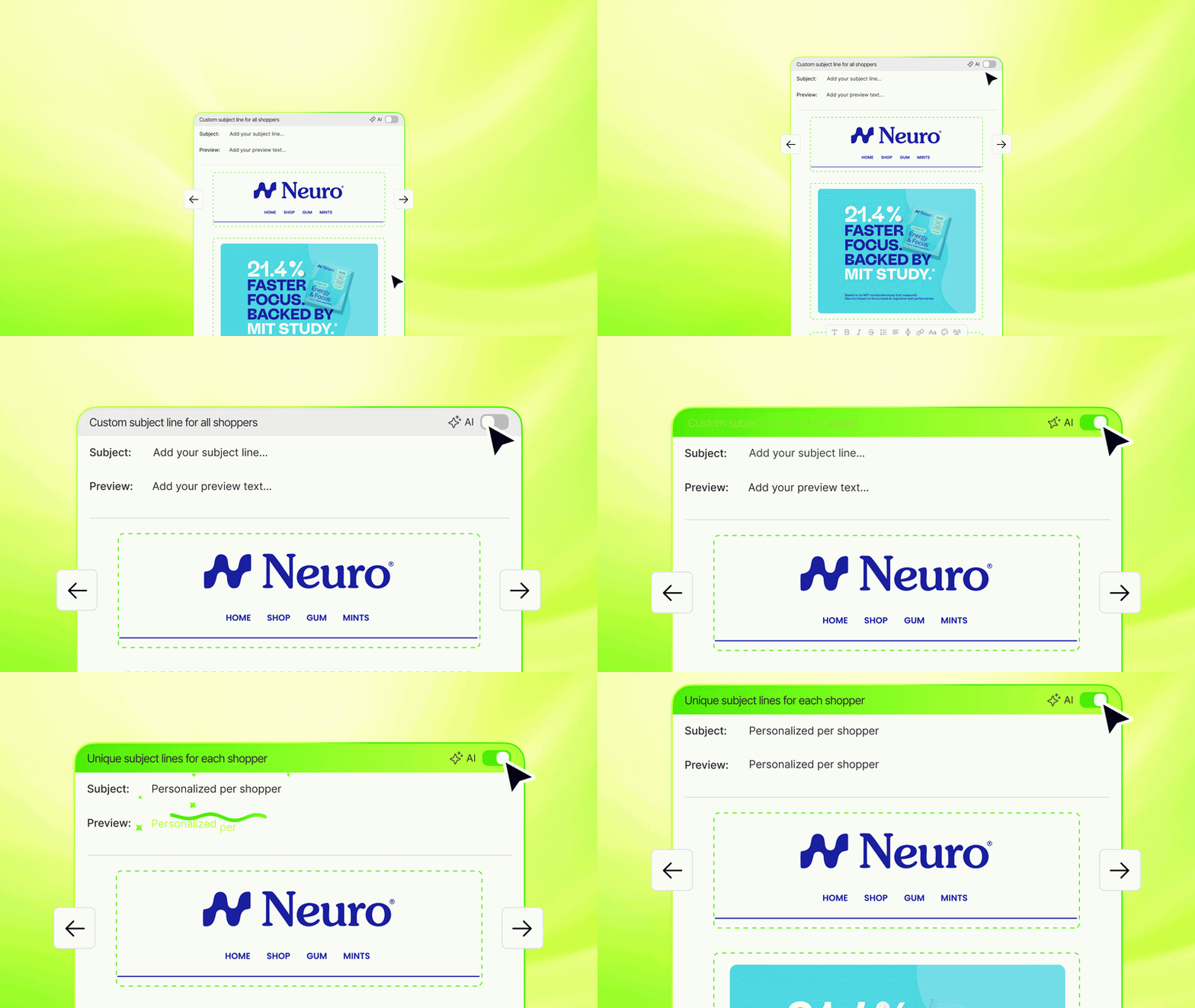
Instant AI can now generate a unique subject line and preview text for every shopper who receives your campaign. Instead of writing one subject line that has to work for everyone, every shopper gets one written specifically for them.
There’s no winning variant, because every shopper gets the variant written for them. A first-time subscriber sees something different than a loyal customer. Someone who just abandoned a cart sees something different than someone who hasn’t visited in a month. All from the same campaign, all generated automatically.
How it works
When AI Subject Lines is enabled on a campaign, Instant AI does two things:
- Reads your campaign in full: the text, images, and everything in between to understand the message you’re sending.
- Looks at what we know about each individual shopper: whether they’ve bought before, visited your website recently, or abandoned a cart.
It then generates a unique subject line and preview text for every shopper, tailored to your campaign content and where that shopper is in their buying cycle.
This replaces the traditional approach of A/B testing to find a single subject line that performs best across your whole list. With AI Subject Lines, every shopper effectively gets their own version.
How to enable AI Subject Lines on a campaign
- Open the campaign you want to edit (or start a new one)
- Hover over an email in your sequence and hit the ‘Edit’ button
- On Subject and Preview line inputs, you’ll notice a toggle for AI Subject Lines. Turn that on.
- Save and schedule your campaign as normal
To see the subject lines that go out, go to Campaigns > Activity for a live log of every subject line and preview text sent.
FAQ
Can I still write my own subject line?
Yes. If you’d prefer to use your own copy, leave AI Subject Lines off and write the subject line and preview text manually in the campaign editor.
Where can I see what subject line each shopper received?
Go to Campaigns > Activity for a live log of every subject line and preview text as emails send.
Is this the same as the AI subject lines already used in flows?
Yes, it’s the same personalisation logic, now available for campaigns. For flows like Welcome and abandonment, Instant AI has always generated personalised subject lines and preview text per shopper. This release brings that capability to campaigns too.