If you’re using Klaviyo and need to find out your usage metrics to pass on to a sales rep from Instant, follow the steps below.
How to find Abandonment flow revenue
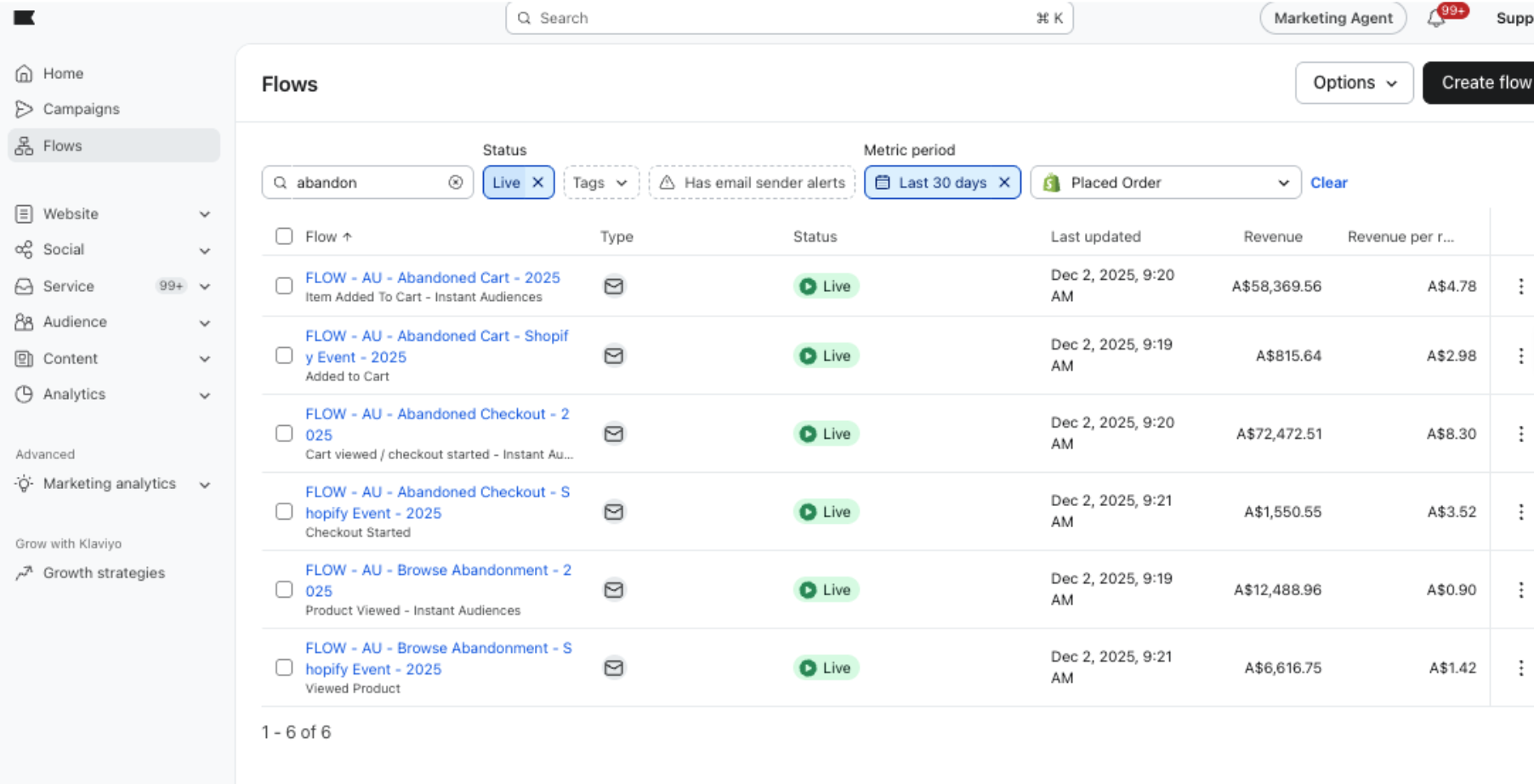
- Visit https://www.klaviyo.com/flows
- Ensure the following filters are applied: Status is Live, Metric Period is Last 30 days, Metric is Shopify - Placed Order
- Search for your abandonment flows (e.g. type abandon in the search bar)
- Sum up all the revenue figures and share that total with us
How to find Flow Email sends and Campaign Email sends
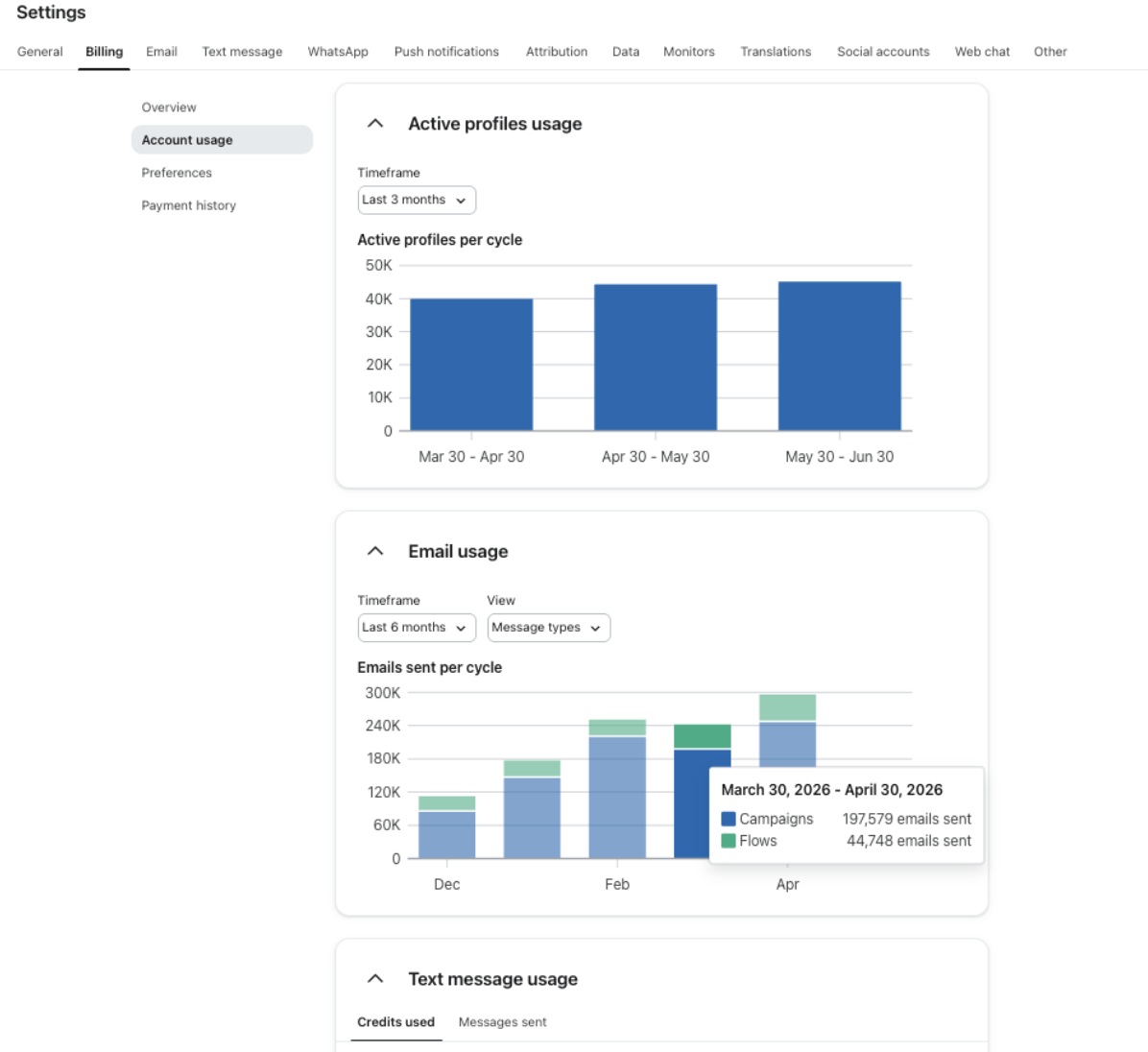
- Visit https://www.klaviyo.com/settings/billing/account-usage
- Scroll down to Email Usage
- Change Timeframe to Last 6 months
- Change View to Message Types
- Hover over an average month
- Share with us the Flow Sends number and Campaign Sends number
How to find Welcome Flow sends
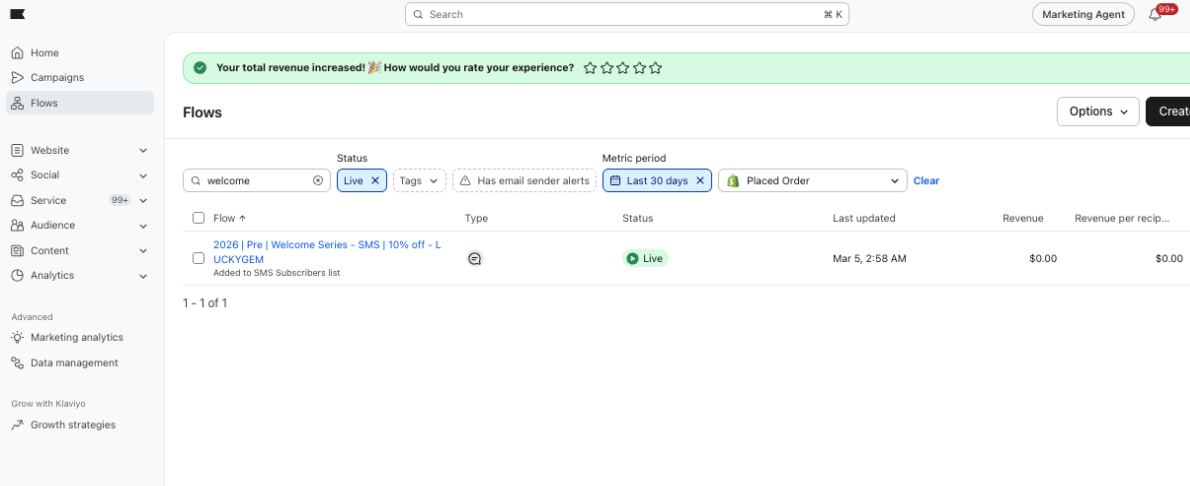
- Visit https://www.klaviyo.com/flows
- Search for your live Welcome flow and click into it
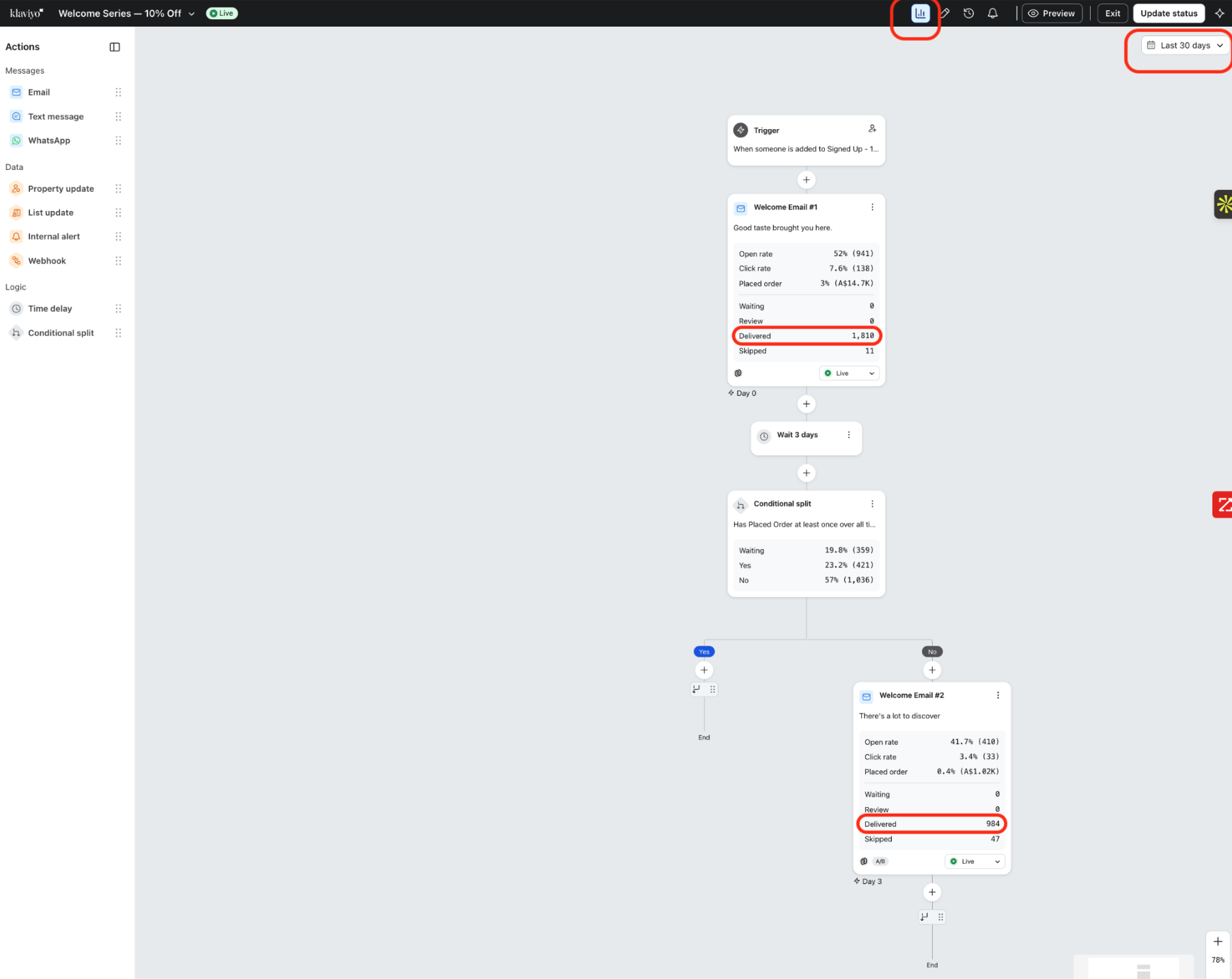
- Change the time scale to Last 30 days at the top right
- Click the Analytics button at the top right (graph icon)
- Sum up all the Delivered numbers across your various emails in that flow
- Share that number with us