
Important: Before beginning, your account in Shopify must have Administrator permissions, or if using custom staff permissions you need to have Develop Apps and Manage and Install Apps permissions granted.
If you do not have these permissions please contact your administrator to request them before starting, or they must complete the set up on your behalf. Read more
As of 1 January 2026, Shopify updated how apps are installed and connected to stores. Instant uses this updated connection method, so the steps may look different to what you’re used to.
During onboarding, Instant will always show the latest, up-to-date install instructions. Follow the on-screen steps first. If you’d like a guided tutorial, watch this step-by-step video and follow along:
Still not working?
Steps to troubleshoot will depend on what errors you're seeing. If you're seeing the “Integration error: Failed to verify Shopify integration” error. In almost all cases, this is caused by one of the following:
-
The app isn’t installed
-
The app is installed on the wrong store
-
Required permissions weren’t fully granted
-
The app was installed via a distribution link
Follow the below steps to check each option, and if in contact with one of our team members for support, please share screenshots when prompted below with our team.
1. Check to confirm that the Instant App is both created and installed
It is possible that the app was created, but not correctly installed or connected. First, it's best to check that the app is installed on the right store and is accurately working.
-
Go to Shopify Admin > Settings
-
Select Apps > Develop Apps
- Select Build apps in Dev Dashboard
- This will open the Shopify Dev Dashboard in a new tab
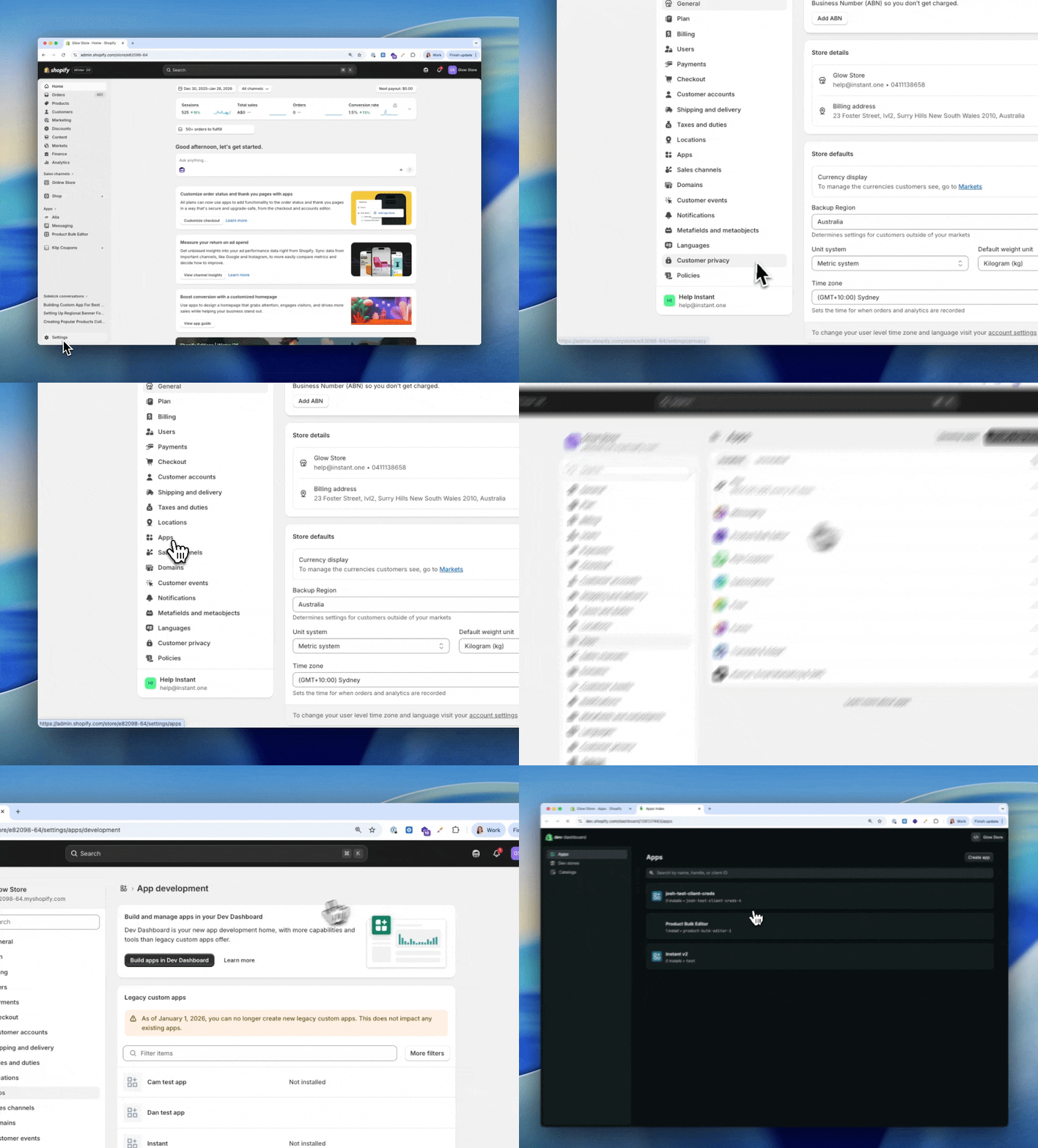
- Find the Instant App from the list of created apps and select
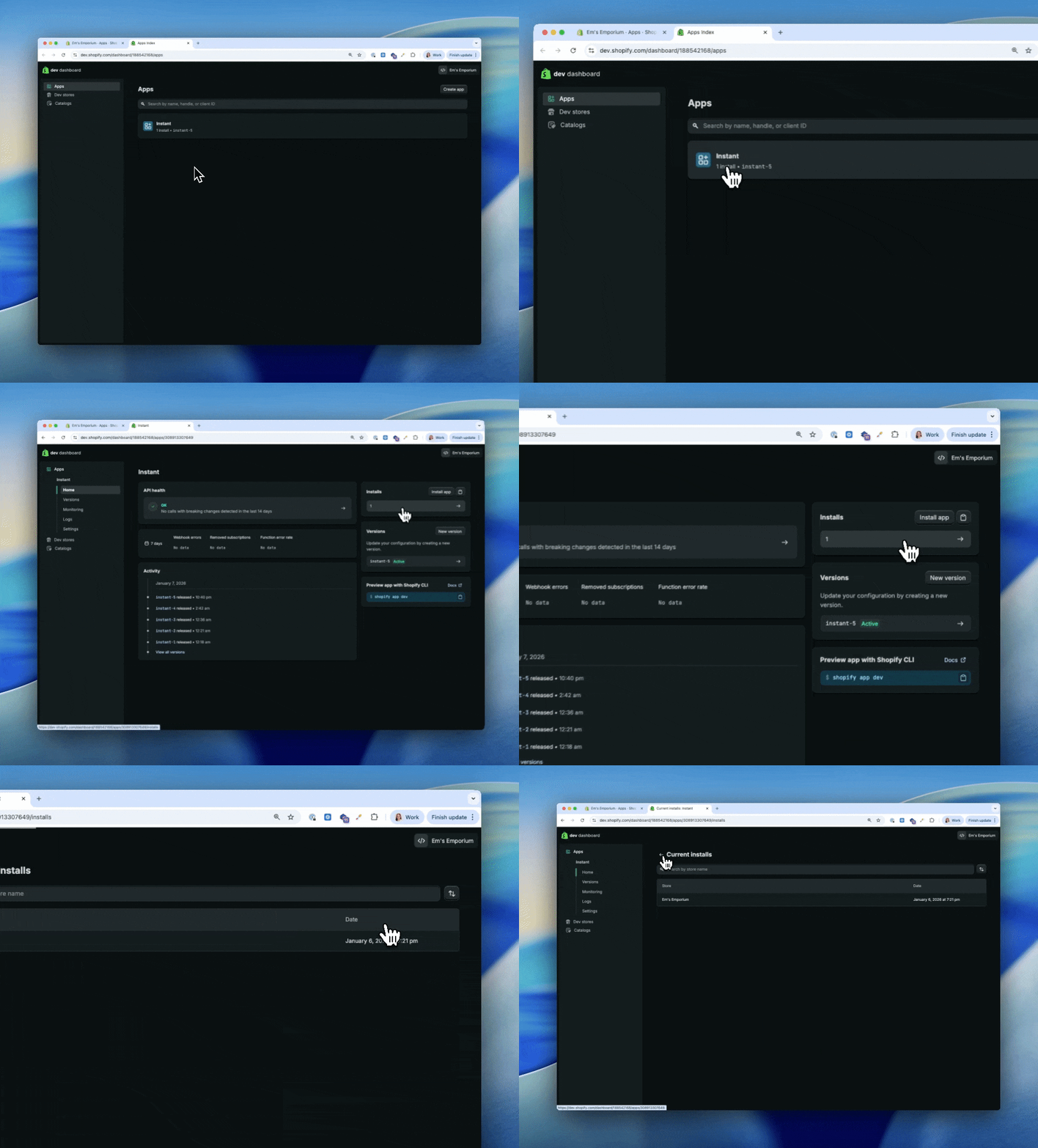
(Note: This should already be installed from following earlier steps, otherwise refer to steps 8+ on the standard installation instructions) - Confirm that the app has 1 Installs next to it on the right
- If there are 0 installs, then select Install App and follow the prompts to correctly install Instant to your store. If you have made any changes to the installation, return to the Instant integration page and try and re-verify your integration.
- If there is 1 installs, then select click on the number of installs to see the name of the stores installed and verify that it is the correct site.
2. Check to the scopes and permissions on the app
It is possible that the app was created, and installed, however we are missing some key Shopify permissions to validate the integration.
-
Complete the steps above to locate, and view the installed app
- Under Versions, select the name of the latest version that is active
- Confirm that all of the scopes are listed under Scopes
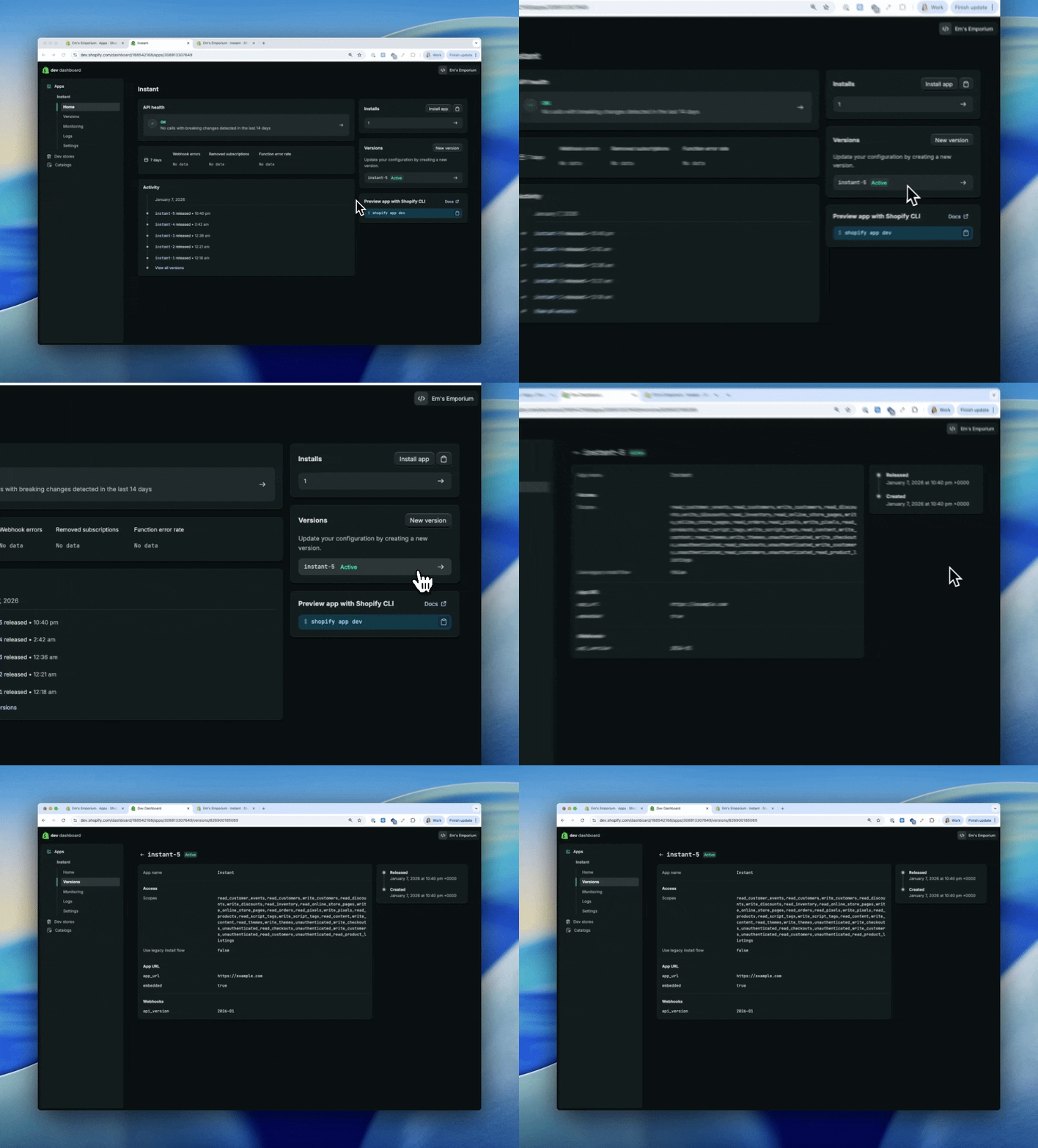
- If there are any listed as optional (this section will be missing if there is none) or
If the list of permissions does not match the expected list
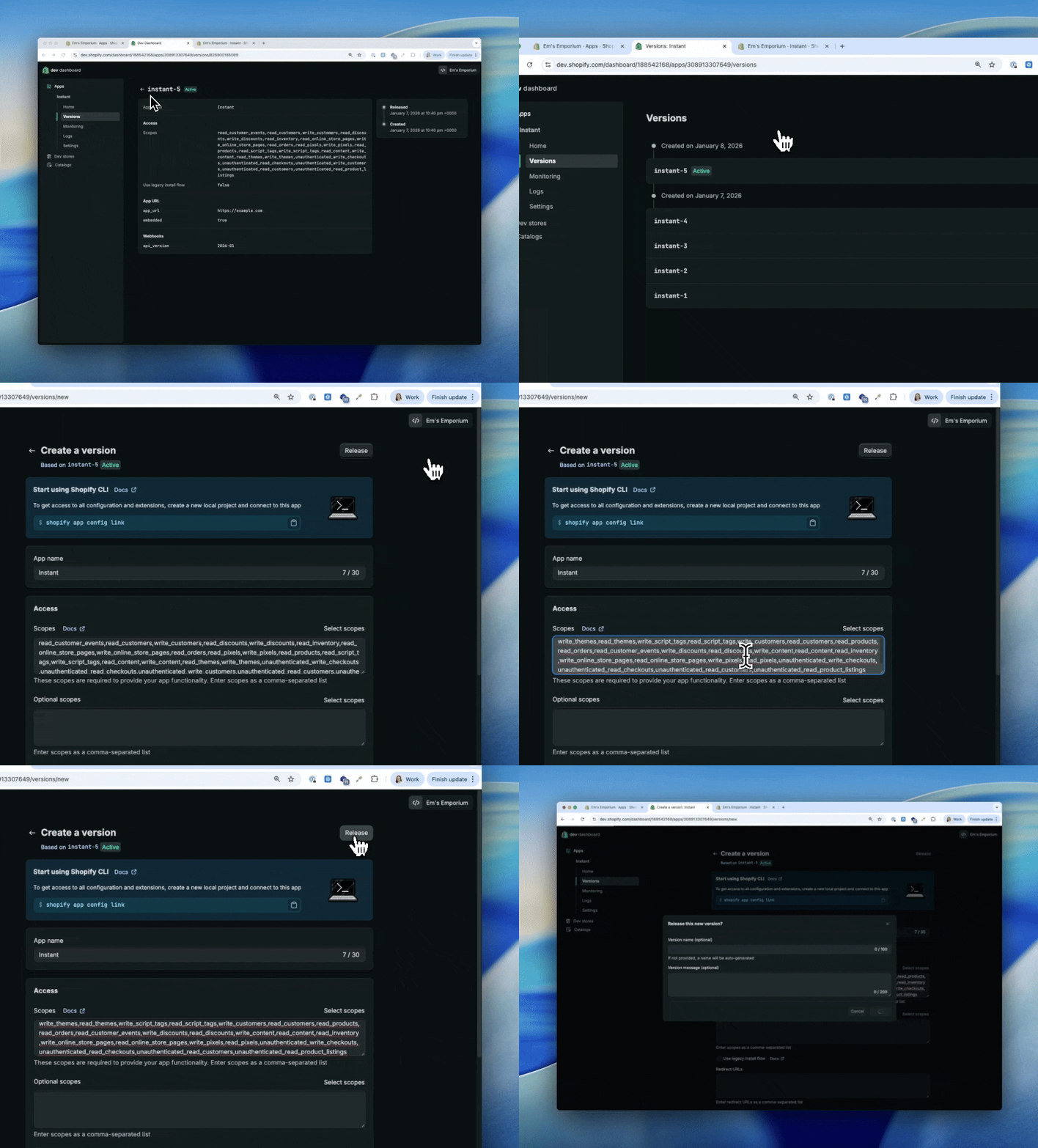
- To do this, click the back option to return to the app home
- Select New Version
- Delete all of the existing options under Scopes or Optional
- Replace these with new scopes by Copy and paste the below list under Scopes in the app
write_themes,read_themes,write_script_tags,read_script_tags,write_customers,read_customers,read_products,read_orders,read_customer_events,write_discounts,read_discounts,write_content,read_content,read_inventory,write_online_store_pages,read_online_store_pages,write_pixels,read_pixels,unauthenticated_write_checkouts,unauthenticated_read_checkouts,unauthenticated_read_customers,unauthenticated_read_product_listings - Select Release
- A pop-up will appear, select release again
- If this section looks correct, but you aren't certain please take a screenshot and share it with our team for verification
Why else might the integration not work?
-
Installed via a distribution link - It's critical that this method must be followed exactly. Alternative methods such as installing via a distribution link are no longer supported by Shopify and have moved to the new partner installation. If you have attempted to install using this method, unfortunately none of the scopes will save and the app will not function. Please try again using the correct method
- Missing permissions to publish or install the app - If your permissions in the Shopify store are missing the ability to create and install apps you may be limited in what steps you can execute. If you can't see the ability to build apps in Dev Dashboard, this is usually a good indicator that your permissions are what's stopping you from setting up.
Your account in Shopify must have Administrator permissions, or if using custom staff permissions you need to have Develop Apps and Manage and Install Apps permissions granted. If you do not have these permissions please contact your administrator to request them before starting, or they must complete the set up on your behalf.
- You have an existing integration with Instant, or a previous integration - We can only support one Shopify ID connected to Instant at one time. If it is possible that you had a previous or old account with Instant, parts of your set up may already be in use. If that is the case please contact our team for assistance to reset your old account so it is available for use and try again.