Improved flow analytics with per step analytics
Released 3 September 2026
What’s new?
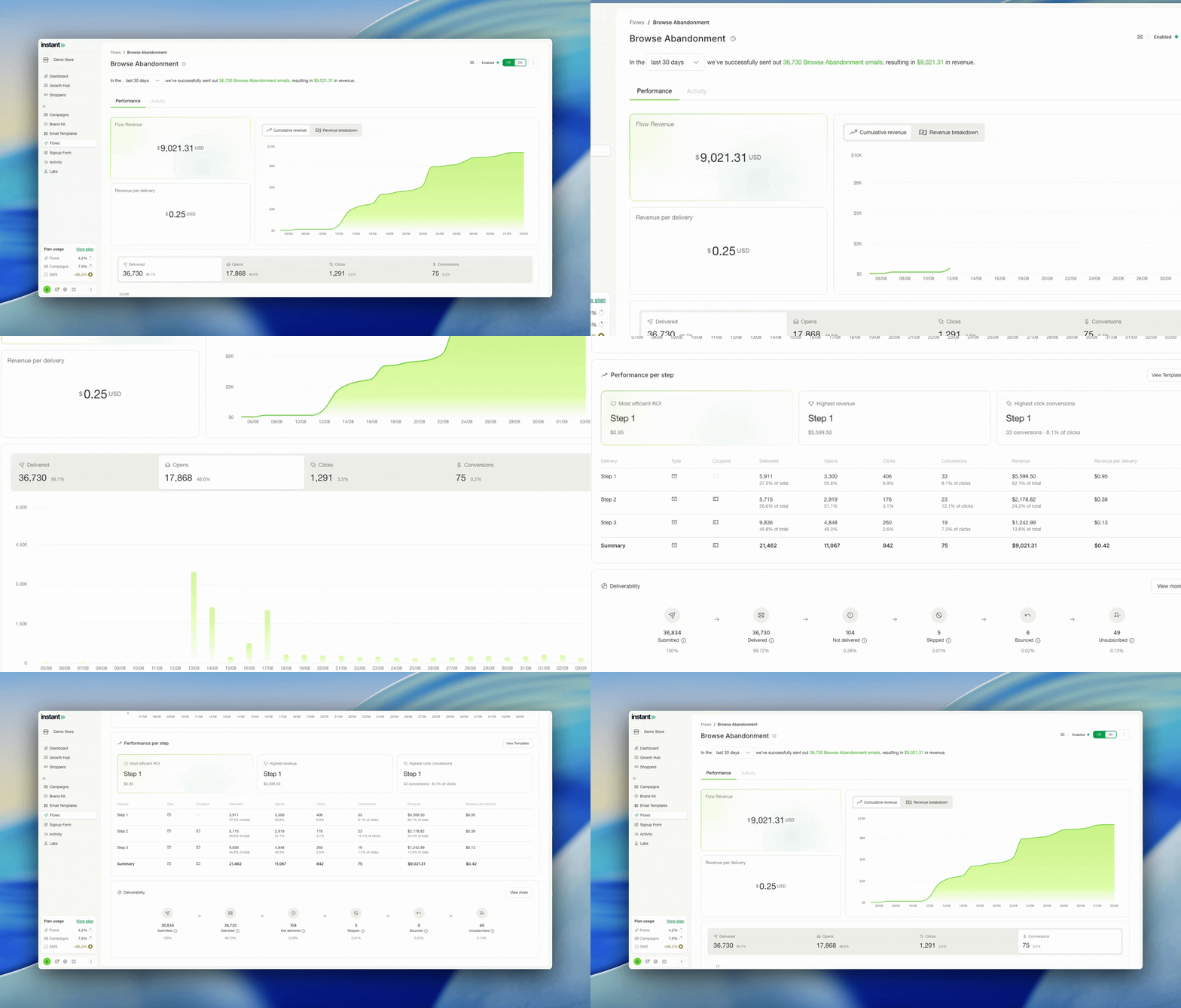
- Flow pages have a new structure, with revenue data at the top, then interactions, then the per step breakdown
- Delivered, opens, clicks and conversions each plot as a graph over time when you select their tab
- A new performance per step card breaks down performance by touchpoint, alongside the totals
Impact
The numbers behind your flows were already being tracked. What changes here is the order they appear in, so the revenue a flow brought in reads first and the detail sits under it.
The per step card is the new part. You can see which touchpoint is doing the work and what share of the results comes from each step, so a flow that looks healthy overall no longer hides a step that is not pulling its weight.
Add text over images
Released 3 September 2026
What’s new?
- The image editor now lets you layer text over any image
- Build your own hero images, or drop a message over an image you already have
- Text styling reads from your brand kit for smart defaults, and you can override it with your own
- Your text stays editable for good. It is never flattened into the image, so you can come back and change it at any time
Impact
Text added to an image is usually baked into the file the moment it is saved. From that point a small copy change means rebuilding the image from scratch, and the original layers are gone.
Instant keeps the text as its own layer for as long as the image exists. A price, a date or an offer can be corrected weeks later in a few seconds, without going back to a design tool.
Send emails from a different email address
Released 3 September 2026
What’s new?
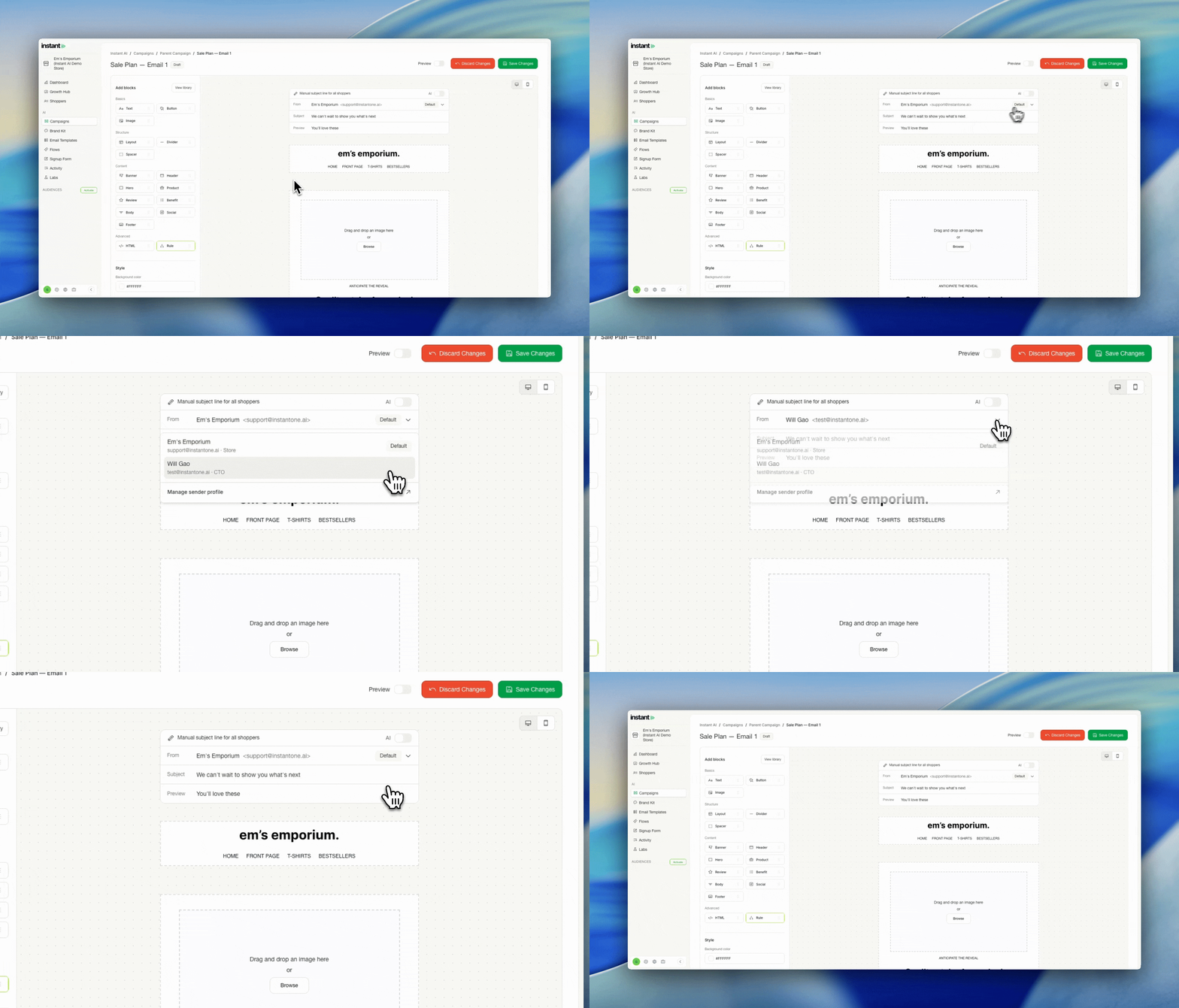
- A new From section when you edit any email lets you pick which address that email sends from, in both campaigns and flows
- Create sender profiles for each address you want to send from, each holding an email address and a sender name, for example John Smith and [email protected]
- Set one profile as your default, so you only choose a different one when you want to
- Find sender profiles under Settings > Email Settings, then scroll down to Sender profiles
Impact
Most of your email should come from the same place, and it still does unless you change it. This is for the emails that should not: a campaign written by your founder, or a plain text step in a flow that reads like a note from a person rather than from a brand.
A plain text email lands differently when it actually arrives from your founder, and a message asking whether someone needs help with their order works better coming from support than from your marketing address.
How to send emails from different email addresses →
SMS Welcome flows are now live
Released 2 September 2026
What’s new?
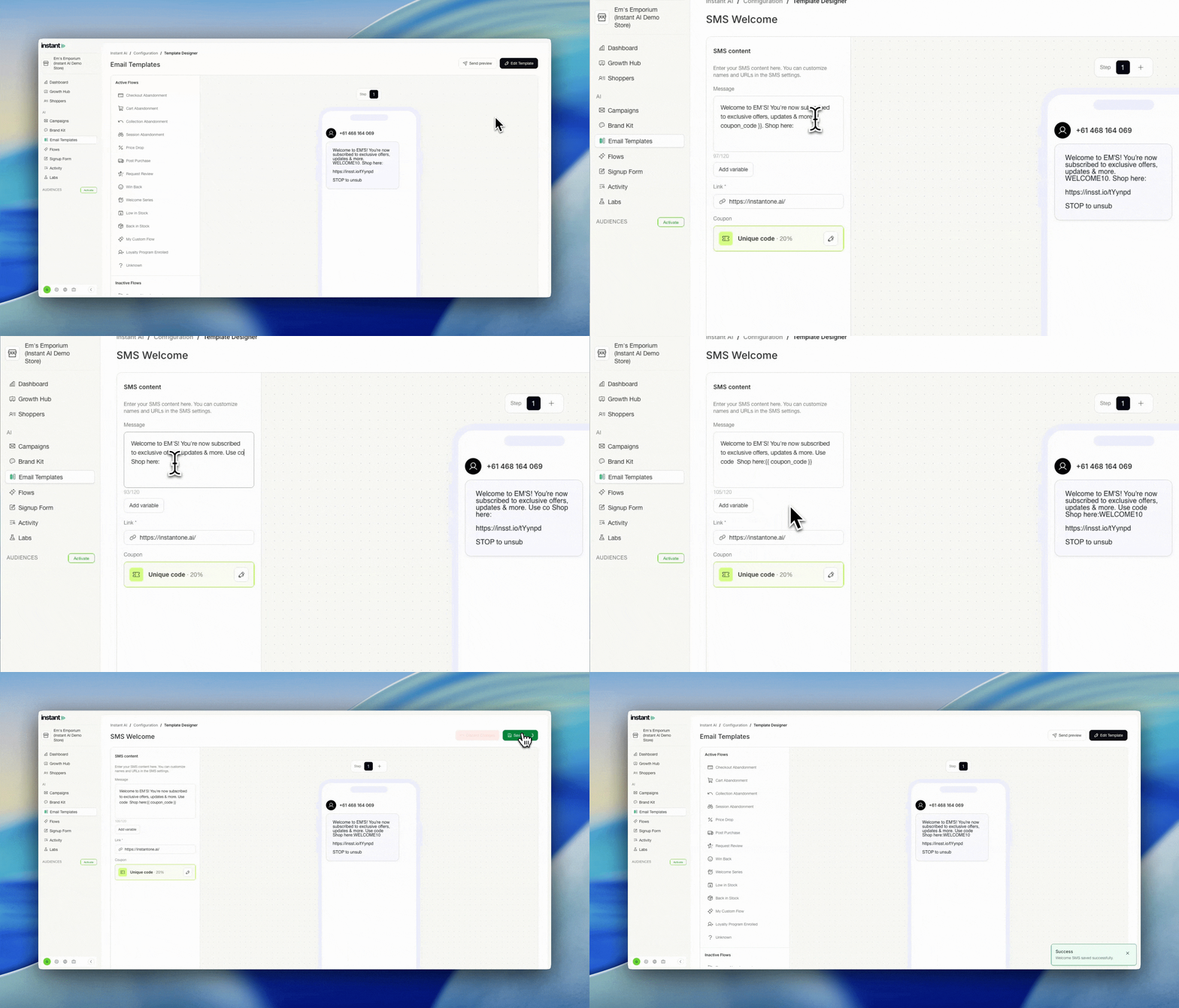
- A dedicated SMS Welcome flow texts a shopper as soon as they subscribe to SMS
- The flow appears in your dashboard once SMS is connected and ready to send
- You write your own copy for each message in the flow
- Your configured coupon carries across, and you can include the coupon code in your template
- It runs in parallel with your email Welcome flow, so a shopper can receive both depending on which they signed up to and when
Impact
This is a standalone flow rather than SMS added to your existing Welcome flow. It has its own trigger, its own touchpoints and its own copy, and it does not replace or delay the email welcome a shopper is already in.
Welcome copy is the most bespoke content most brands write, so this flow hands you the message to write rather than generating it. A shopper who signs up with a phone number and no email address now gets a welcome as well, where before they heard nothing from you until your next SMS campaign.
How does the SMS Welcome flow work →
Brand kit now supports a mobile only logo
Released 28 August 2026
What’s new?
- Upload a second logo that is specific to mobile
- Shoppers reading on desktop see your desktop logo, and shoppers on a phone see your mobile one
- Works automatically across every Instant header, all you need to do is upload the extra file
Impact
Plenty of brands have a long horizontal logo that works well on desktop and gets squeezed on a phone, so they keep a shorter mobile version alongside it.
Until now the way to handle that in an email was a custom header with your own logic for what to show and hide on mobile. You can keep using Instant’s standard header instead, and just upload the second file.
Request Review Flows now support custom triggers
Released 28 August 2026
What’s new?
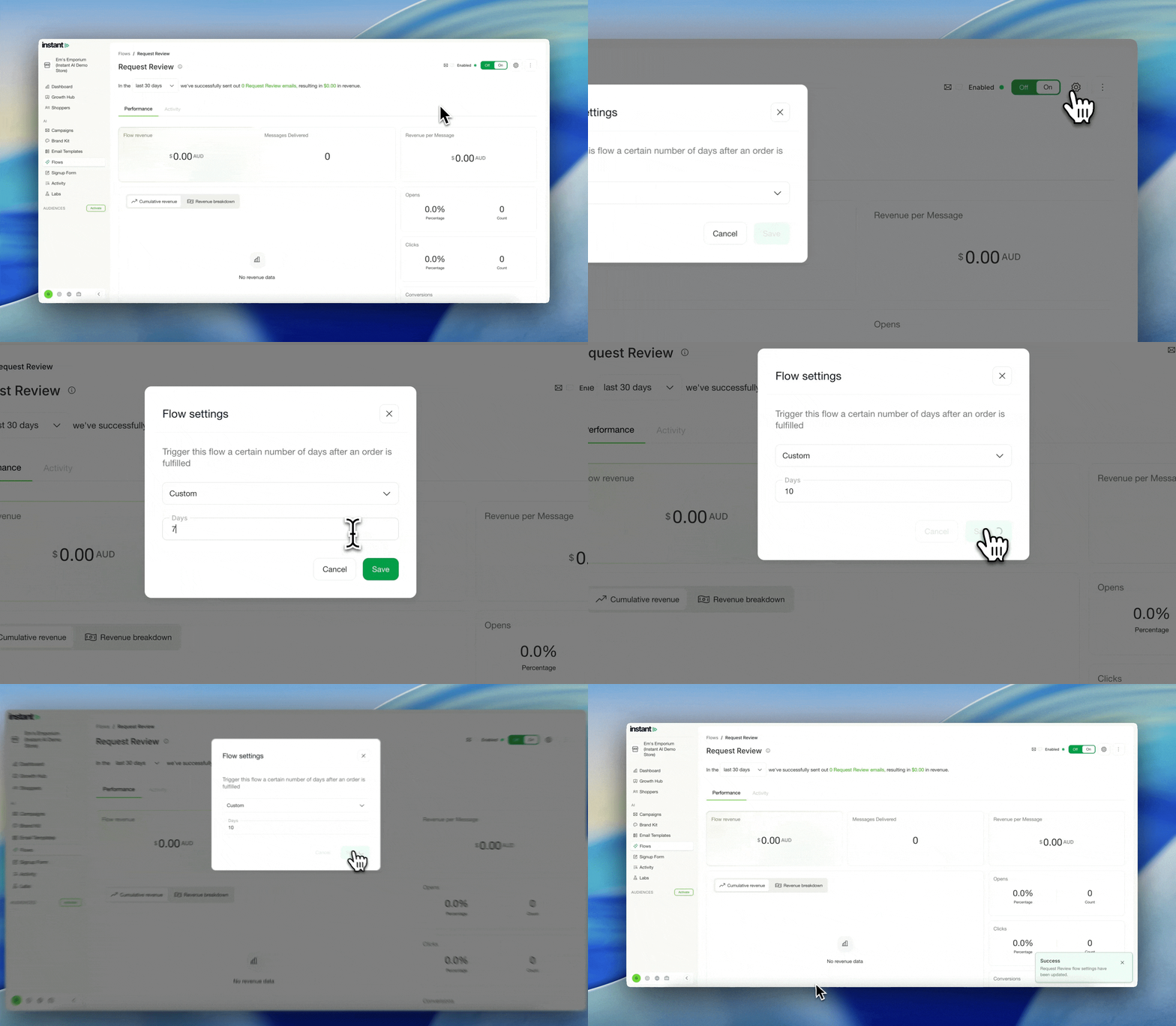
- Set your own waiting period between an order being fulfilled and the review request sending
- The default stays at 7 days, so nothing changes unless you adjust it
Skip Campaign emails if someone converts
Released 21 August 2026
What’s new?
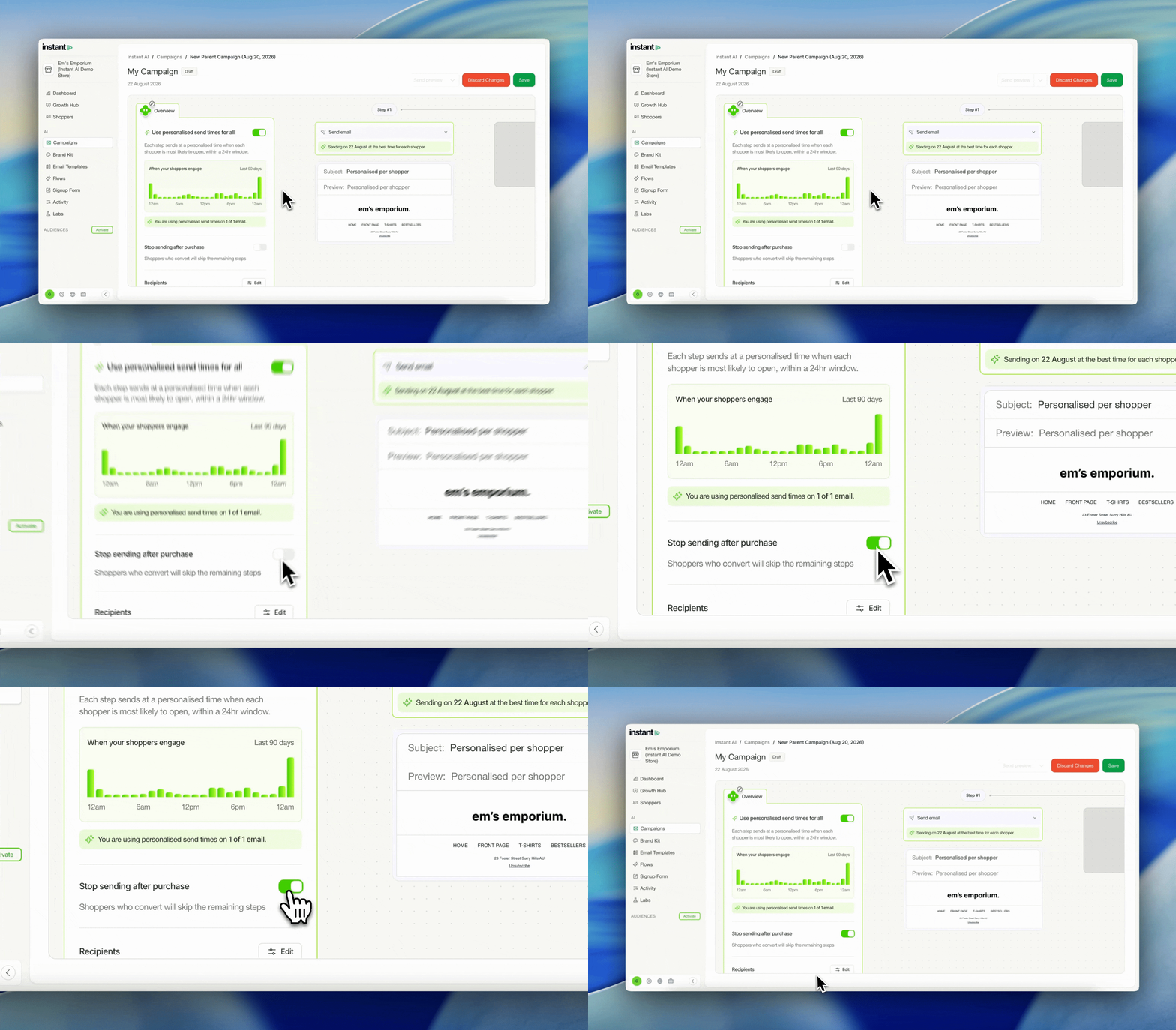
- Turn on a toggle to stop sending the remaining emails in a multi-step campaign to shoppers who convert
- Build a nurture campaign of three or four emails and have it behave like a flow, so anyone who purchases early drops out
- Off by default, and you can switch it on or off at any time
- Find it under Campaigns > your campaign > Overview > Stop sending after purchase
Impact
Campaigns and flows have always worked differently. A flow reacts to what a shopper does, and a campaign sends to everyone on the list. That gap mattered most when you were using a multi-step campaign to nurture shoppers towards a purchase, because someone who bought from the first email kept getting the rest.
You can now put that logic on a campaign. Build three or four emails to warm shoppers up, and anyone who converts along the way stops receiving the remaining sends.
Bounce Reasons now on the deliverability dashboard
Released 21 August 2026
What’s new?
- A new Reasons tab on the deliverability dashboard breaks down every reason your emails bounce
- Bounces are grouped into categories, so you can see exactly what is causing them
- An activity log at the bottom of the page shows everything happening on your account
- Search, filter and open the full detail on any entry, which makes a problem much faster to diagnose
Impact
This page reports on work that is already happening. Instant manages a large number of deliverability scenarios for you automatically, and the recommendations page already tells you when something needs your attention.
Reasons adds the evidence behind that. It shows why the bounces you still see are happening, and once the detail is visible most accounts look a lot healthier than expected.
Crop images from the email editor
Released 20 August 2026
What’s new?
- Crop and edit your images from inside the email editor
- Choose from a library of preset image sizes, or crop freeform to your own dimensions
- Rotate and flip images as well
Impact
Small image changes used to mean leaving Instant. You would open the image in another tool, crop it, save it, then come back and upload it again.
Now the edit happens where you are already working, so the back and forth goes away for the small adjustments that come up while you are building an email.
Send a preview email to someone else
Released 19 Aug 2026
What’s new?
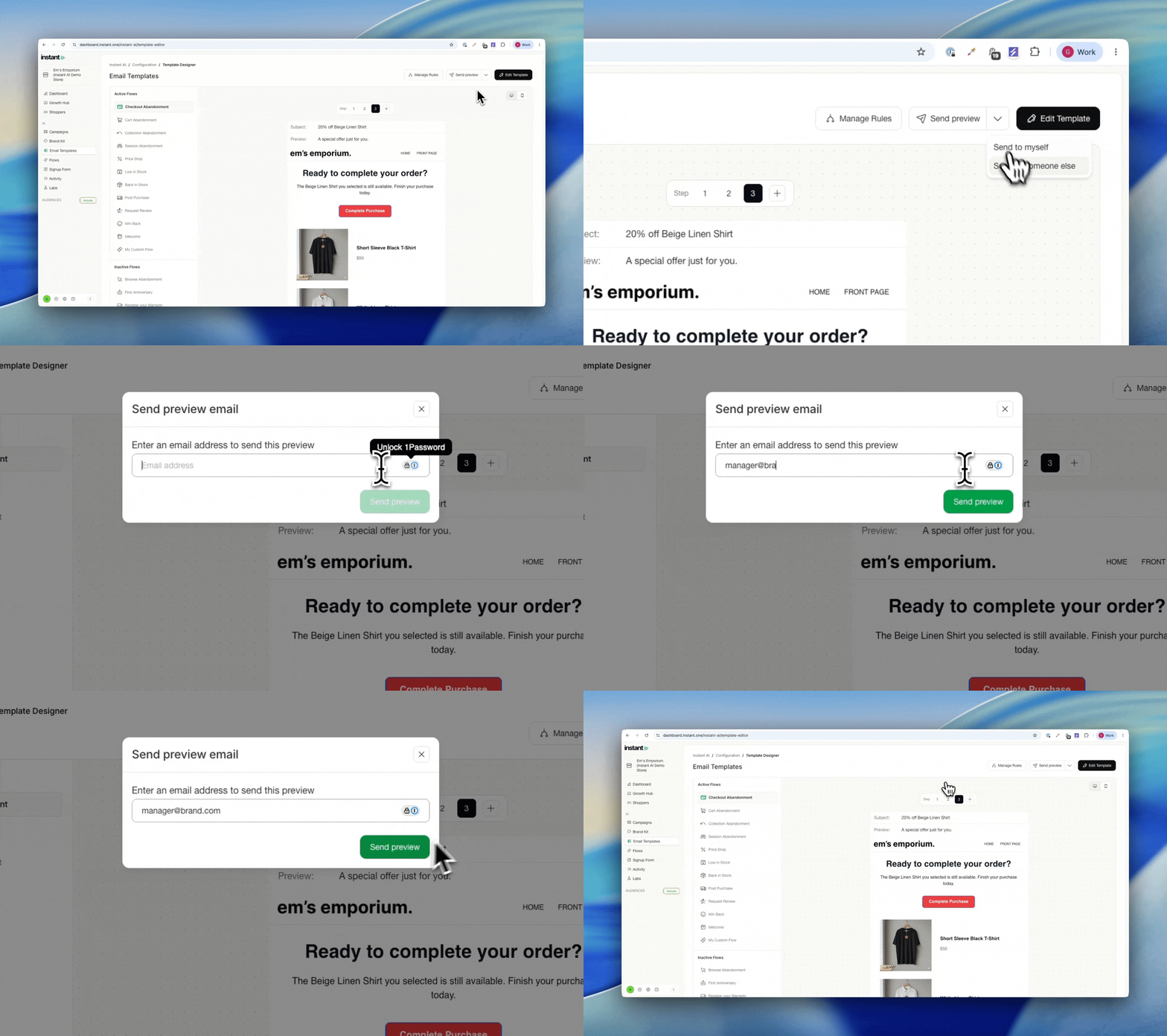
- Send a preview email to an address other than your own
- Click Send preview to send it to yourself by default
- Or open the drop down to pick another user, or type in any email address
- Useful when the person who needs to review the email is not an Instant user
Impact
If you work with an agency or review emails across a large team, the person signing off on the copy is often not the person logged into Instant. You can now send the preview straight to whoever needs to see it, without forwarding it on yourself.
Winback periods are now adjustable beyond 90 days
Released 18 Aug 2026
What’s new?
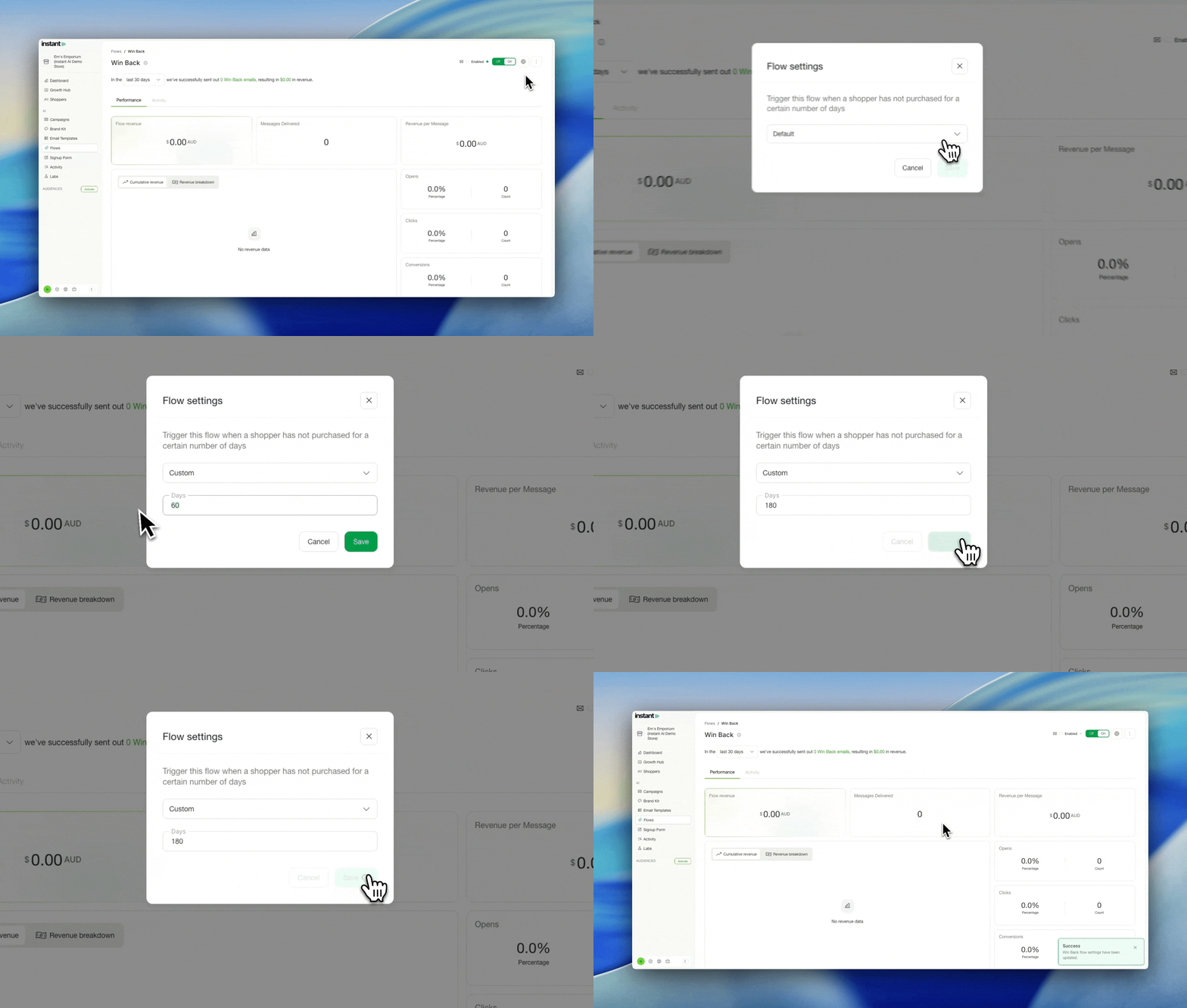
- Set a winback period to any number of days, not just up to a 90 day maximum
- Extend to 120 days, 180 days, or longer where your buying cycle calls for it
- The 90 day default stays in place, so nothing changes unless you choose to adjust it
Impact
A 90 day winback window is best practice for most stores, and it gets the strongest results across our merchant base. But some categories have much longer natural repurchase cycles, and a 90 day cap meant the flow would reach shoppers well before they were ready to buy again.
You can now match the winback period to how your customers actually shop, whether that is four months, six months, or longer.
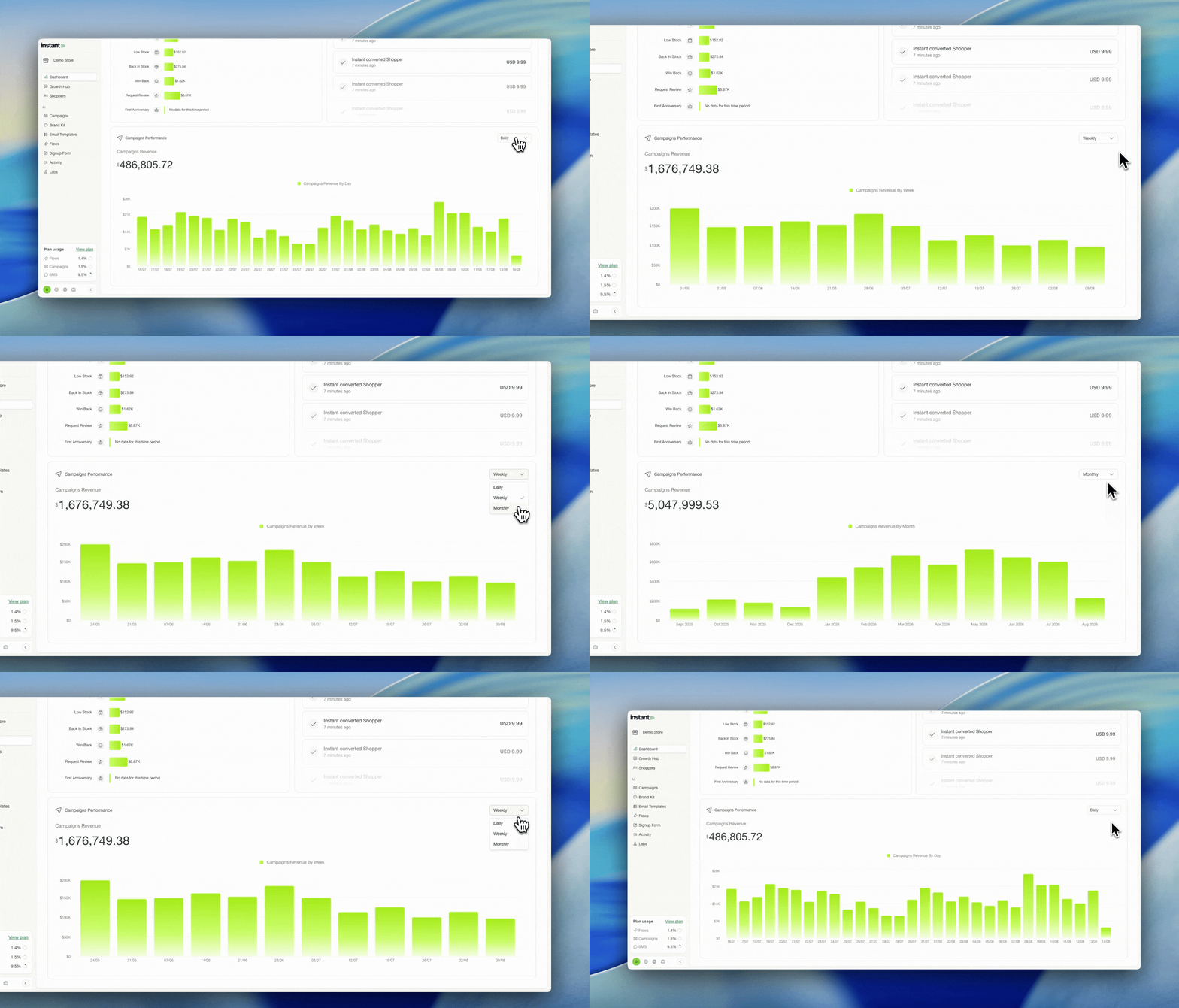
Daily, weekly and monthly view for the campaign revenue graph
Released 14 August 2026
What’s new?
- The campaign revenue graph can now be filtered by daily, weekly or monthly, instead of showing the last 7 days only
- Switch to monthly to see your total campaign revenue across the past 12 months
- Switch to weekly or daily to compare this week against last week
- Find it on the campaign revenue graph at the bottom of your
Dashboard
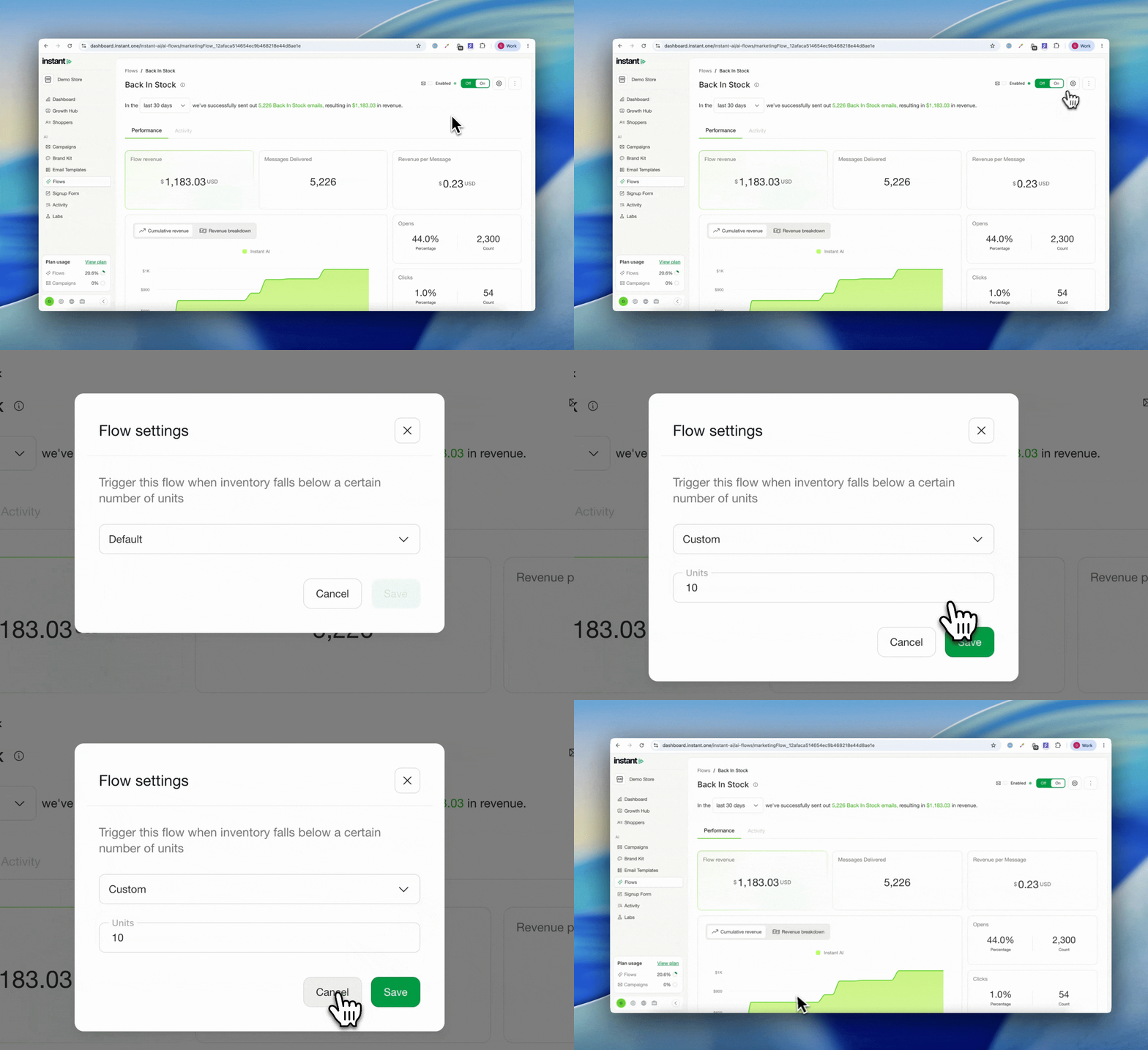
Configurable stock thresholds for Back in Stock and Low in Stock
Released 14 August 2026
What’s new?
- Set your own unit threshold for the Back in Stock and Low in Stock flows, instead of the fixed 10 units
- Choose Default to stay on the standard threshold, or Custom to set your own number of units
- Low in Stock triggers when inventory falls below the number you set. Back in Stock triggers once at least that many units are added back
- One threshold per flow, and you can change it whenever you like
- Saved changes apply to the flow straight away
- Existing flows stay on the 10 unit default until you change them
- Find it under Flows > flow overflow menu > Edit trigger
Upload Images up to 10MB
Released 12 August 2026
What’s new?
- Upload images up to 10MB
- This includes all supported image types, including GIFs
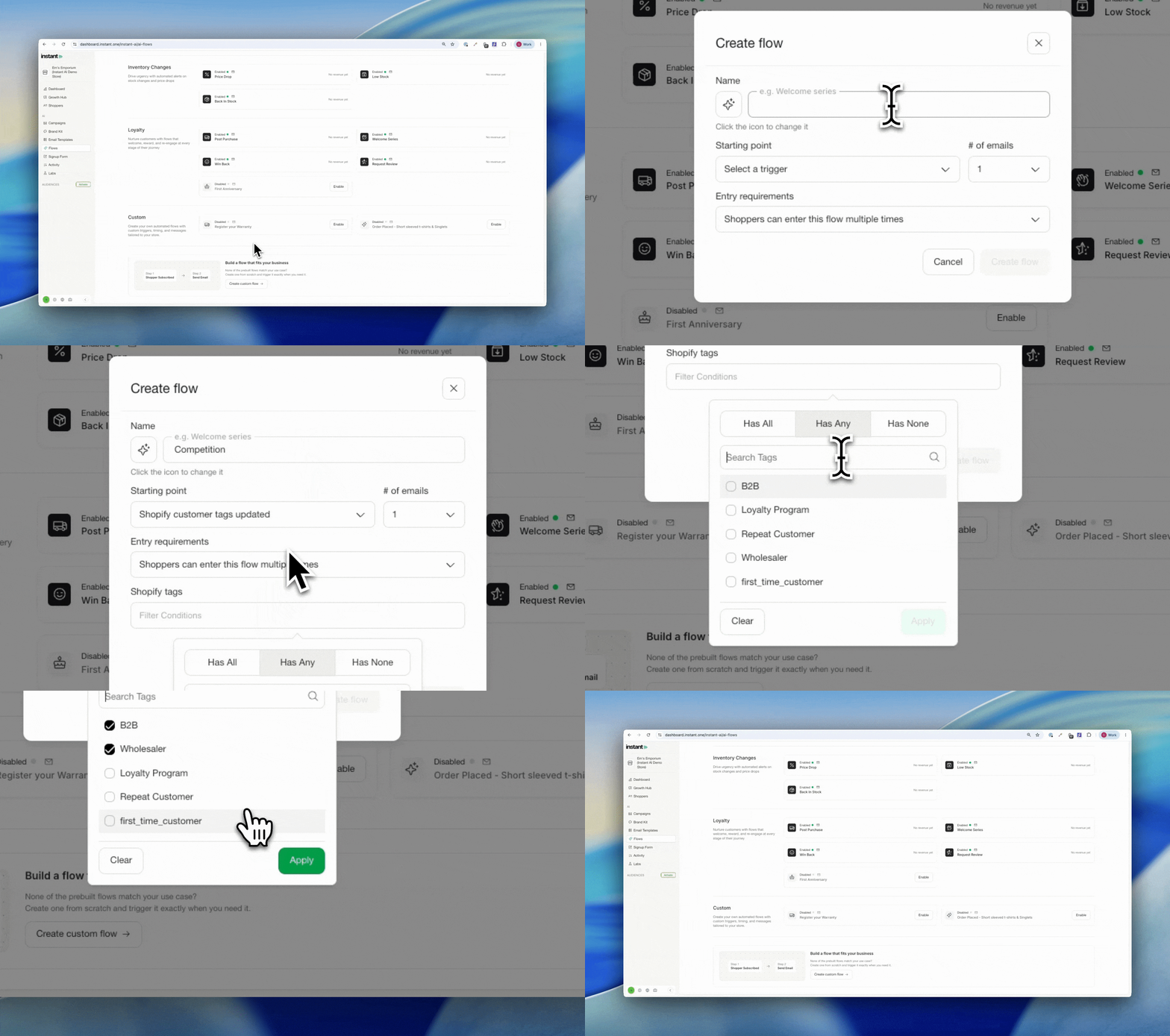
Custom Flow improvements
Released 10 Aug 2026
What’s new?
- Trigger a custom flow automatically when a specific Shopify tag is added to a customer
- Ideal for time-limited campaigns like a sale waitlist, a competition, or an event sign-up: apply a Shopify tag to the right customers and the matching flow enrols and sends
- Reuse the same tag for segmentation, so you can also send a one-off campaign to everyone carrying that tag (for example, the moment your sale goes live)
- Find it under Flows > Custom
Impact
Some brands run a sale, waitlist, or promotion that only needs a flow for a short window, then take it down again. That kind of short-lived, custom automation was hard to manage before. Now you can add a Shopify tag to the right customers and trigger a custom flow off it, for exactly as long as you need it, without touching your core flows.
One brand recently shut their store for 48 hours and built a waitlist flow that captured everyone who submitted their email while the store was down. When they reopened, they sent a campaign to everyone carrying that tag: an on-demand announcement to a warm, ready audience of over 1,700 people. The same approach powers competitions too, like tagging 1 in every 100 entrants as a winner and triggering a flow just for them.
How to run a custom waitlist or competition flow →
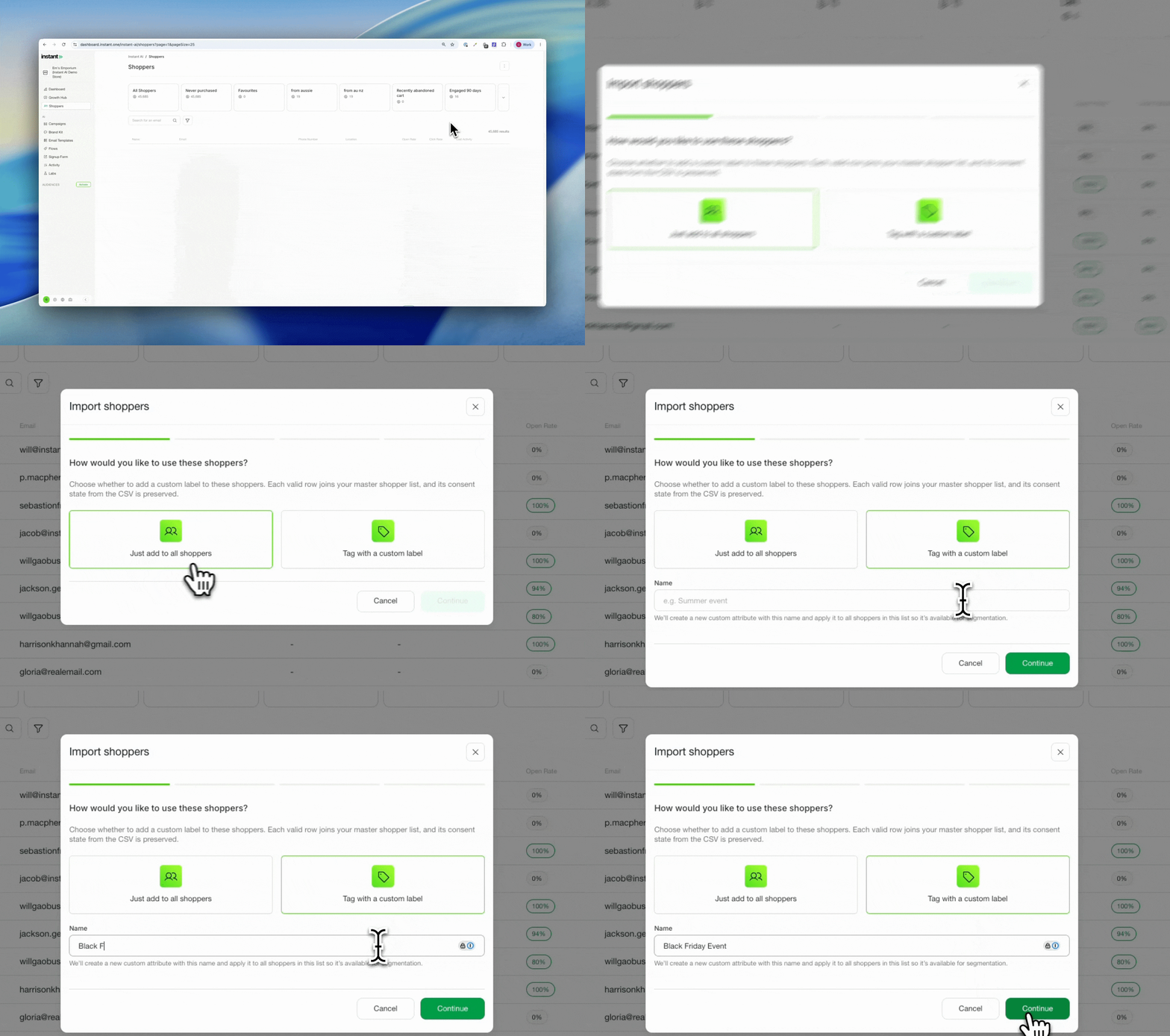
Upload customers to a custom list
Released 11 August 2026
What’s new?
- When uploading a new list of shoppers, you can now choose to tag everyone in that upload with a shared attribute
- This creates a custom profile attribute for the new list and tags every shopper you upload with it
- Choose to upload to your master list only, or upload to your master list and tag them with a custom attribute at the same time
- Find the new attribute after uploading under Shoppers > Filters > Profile Attributes > Your filter
Impact
Often you run an event and walk away with a CSV of sign-up emails, then need to email everyone on that list. You can upload them as new shoppers so they are in your campaigns, but it can be hard to know where you met them or to keep that group of people associated together.
Tagging them on upload solves that. The shoppers go into your master list as normal, and the shared attribute lets you find the exact group again in segmentation and target them in a campaign.
Previously you could do this with Shopify tags, which is still a great, closely integrated approach. This is an alternative for when you think in terms of “lists”, while staying integrated with everything in segmentation.
How to tag shoppers with a label when you upload them →
Improved breakdown of segment count
Released 10 August 2026
What’s new?
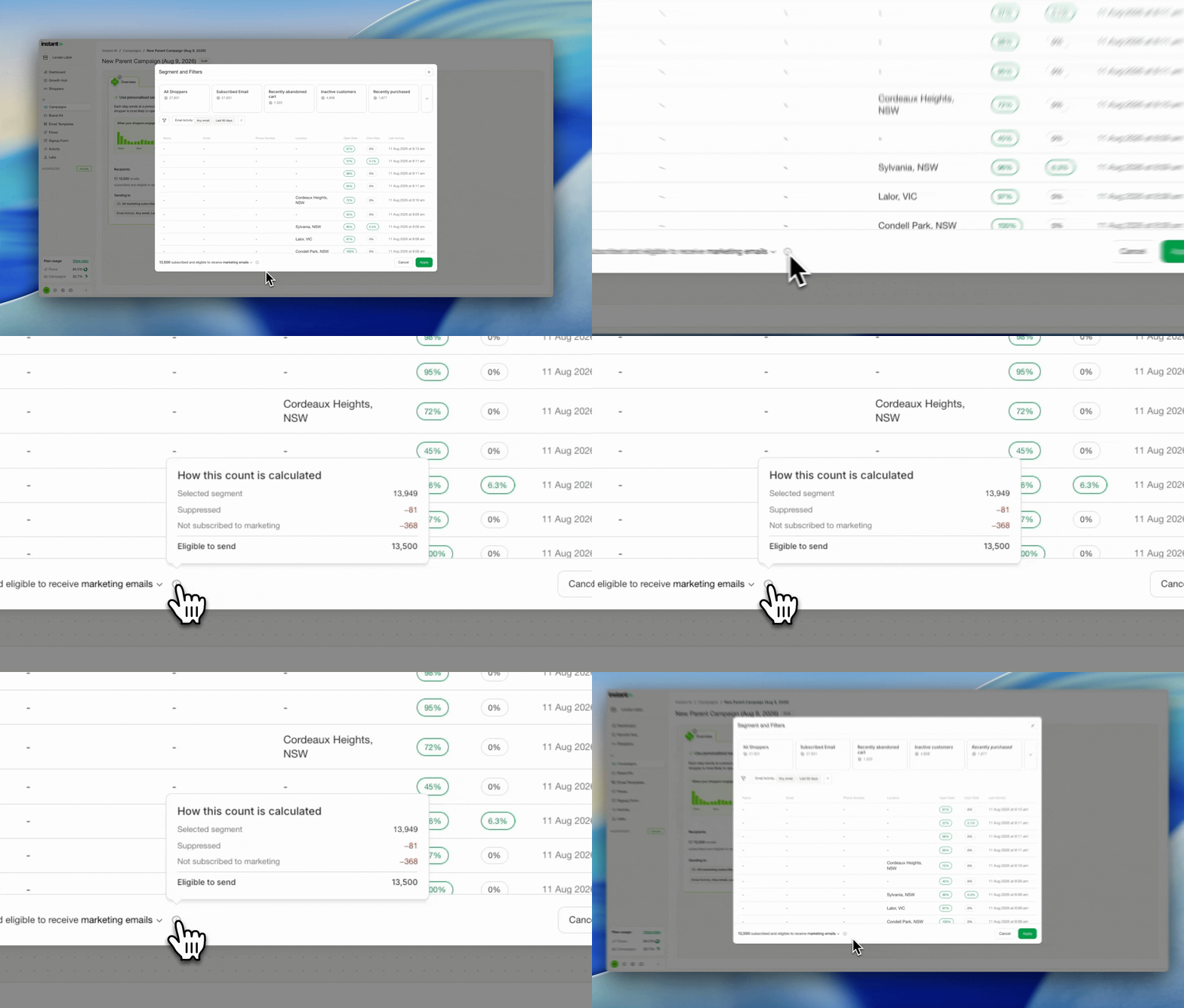
- A tooltip now sits next to the total eligible contacts for a campaign, breaking down how that final number is reached
- See exactly what is subtracted to get there, for example suppressed contacts and email addresses not eligible to receive marketing
Impact
Your total email list and the number you can actually send a campaign to are often different, and it is not always obvious why. The usual reason is that suppressed contacts cannot be sent a campaign, so they are removed from the eligible count.
Now you can hover over the total and see the full breakdown yourself, so the numbers make sense at a glance without having to ask.
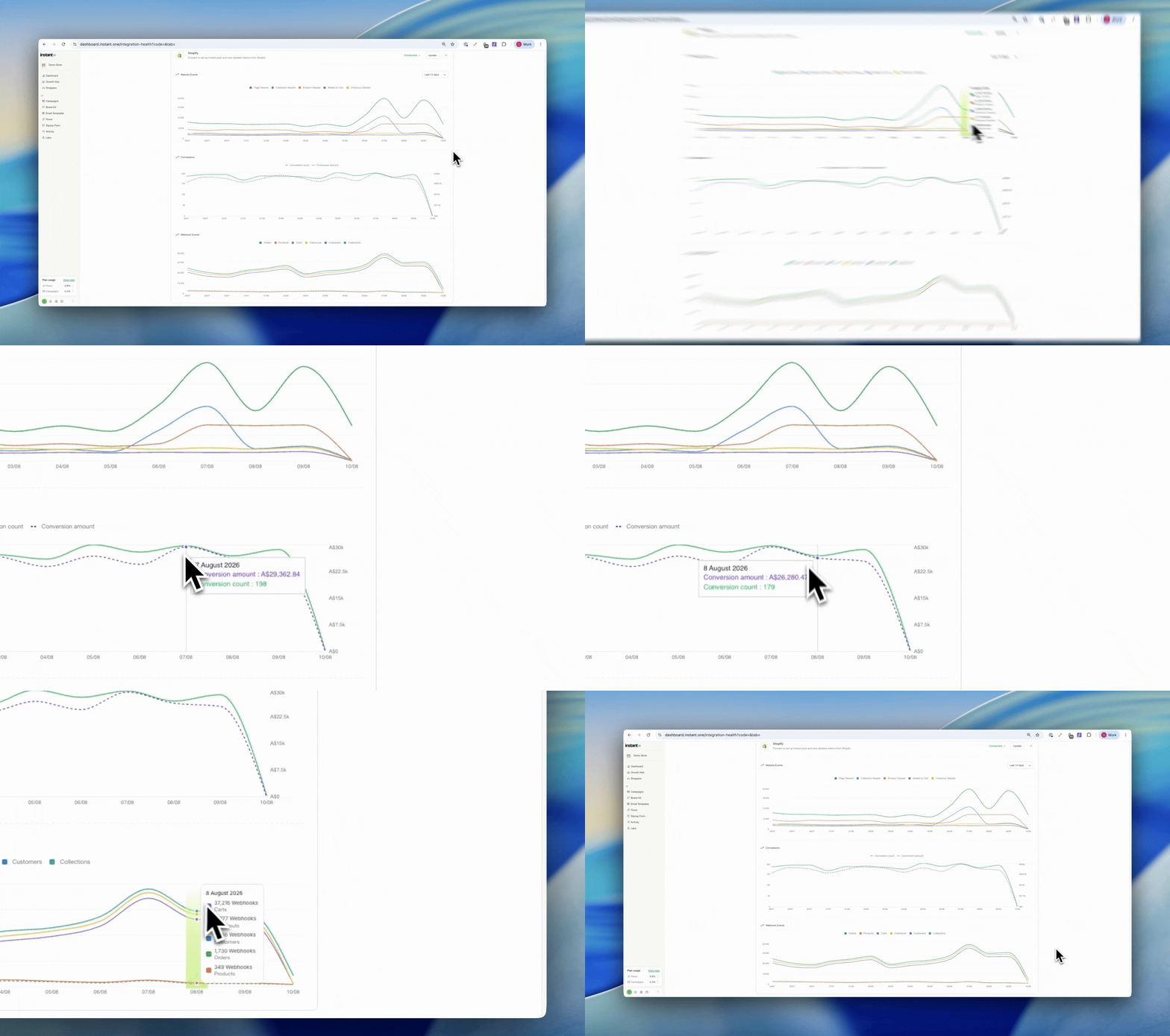
More Visibility Over Shopify Integration Events
Released 10 August 2026
What’s new?
- See webhook events and conversion events directly on your Shopify integration page
- Get a clearer picture of the health of your Shopify integration in one place
- Check whether the events coming from your store have actually changed over time
- See which events we receive from the Shopify webhook (server side) and which from our pixel (client side)
- Find it on your Shopify integration page
Understanding Shopify Integration Events with Instant AI →
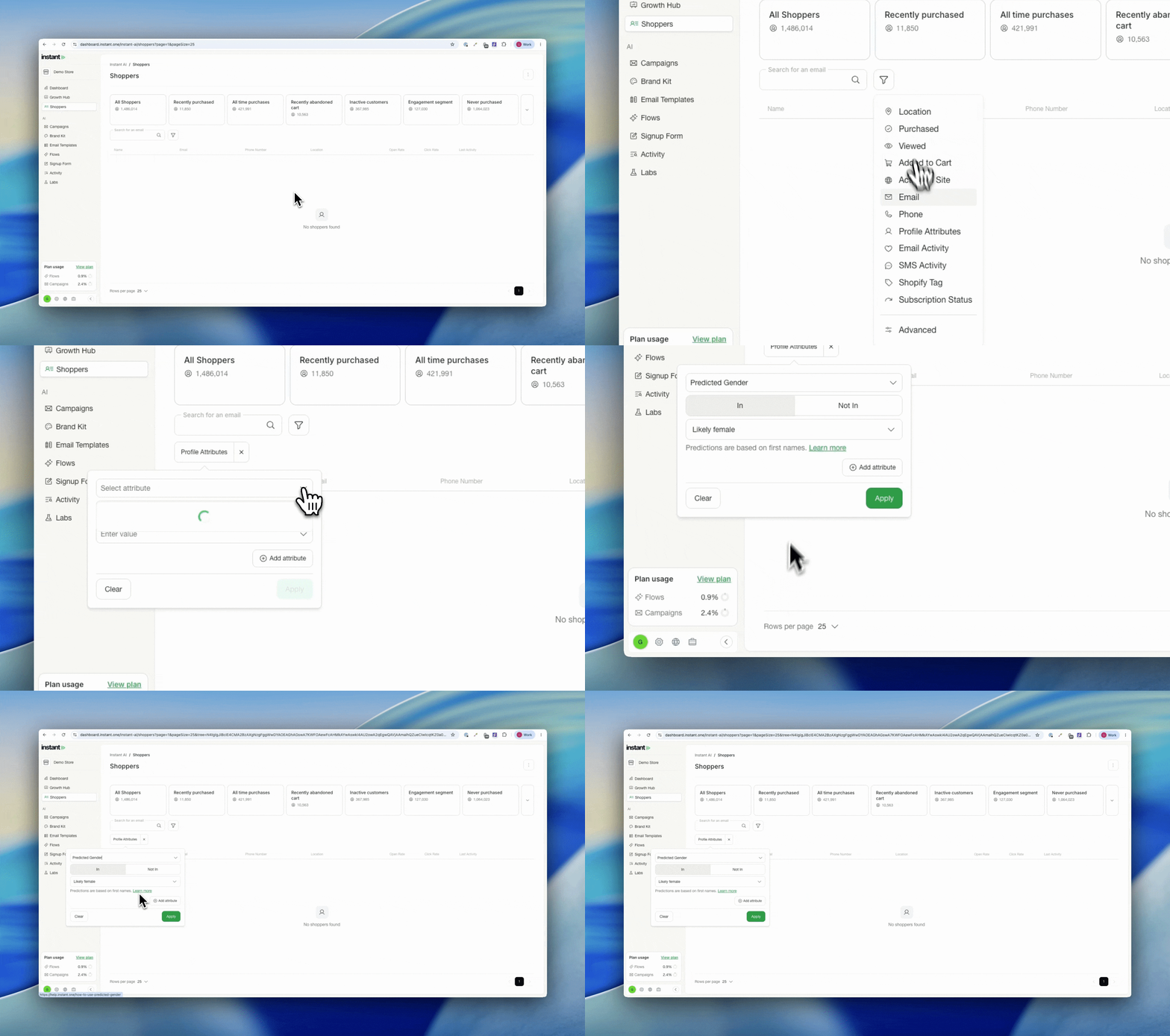
Predicted Gender in Segmentation
Released 8 August 2026
What’s new?
- A new filter on a shopper’s profile that predicts a shopper’s gender based on their first name
- Go to Shoppers > Add Filter > Profile Attribute > Predicted Gender
Impact
Predicted gender is based on census data matched to first names, the same approach used elsewhere. It is not relevant for every store, but some verticals rely on it heavily, so if you segment this way today you can now do it inside Instant.
Dismissible Klaviyo Integration Banner
Released 04 August 2026
What’s new?
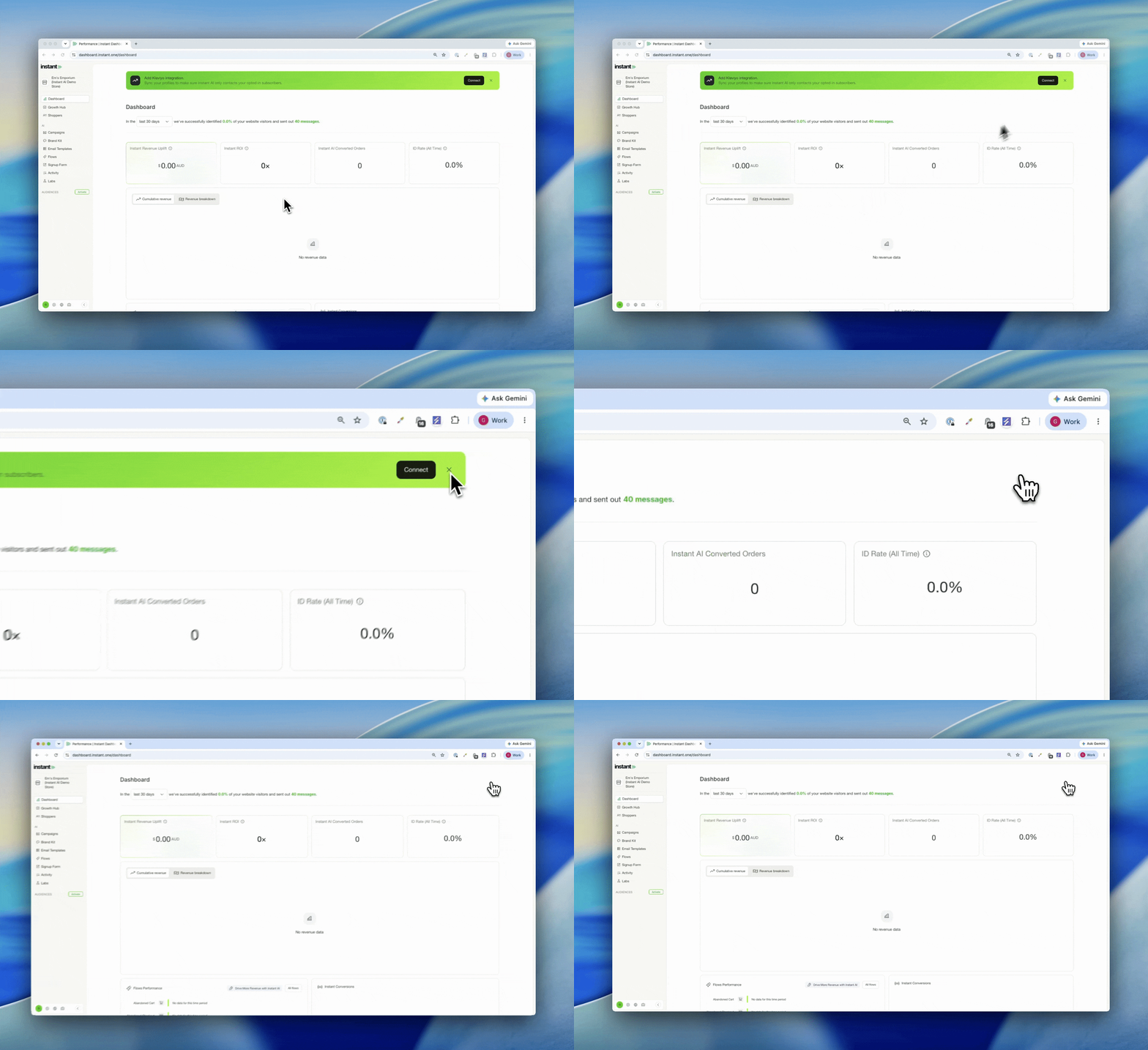
- The banner prompting you to integrate with Klaviyo can now be dismissed
- Press the X on the banner and it stays hidden for that site from then on
- You can still add an integration any time under Settings > Integrations, the banner just won’t show
Turn Off Review Stars in Emails
Released 04 August 2026
What’s new?
- Turn off review stars in your emails if you’d rather not show them
- Stars stay on by default, you can opt out whenever you like
- Handy if your reviews provider is unsupported or only partially supported
- Find it under Settings > Email Settings
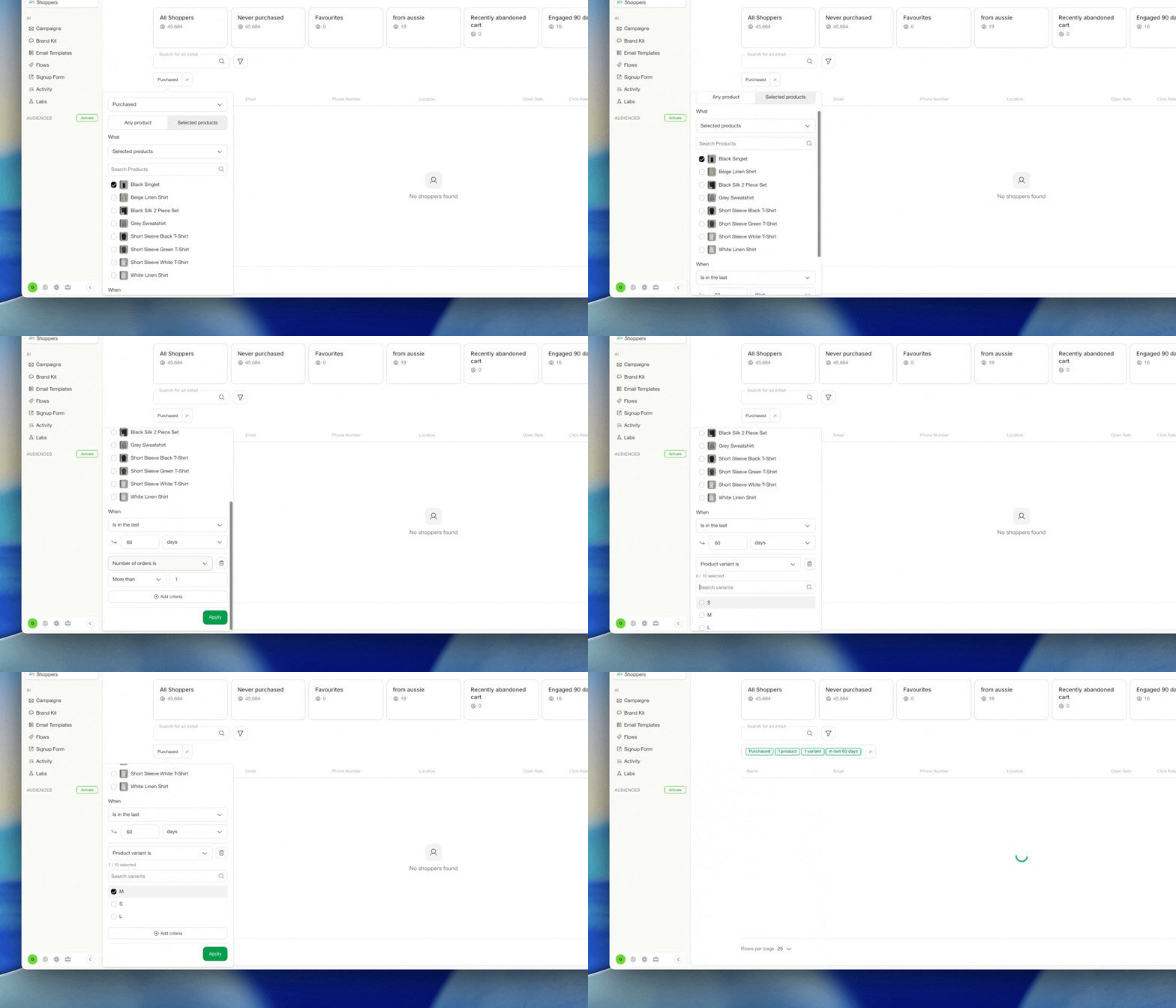
Filter Segments by Product Variant
Released 05 Aug 2026
What’s new?
- Build segments based on a specific product variant, not just the product itself
- Target shoppers by the exact variant they bought or engaged with, like a single size, colour, or style within a product
- Combine variant filters with your other segment rules to get as specific as you need
- Find it under [Segments > Add Rule > Product Variant]
Improved Shopper Profiles + Customer Health Insights
Released 03 August 2026
What’s new?
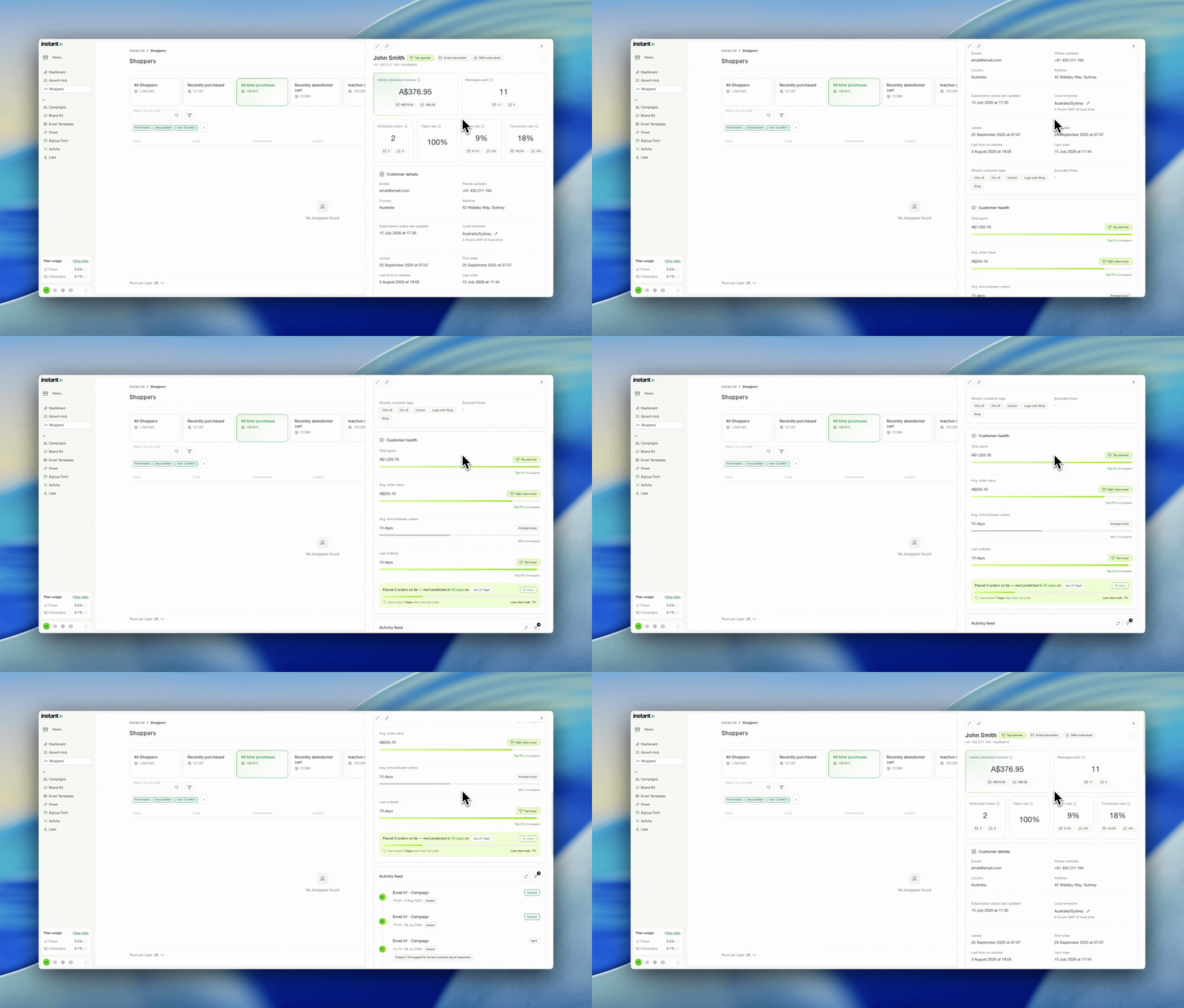
- Shopper profiles now open in a side panel, so you can click a profile and see a preview without leaving the page you’re on
- Expand any preview to a full panel, or copy its URL to share a shopper with a teammate for collaboration
- Previewing a shopper now shows customer health insights based on their past purchase behaviour: their total spend with you, their average order value, their average time between orders, and a predicted next order date from their history
Impact
Shopper profiles used to mean a full page redirect every time you wanted a closer look. Now you can open a profile in a side panel, glance at what you need, and carry on where you were. The new customer health insights turn each profile into a quick read on the relationship. See who your highest spenders are, how often they buy, and when they’re likely to order next, so you can spot the shoppers worth a targeted follow up.
Smart Coupons Can Now Have a Minimum Amount Configured
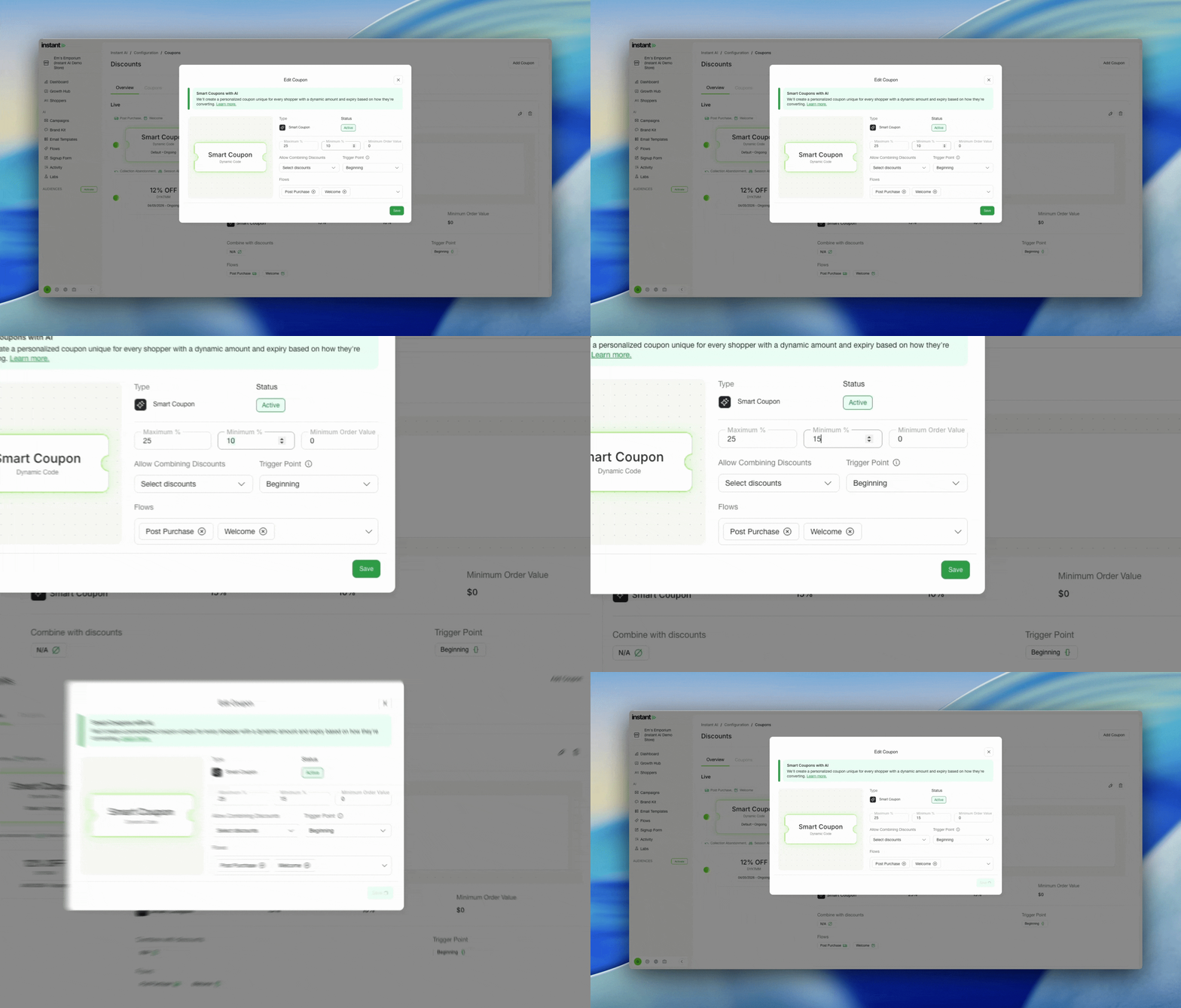
Released 31 July 2026
What’s new?
- Pick a minimum % discount to offer in your smart rules, as well as a maximum
- Both ends of the discount range are now fully configurable
- Previously the minimum was fixed at 5% and only the maximum could be adjusted
Filter Segments by Products in a Collection
Released 31 July 2026
What’s new?
- Filter segments based on whether a shopper has purchased a product inside a collection
- The same option is supported in the Product Viewed and Added to Cart filters
- Bulk manage product filters by collection instead of selecting products one by one
Bulk Paste for Tone of Voice Words
Released 30 July 2026
What’s new?
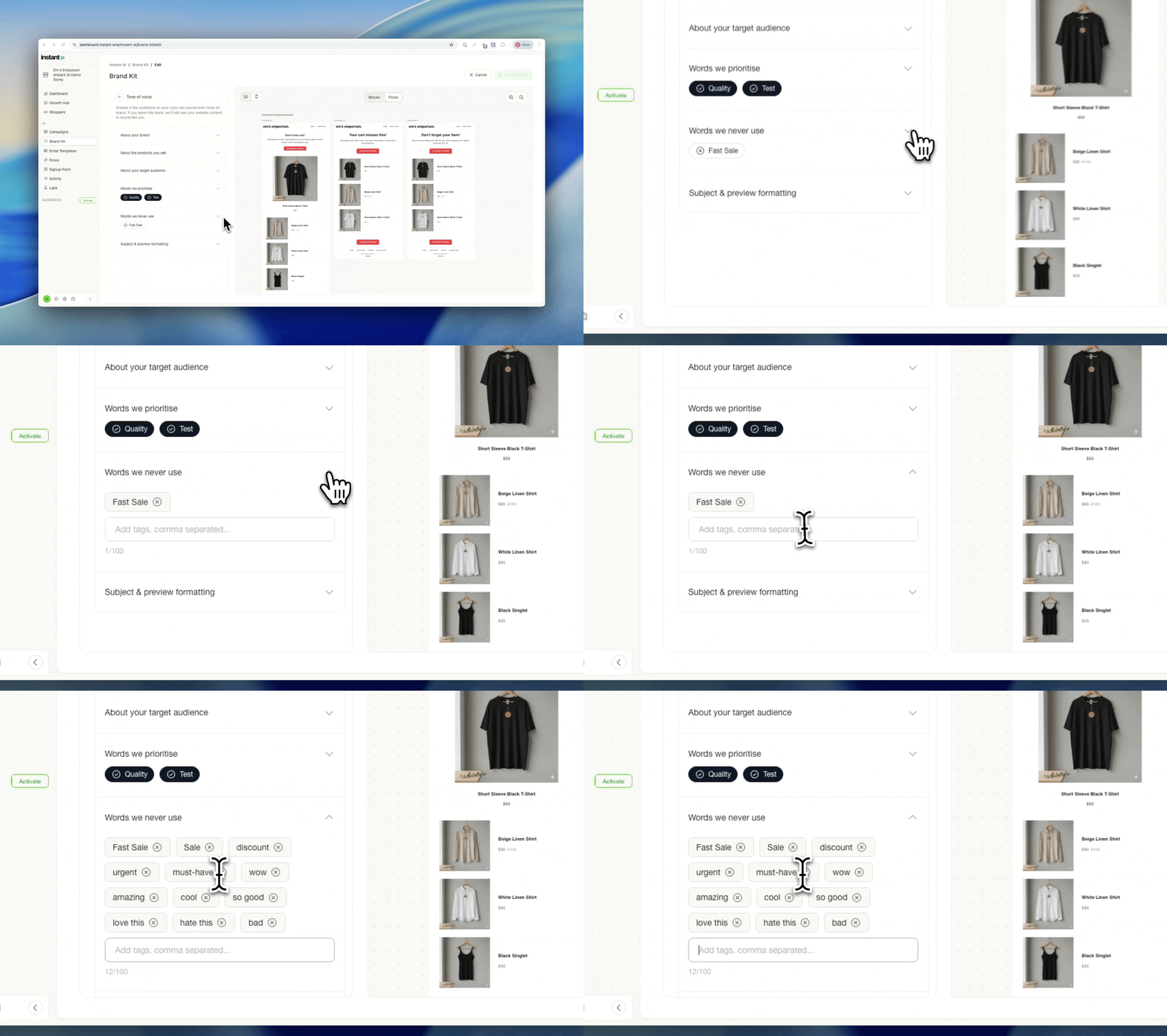
- Paste a comma separated string of words into your prioritise and avoid fields, and each word is added as its own chip automatically
- Placeholder text now shows you how to paste with commas, and displays your remaining word allowance
- Each single entry is capped at 60 characters, so a stray paragraph won’t get added by mistake
Impact
Tone of voice words are meant to be single words or short phrases, but it wasn’t always obvious, and some stores pasted in full paragraphs by mistake. Now the field tells you exactly how to add words, shows your allowance, and blocks overly long entries before they cause problems. Managing a long list is quicker, and you get it right the first time.
Change the background colour of an individual email
Released 30 July 2026
What’s new?
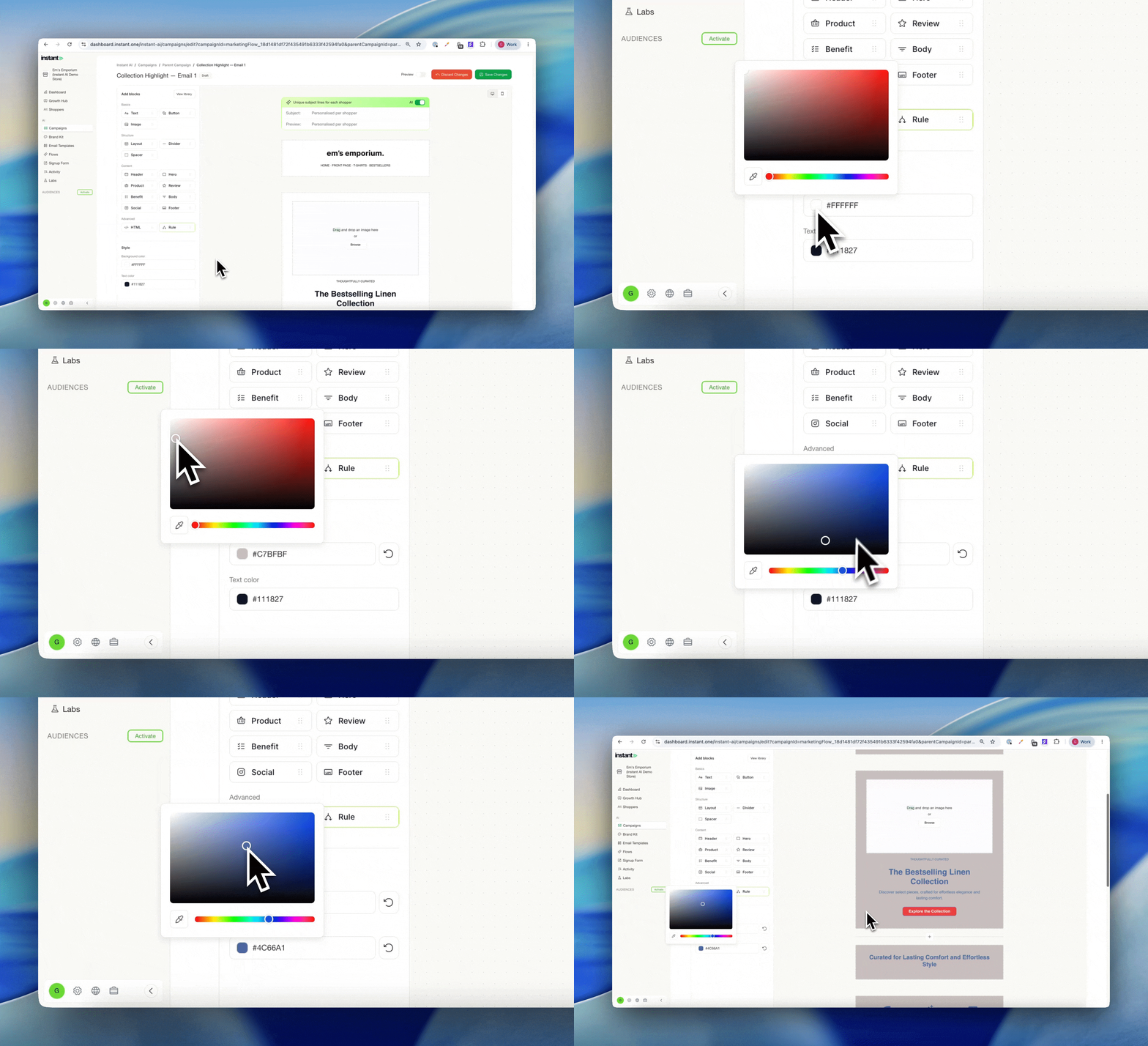
- Set the background colour and primary text colour for a single email
- Use the Style panel on the left to override your brand kit for this one email
- Find it in Email Templates > Template Designer
Impact
Most brands use their brand kit for the vast majority of their emails, and that’s exactly how it should work. But now and then you want one email to look different, without touching your brand kit or every other email. Now you can change the background and primary text colour of a whole email as a one off override, applied in bulk across that email in a couple of clicks. Without needing to manage individual blocks.
Cleaner Advanced Segment Filter
Released 30 July 2026
What’s new?
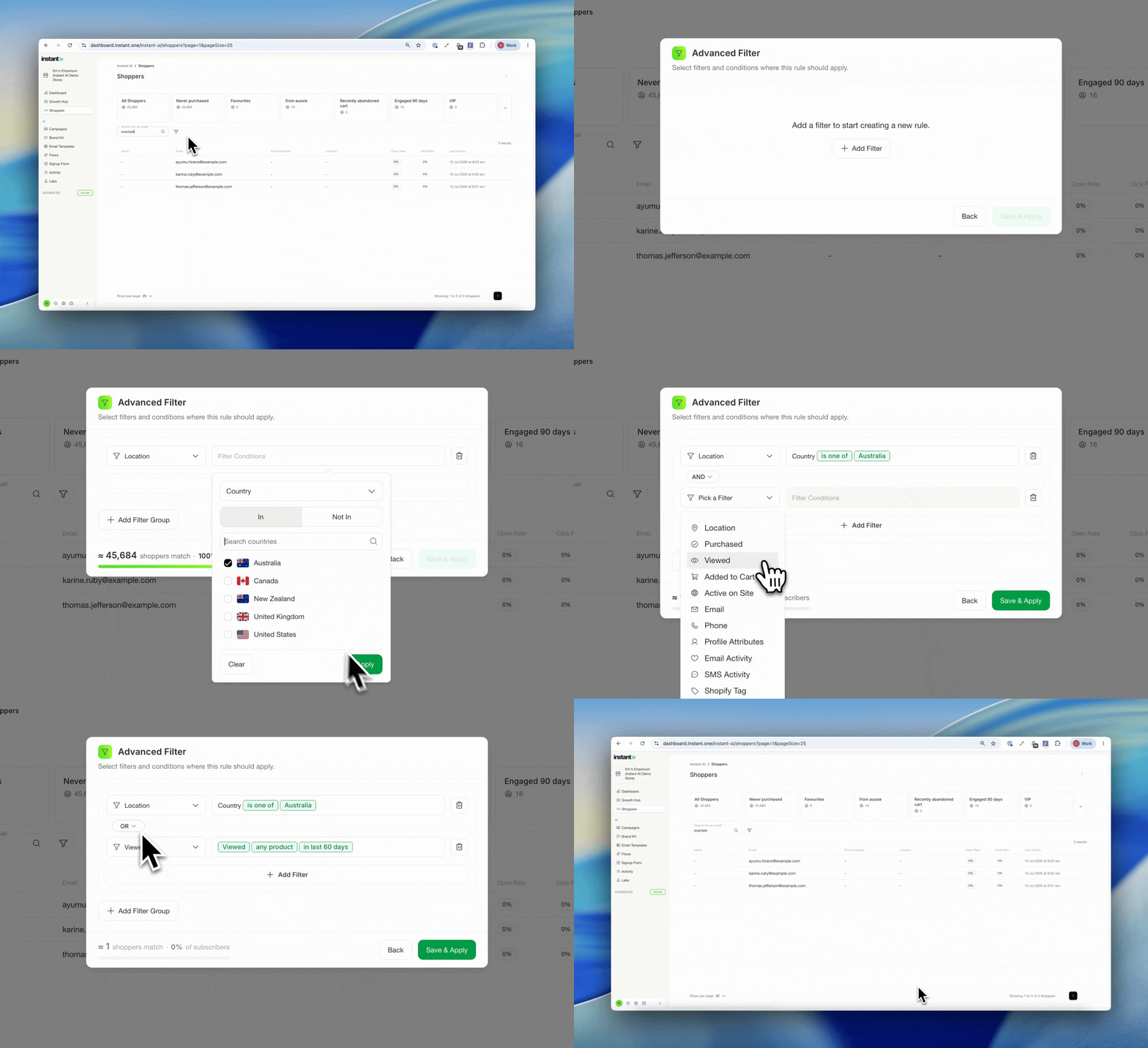
- A refreshed layout for the advanced segment filter, making it easier to manage groups and AND/OR logic
- All the same functionality, just cleaner and easier to follow
Impact
Building a segment with several groups and nested logic used to be hard to read. The new layout makes the structure clear at a glance, so it’s quicker to build the segment you want and easier to spot when the logic isn’t quite right.
Drag and Drop Images onto the Canvas
Released 30 July 2026
What’s new?
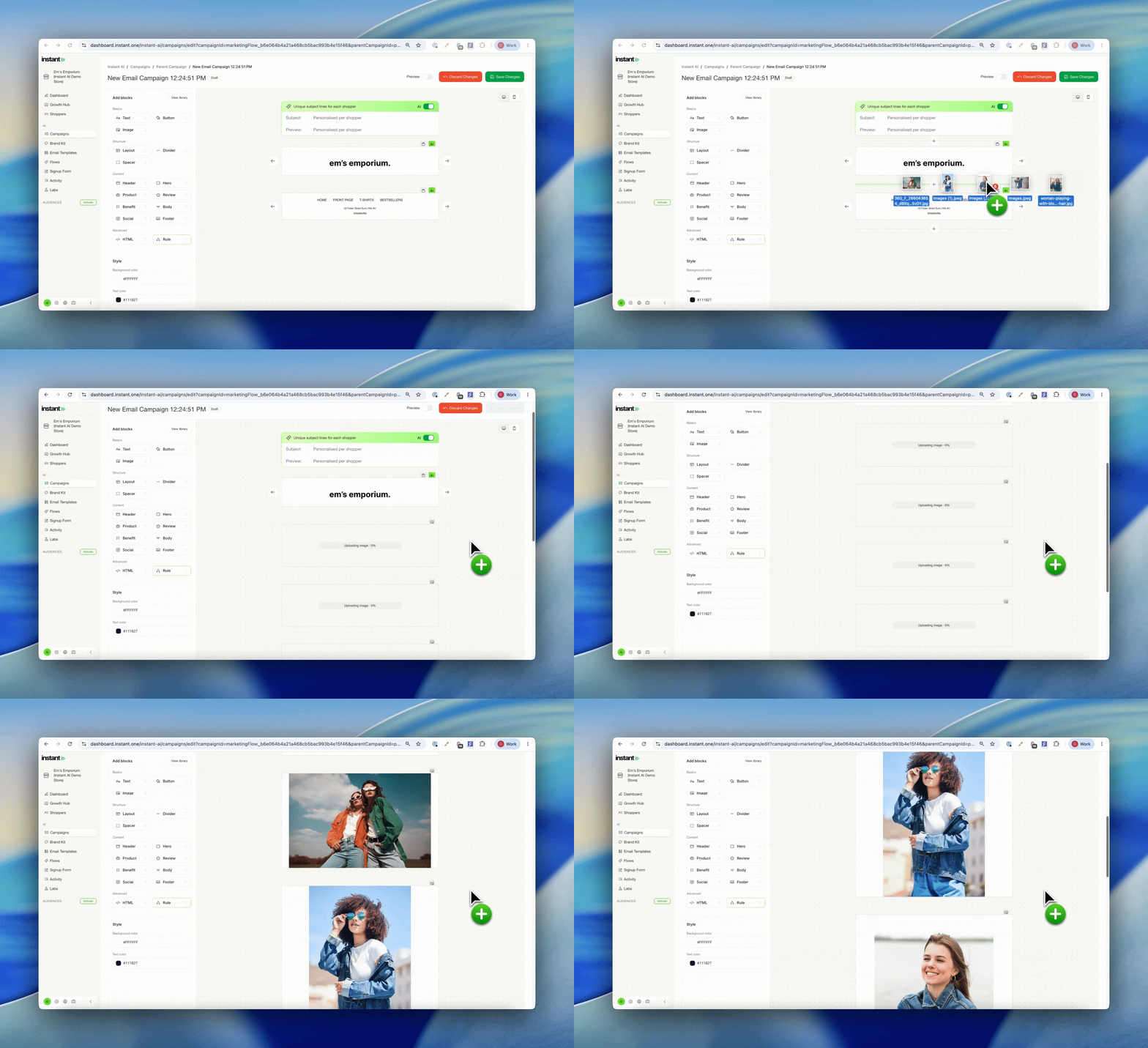
- Drag files straight from your computer onto the canvas in bulk
- Every file is added automatically as its own image block, no need to go through the image library
Impact
If you design images in other tools and just need them inside Instant, this is much faster. Drop a whole batch of files onto the canvas at once and we’ll turn each one into an image block for you, so you can build a campaign in a fraction of the time.
Drag and Drop Improvements in the Email Editor
Released 24 July 2026
What’s new?
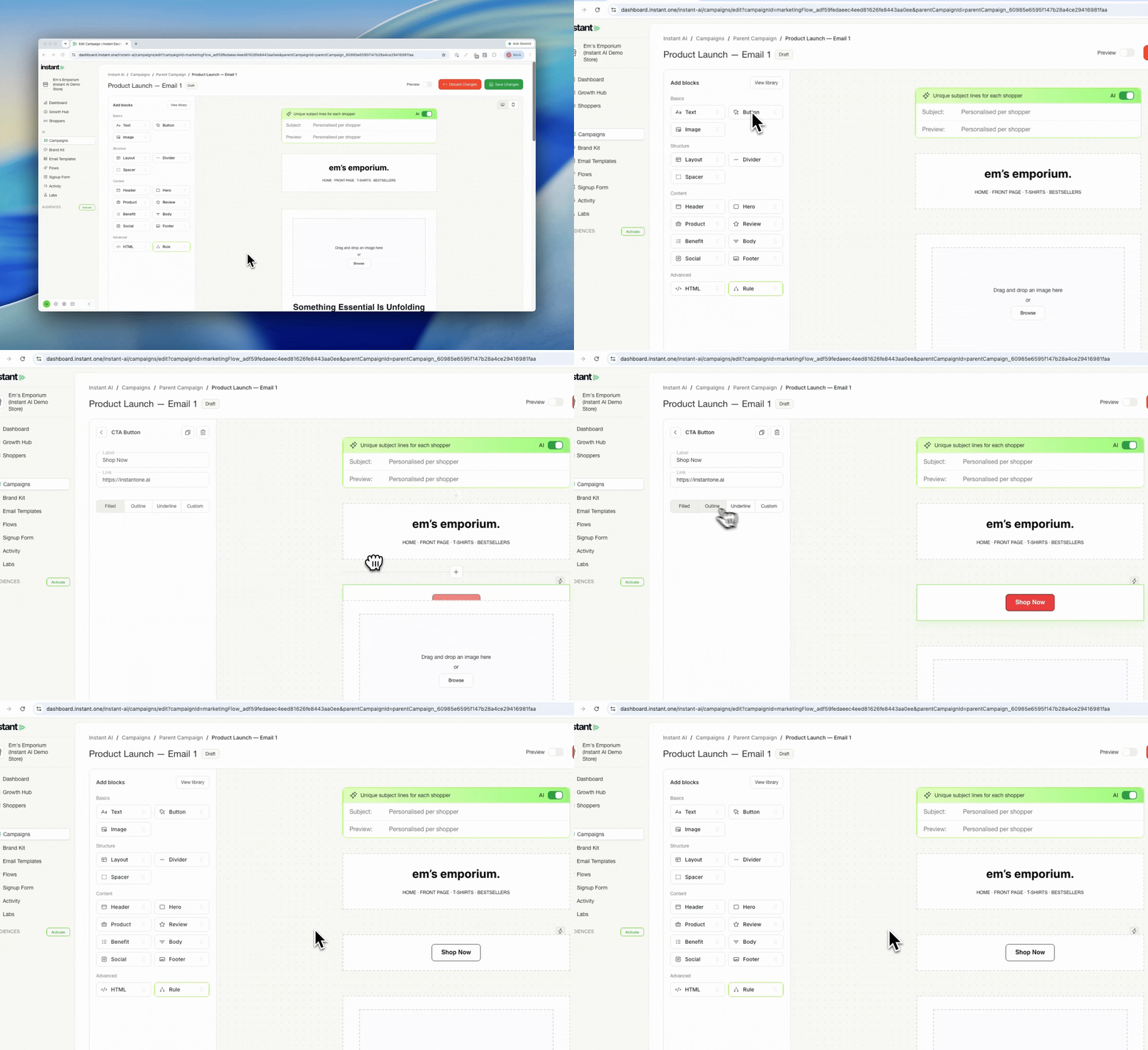
- Drag blocks straight from the gallery on the left onto the canvas, so you control exactly where each one lands
- Prefer clicking? A click still auto-inserts the block into the middle of your canvas, so both methods work
- The side panel now shows all available blocks by default, so you can reach them faster without opening the library every time
- Find it in the email editor
Impact
Placing blocks used to mean clicking and then dragging them into position after they landed in the middle of the canvas. Now you can drop a block exactly where you want it in one move, which makes building and rearranging emails quicker. If you liked the old click to insert flow, nothing changes, it still works alongside drag and drop.
Remembering Draft Settings When Swapping Images
Released 24 July 2026
What’s new?
- Swap an image and keep all your unsaved customisations, including URL links
- Previously, swapping an image reset those settings, so you had to reapply them each time
- Makes cloning campaigns and updating images much faster
Impact
If you clone a campaign and swap in new images, you no longer lose the links and customisations you had already set. Everything carries over to the new image, so updating creative is a quick swap rather than a rebuild.
New & Improved Deliverability Recommendations
Released 22 July 2026
What’s new?
- Instant now assesses your DMARC and SPF settings on the deliverability dashboard to check you have the optimal setup, not just that your records are connected
- Your domain is monitored proactively, so we surface other settings that could be quietly affecting your deliverability, even after you have added the right DNS records
- Key recommendations now appear on your main domain page as well as the deliverability dashboard, so you see them wherever you are working
- Find your recommendations under Settings > Deliverability or Settings > Domain
Impact
Many brands add the correct DNS records and connect successfully, but do not realise other settings on their domain are still holding back their deliverability. The expanded recommendations catch these for you.
It is a useful checklist before you go live, to make sure everything is optimised from day one. It is just as useful if you are already sending and want to confirm you are following best practice. Either way, the goal is simple: fewer emails in spam, more in the inbox.
How to get the best email deliverability →
Reorder Segments
Released 22 July 2026
What’s new?
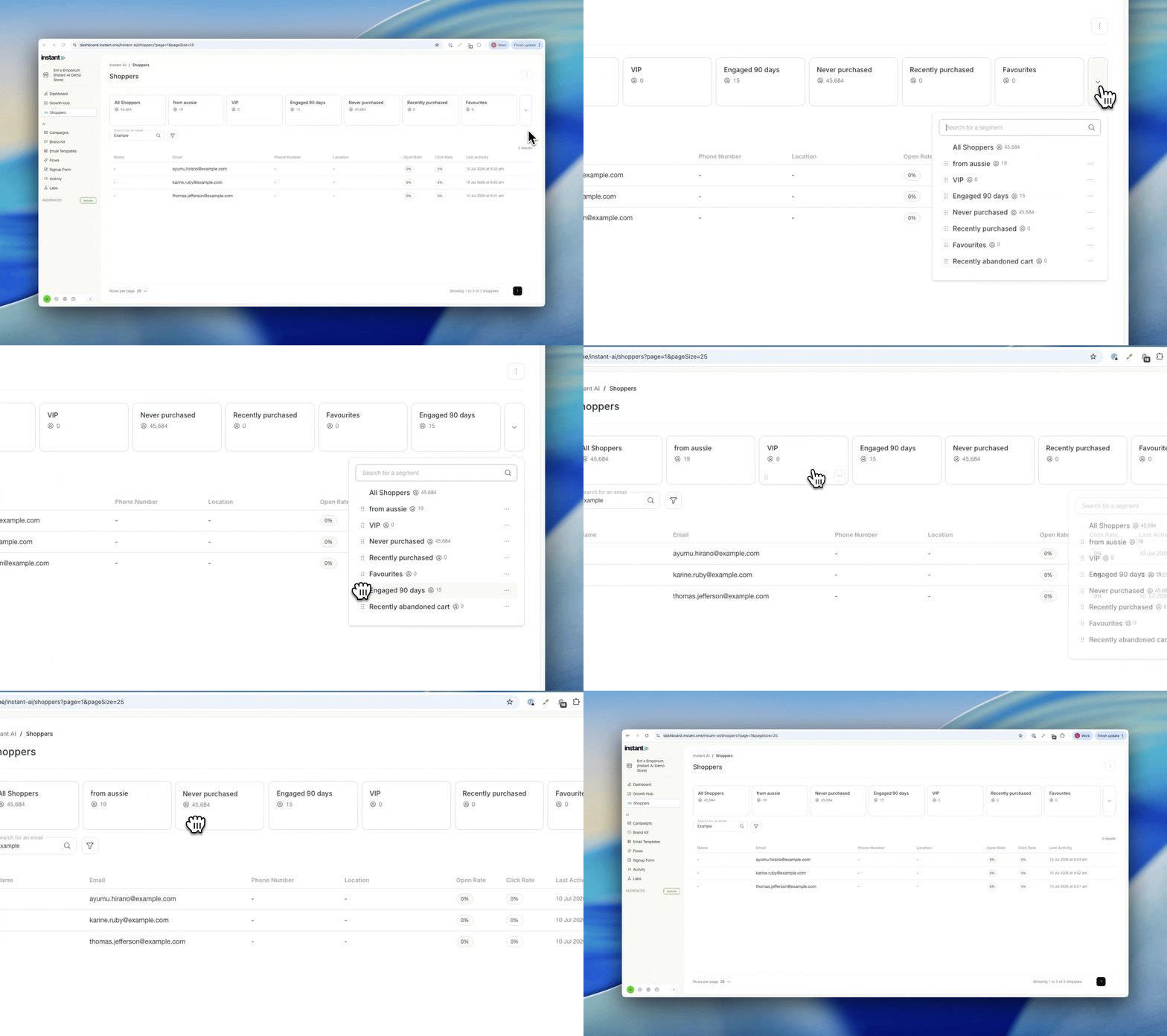
- Drag and drop your segments to reorder them however you like
- Reorder the cards directly on screen, or from within the overflow dropdown
- The order you set controls which segments show by default, so your favourites stay front and centre
Impact
If you manage a large number of segments, the ones you use most can get lost in the overflow dropdown. Now you decide the order. Pin your key segments (like VIPs or recent purchasers) to the front so they’re always easy to reach, and keep the rest tidied away.
First Anniversary Flow
Released 21 July 2026
What’s new?
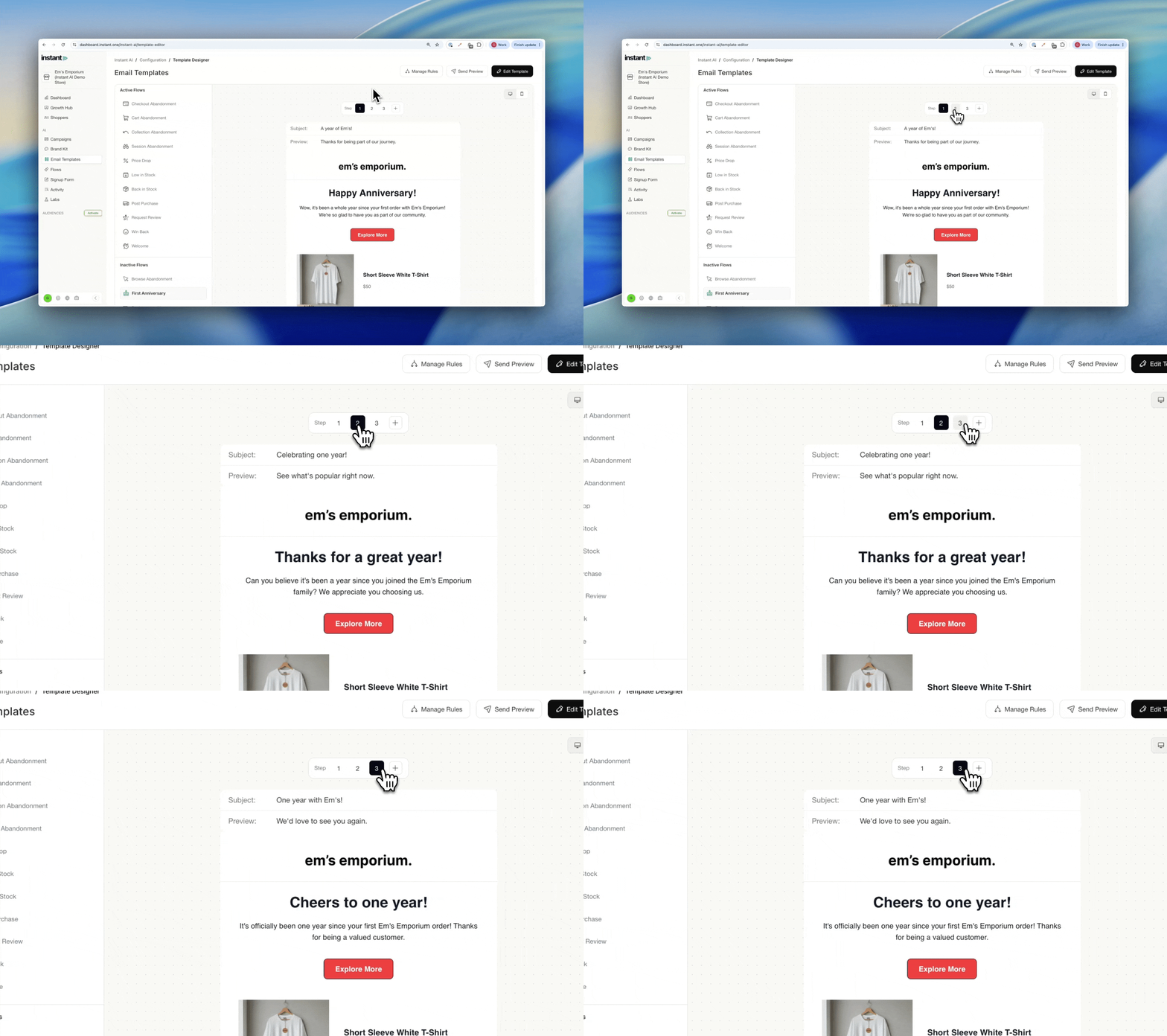
- Enable a First Anniversary flow to celebrate a customer one year on from their first purchase
- The email sends automatically one year after a customer’s first order
- Add a coupon with a discount to mark the occasion and give them a reason to come back
Impact
The First Anniversary flow is a simple, personal way to build loyalty and win back customers who haven’t shopped in a while. Marking the anniversary of a first purchase gives you a natural, warm reason to reach out, and pairing it with a discount turns that moment into an incentive to buy again. It works especially well as a winback, reminding customers of a brand they bought from a year ago with a personalised gift.
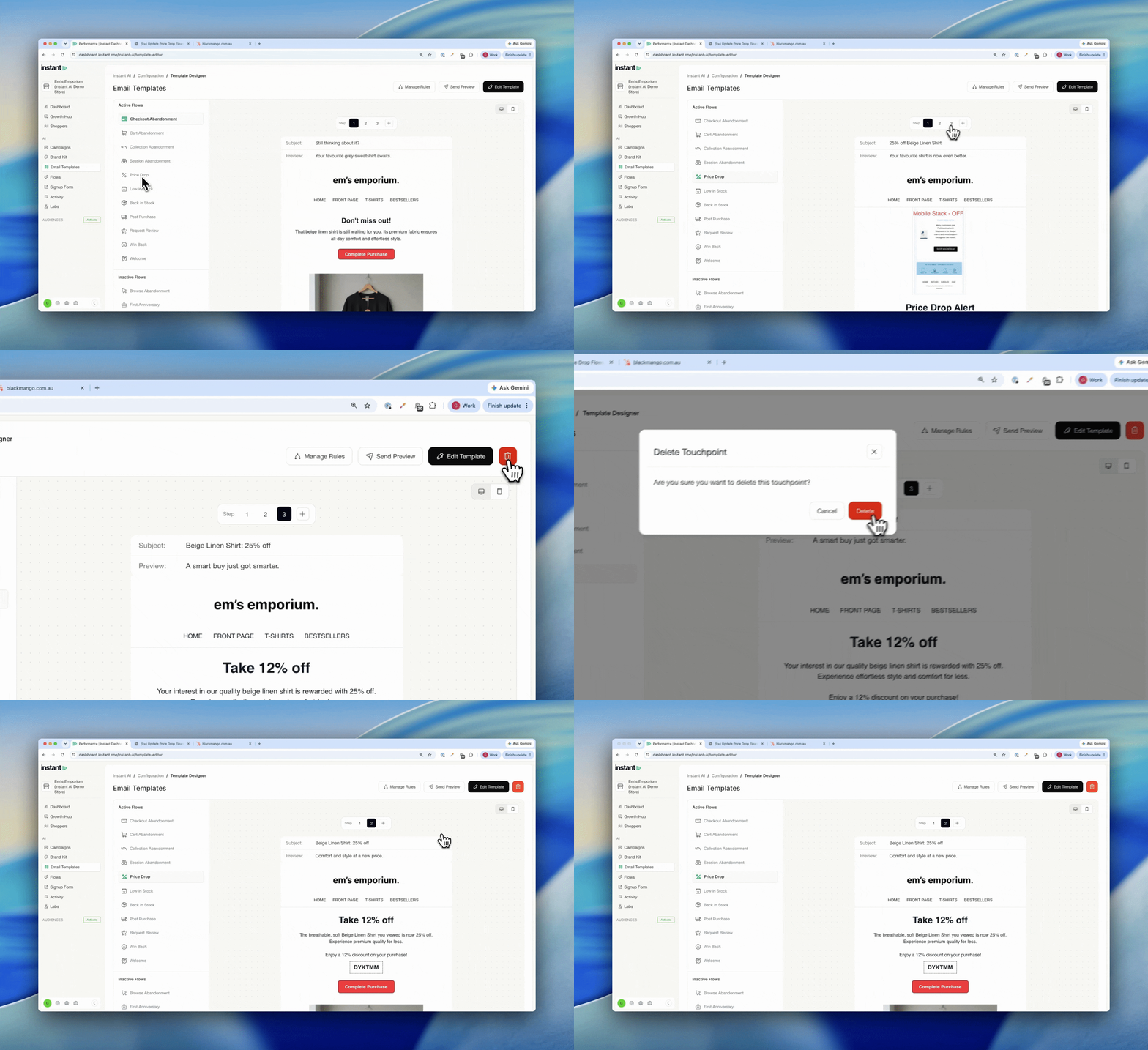
Minimum and Maximum Email Touchpoints
Released 21 July 2026
What’s new?
- Welcome flows now support up to 10 email touchpoints (previously 5)
- Price Drop flows now support as few as 1 email touchpoint (previously 3)
- Adjust the number of emails when editing your Welcome or Price Drop flow
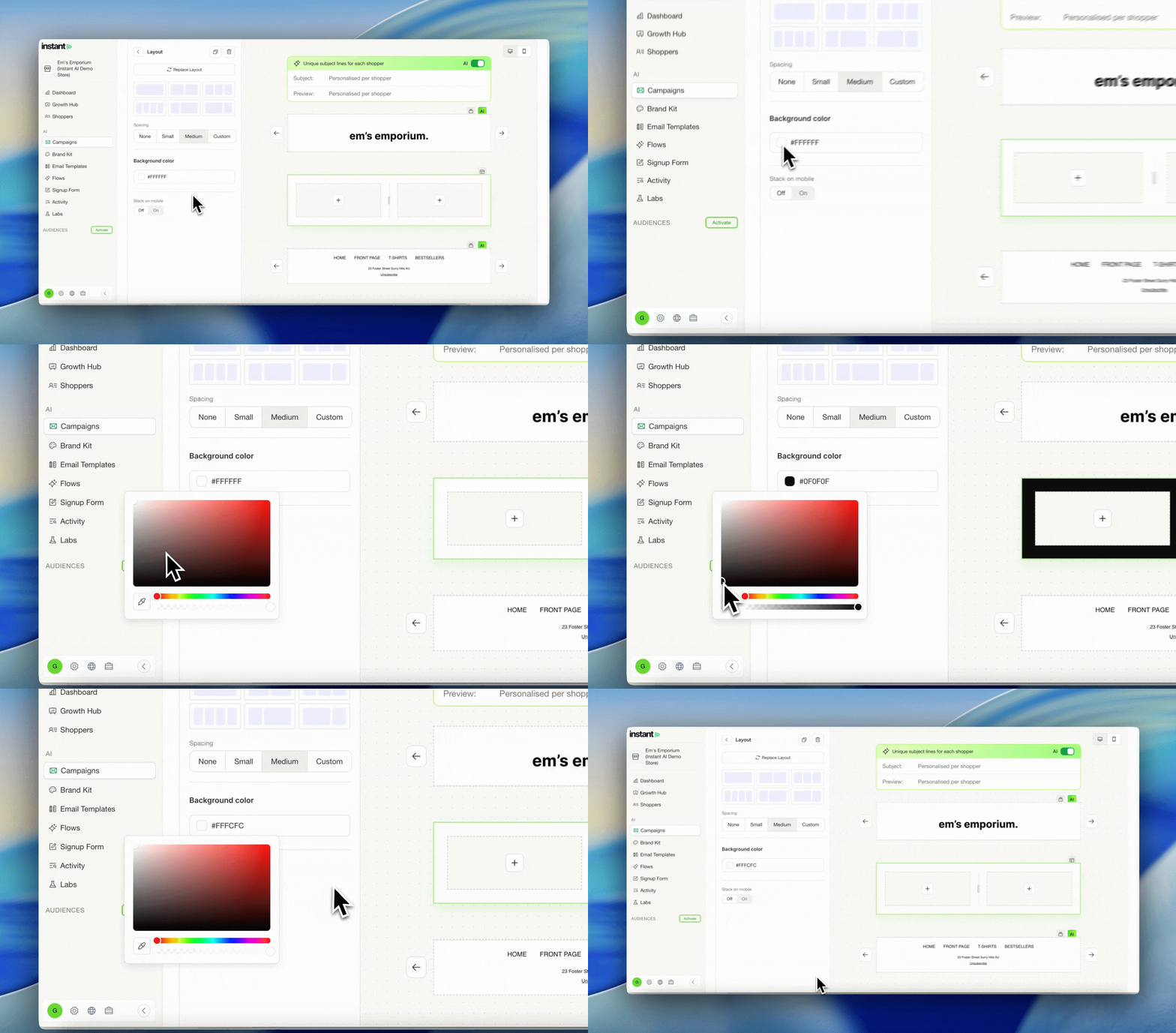
Change the Background Colour of Layout Blocks
Released 21 July 2026
What’s new?
- A colour picker has been added to the Layout Block options
- Override the background colour of an individual layout block, independent of the rest of the email
Change Font Size in the Text Editor
Released 21 July 2026
What’s new?
- Override any text to any size directly in the text editor
- Previously text could only be set to brand kit sizes. Now you can highlight any text and set it to any size you like
- Override the font style too, using any font imported from your brand kit, along with other styling options
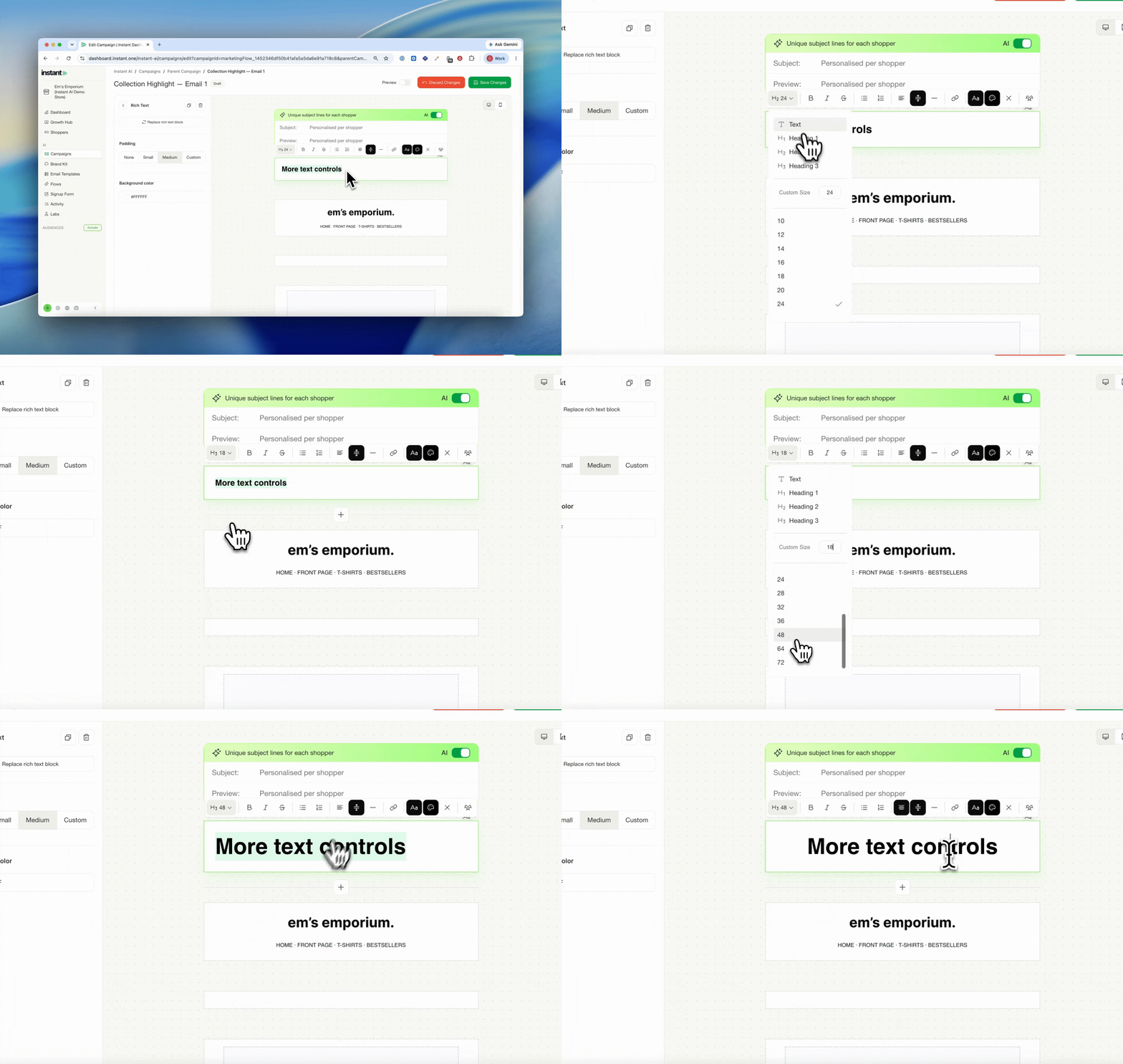
Image Gallery Improvements
Released 14 July 2026
What’s new?
- Upload images in bulk. When you add an image block, drag and drop multiple images at once and they auto-select and add to your email together.
- Ideal if you design a batch of images in Canva or elsewhere and want to drop them straight into the gallery and add them all in one go.
- Bulk delete unused images. In the “Unused” tab of the gallery, select all and clear them in a single action.
- Keeps your image gallery tidy by removing images you no longer need.
Self-serve changes to domains and subdomains
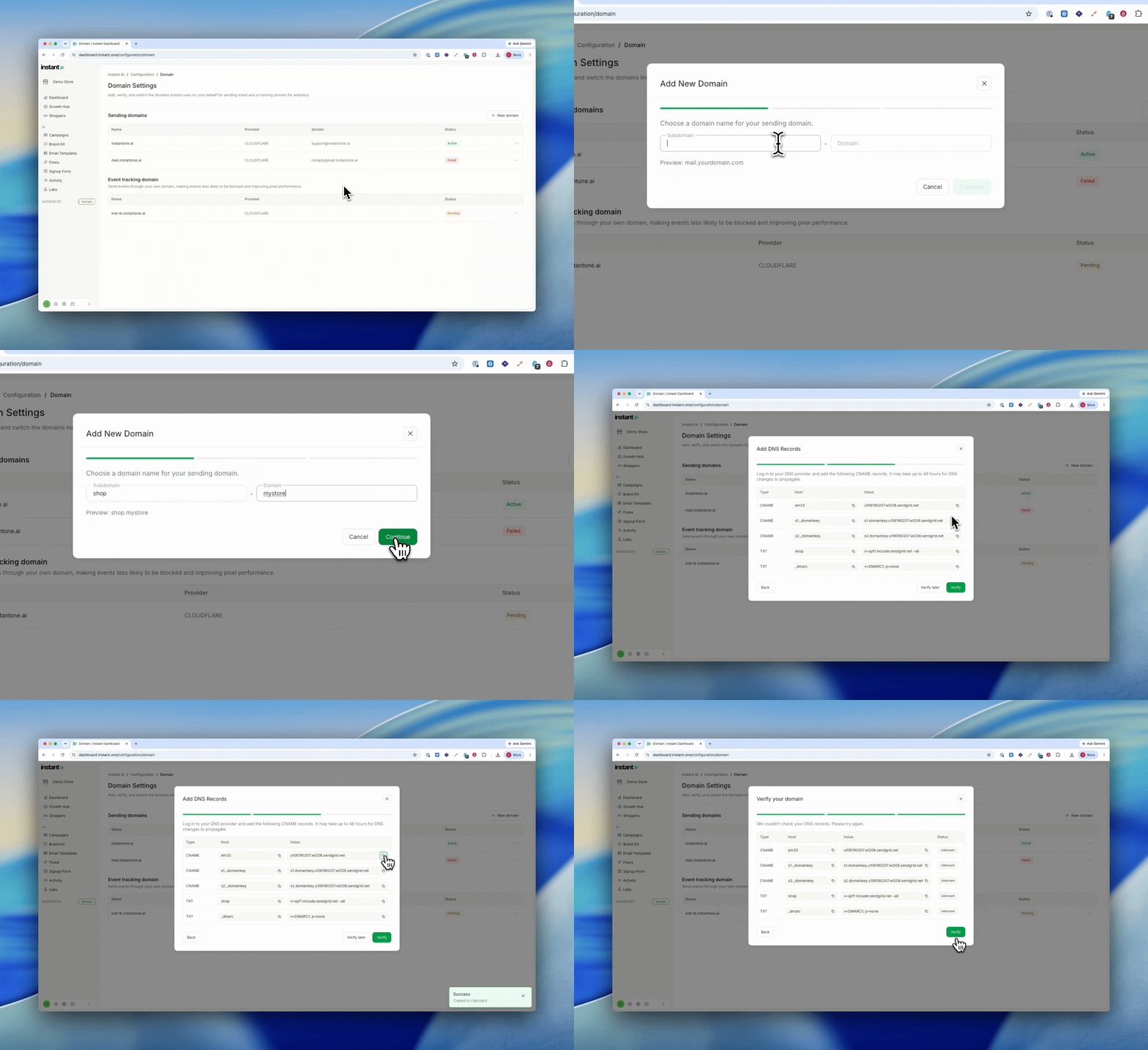
Released 8 July 2026
What’s new?
- Configure and change your own sending subdomain, without going through support
- Choose the subdomain name you send from (for example, mail. or send.)
- Get a fresh set of DNS records to add every time you create a new domain
- Once a domain is authenticated, pick which one Instant sends from
- Find it under
Settings>Domain
How to change your sending domain →
Improved Location Filters
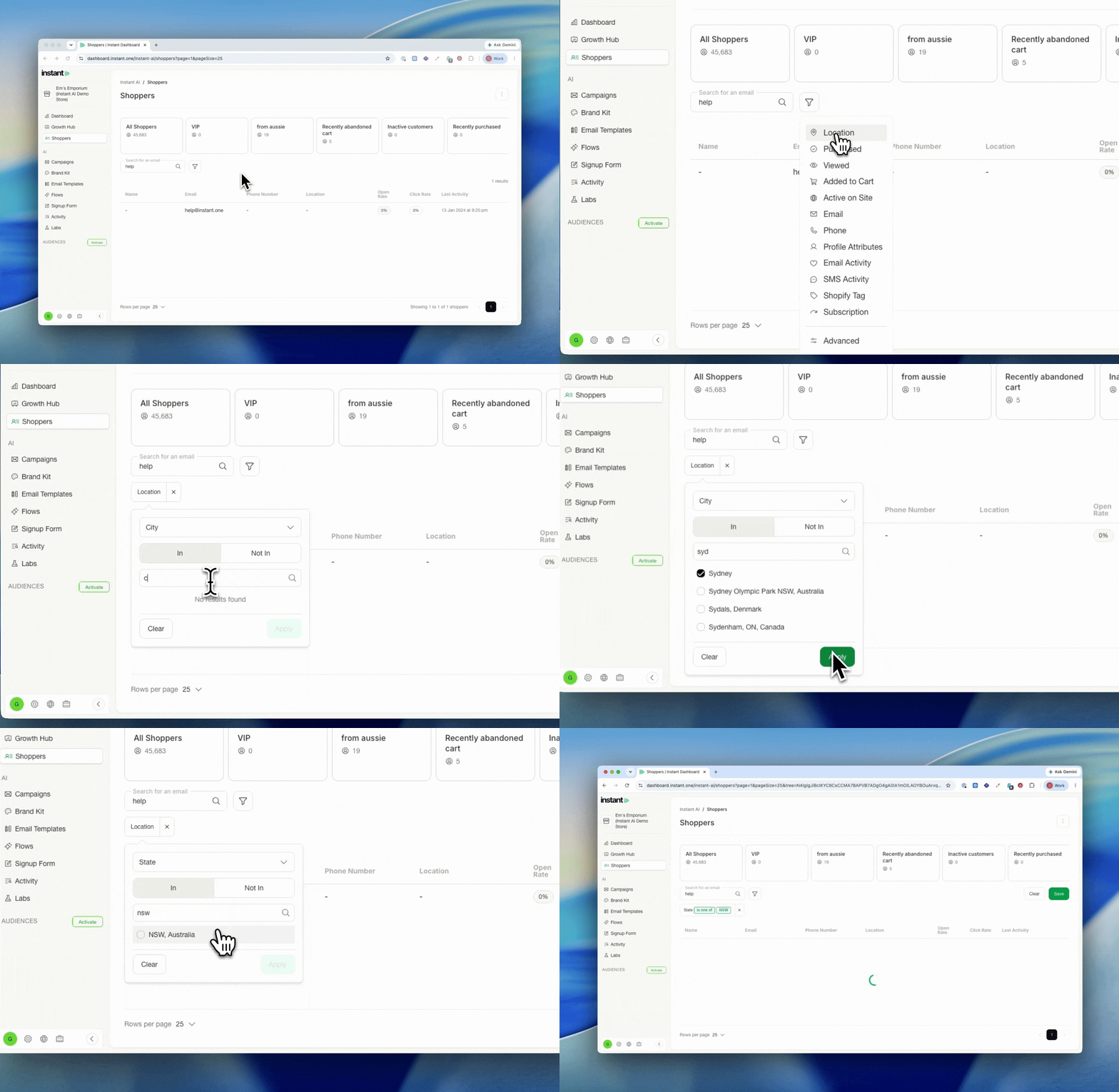
Released 8 July 2026
What’s new?
- The location filter in segmentation now supports more granular shopper information
- Filter by Country, State, City, or distance from an address
- Add the location filter, choose how you want to drill down, and follow the prompts
- With the distance filter, choose whether to measure in miles or kilometres
- Address searches run through Google’s address API, so you can find any valid registered address
Impact
Many brands want to get granular with segmentation to unblock use cases the standard filters could not reach.
You can now find every customer within 10km of your store, or target shoppers in specific suburbs for a local promotion. Set the location filter once, pick how you want to drill down, and Instant handles the rest.
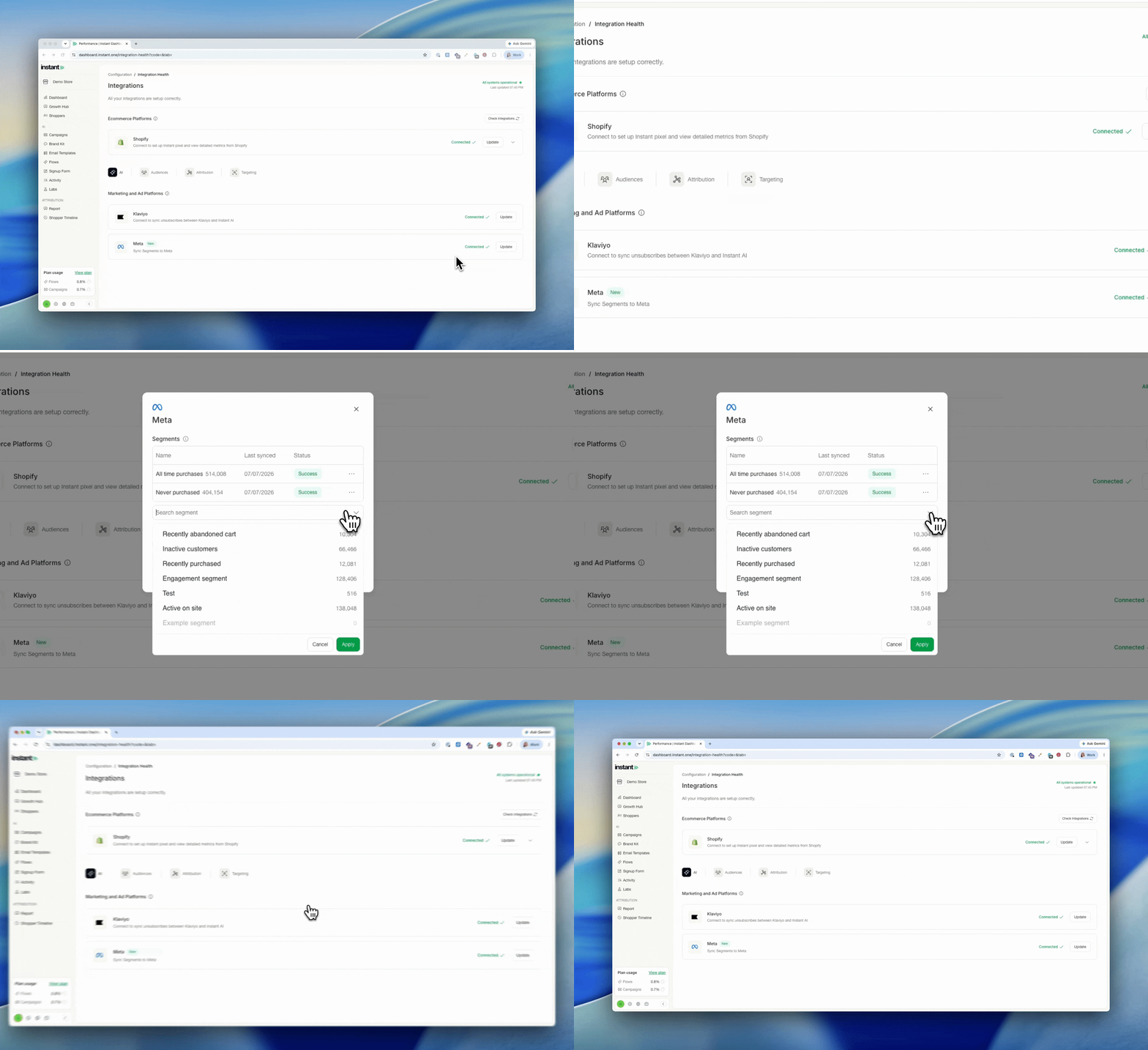
NEW Meta Integration for Segments
Released 6 July 2026
What’s new?
- Connect Instant AI to Meta to build more targeted audiences for your Meta ads
- Create a segment in Instant using any criteria, then add it to your Meta integration
- We sync everyone in that segment to Meta once a day, so your audience stays current for targeted ads
- Find it under Integrations > Meta and follow the prompts to get started
Impact
Your first party data is some of your best ad targeting data, and Instant AI can help you make the most of it. The Meta integration lets you take any segment you can build in Instant, from cart abandoners to VIPs to shoppers who viewed a specific product, and turn it into a Meta audience for your ads.
Because the segment is dynamic, the audience is too. We re-sync it to Meta every day, so as shoppers meet or stop meeting your criteria, your Meta audience keeps up without any manual exports.
For example, build a segment of everyone who abandoned cart and viewed a specific product but hasn’t purchased, sync it to Meta, then push them a special offer on Facebook and Instagram.
How to set up the Meta integration →