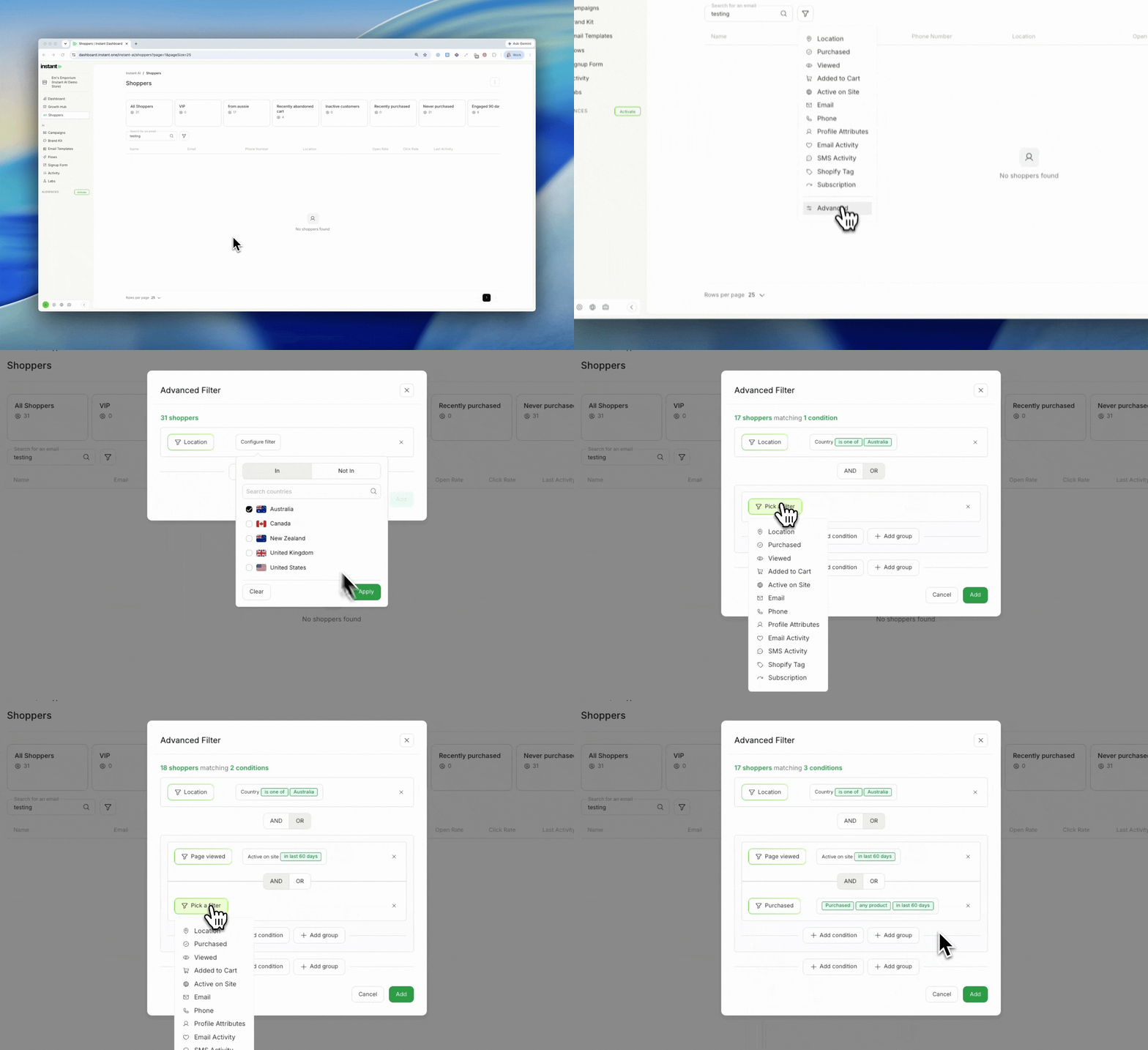
Advanced Filter in Segmentation
Released 26 June 2026
What’s new?
- Add a filter of type “Advanced” to build your own custom filter when a standard filter type doesn’t cover what you need
- Selecting Advanced opens a modal where you can combine AND/OR logic across different filters, or build grouped and nested conditions
- Your standard filters work exactly as before, Advanced is there only when you want to go further
- Find it when adding a filter in Segmentation, then choose filter type “Advanced”
Impact
Most segments are straightforward, and the standard filter types cover them out of the box. But sometimes you need logic that a single list of filters can’t express: a mix of AND and OR conditions, or filters grouped and nested inside each other.
The Advanced filter gives you a space to build exactly that combination, without turning the rest of your segmentation experience into a query builder. If you don’t need it, nothing changes. If you do, it’s there.
Shopper Language Localisation
Released 19 June 2026
What’s new?
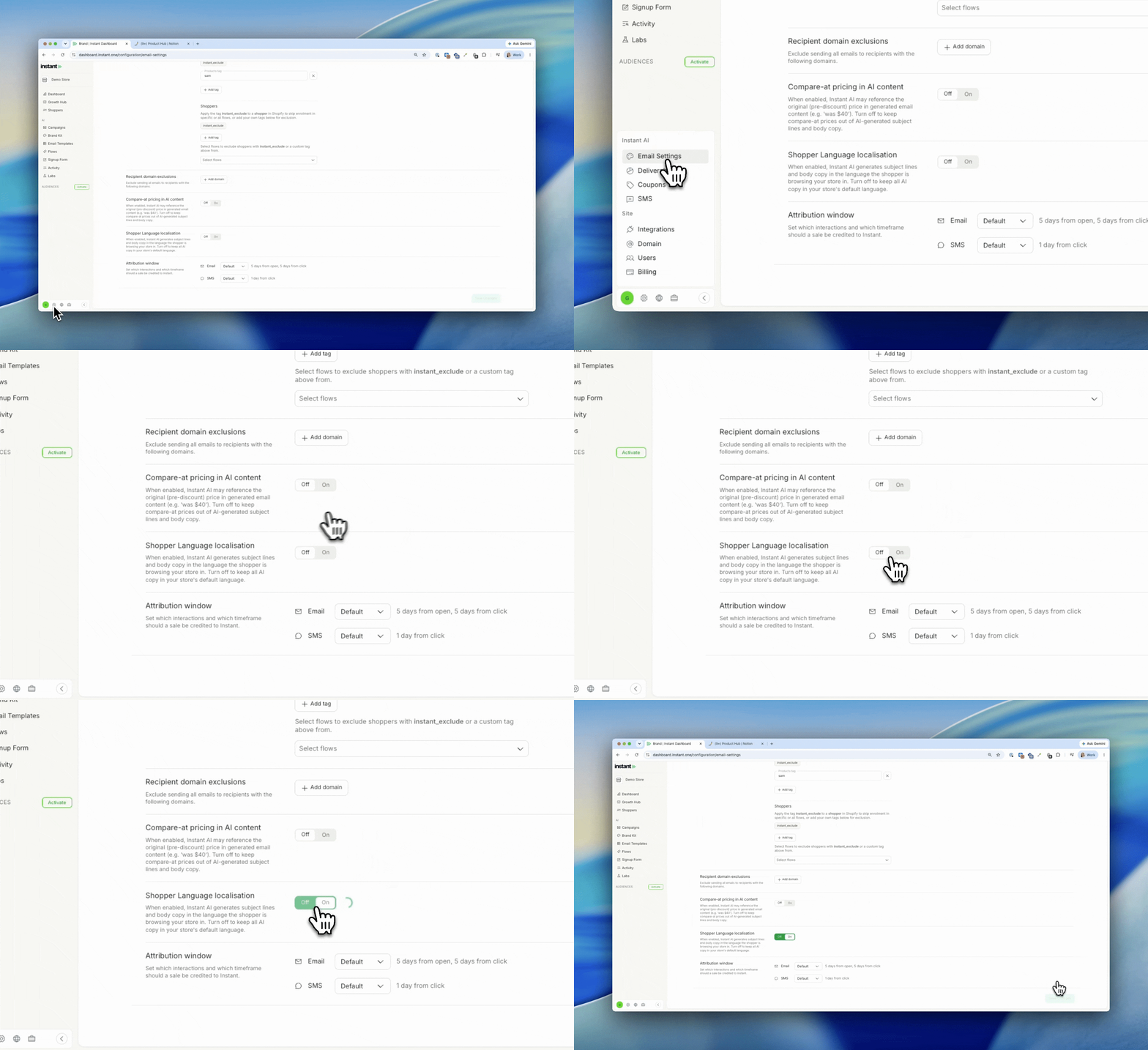
- Turn on Shopper Language localisation to have your AI-written flow copy generated in the language each shopper was browsing your store in
- Instant works out each shopper’s language automatically from the country and language they selected while browsing, so it is unique to every shopper
- Localises AI-written copy only: subject lines and body copy blocks. Manual text, unsubscribe buttons, and other static content stay in your store’s default language
- Spelling and currency already localise automatically. This adds the language layer for AI copy on top
- Applies to flows only
- Off by default. Find it under Email Settings > Preferences > Shopper Language localisation
Impact
If you sell to shoppers in more than one country, your flow emails can now speak each shopper’s language. Instant AI already matched spelling and currency to where a shopper was browsing. Now the AI-written copy can match their language too, so a shopper browsing in Germany receives German subject lines and body copy alongside Euro pricing. It works automatically for each individual shopper, with nothing to set up per language.
How does Instant AI manage multiple languages? →
Change Your Fallback for Custom Fonts
Released 18 June 2026
What’s new?
- Edit the fallback font on an existing custom font without recreating it
- Click the edit button on the dropdown to manage the fallback
- When creating a new font, pick your fallback at the same time
How to edit fallback fonts →
Pop-up Delay
Released 15 June 2026
What’s new?
- Choose Short, Medium, or Long to influence when your signup form first appears to shoppers
- Predictive opt-in and auto-optimised timing still run underneath, this adjusts the lean on first appearance rather than setting a fixed delay
- Find it under Configuration > Signup form > Edit, on the Email capture step
Impact
Your signup form already uses predictive opt-in and auto-optimised timing to decide the best moment to show. Pop-up Delay lets you nudge that without overriding it: lean Long to let first-time visitors browse before being prompted, or lean Short to surface the form earlier and capture intent sooner.
Default Segments
Released 10 June 2026
What’s new?
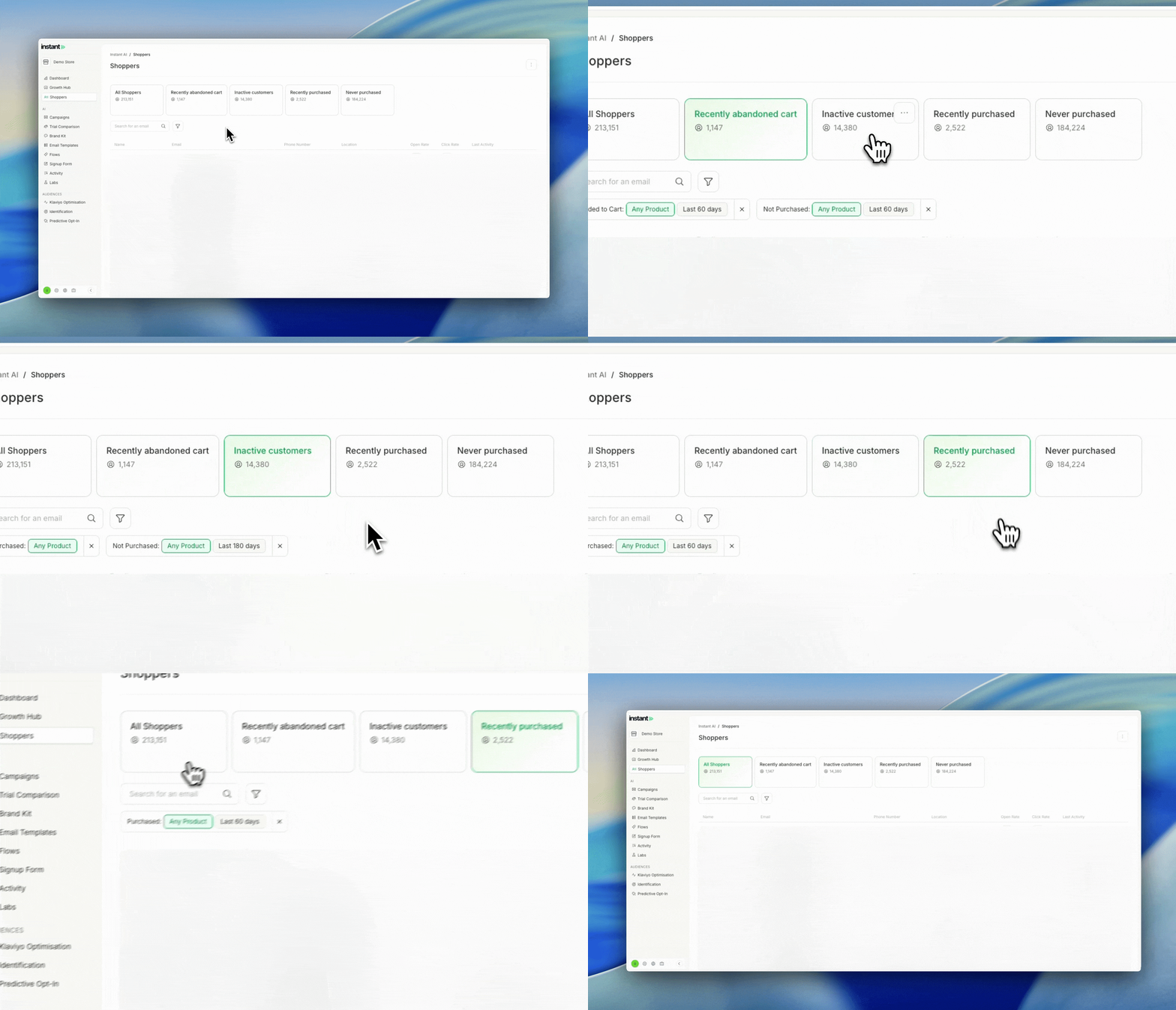
- You now get four default segments automatically: Recently Abandoned Cart, Inactive Customers, Recently Purchased, and Never Purchased
- They appear in your existing Segments list, ready to use right away
- Edit or delete any of them at any time, they’re a starting point rather than a permanent fixture
- They work exactly like the segments you build yourself, so there’s nothing new to learn
Impact
Building your first segment from a blank slate can be the hardest part of getting started. These four cover the most common ways merchants group their shoppers, so you can see what segmentation can do and start sending to a useful audience straight away.
Keep the ones that fit how you sell, tweak them, or clear them out entirely. They’re there to make the first step easier, not to lock you in.
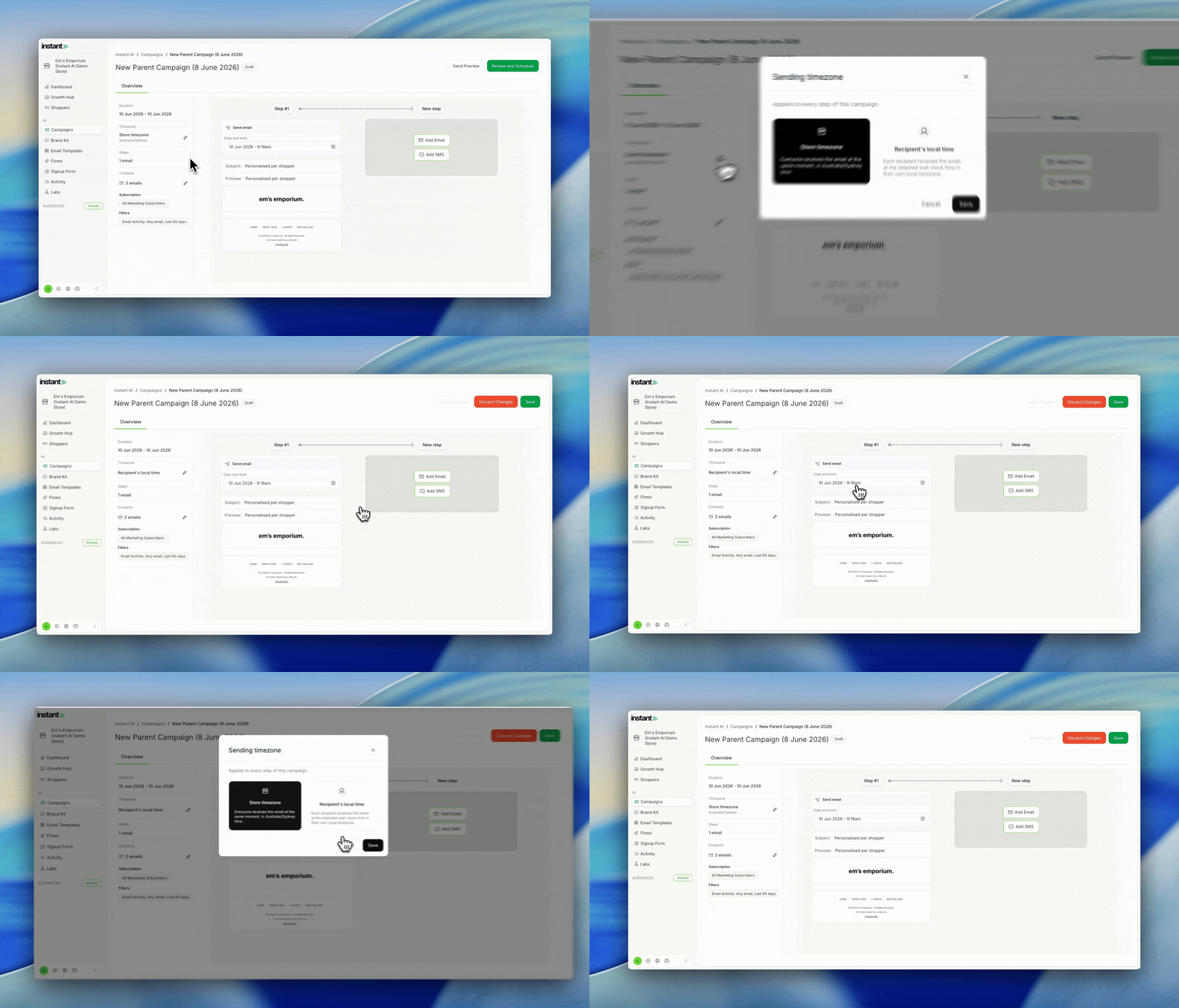
Recipient’s Local Time
Released 9 June 2026
What’s new?
- Schedule a campaign to reach every recipient at the same local time, instead of one fixed time in your store’s timezone
- Set it under Instant AI > Campaigns > Overview > Timezone, then click the pencil icon
- The setting applies to every email in the campaign
- We work out each recipient’s timezone from their address and enriched profile data, so there’s nothing to tag or import
- If we can’t determine a recipient’s timezone, or their local send time has already passed, they send in your store’s timezone instead
How to send campaigns in your recipient’s local timezone →
Easier breakdown of your subscription
Released 4 June 2026
What’s new?
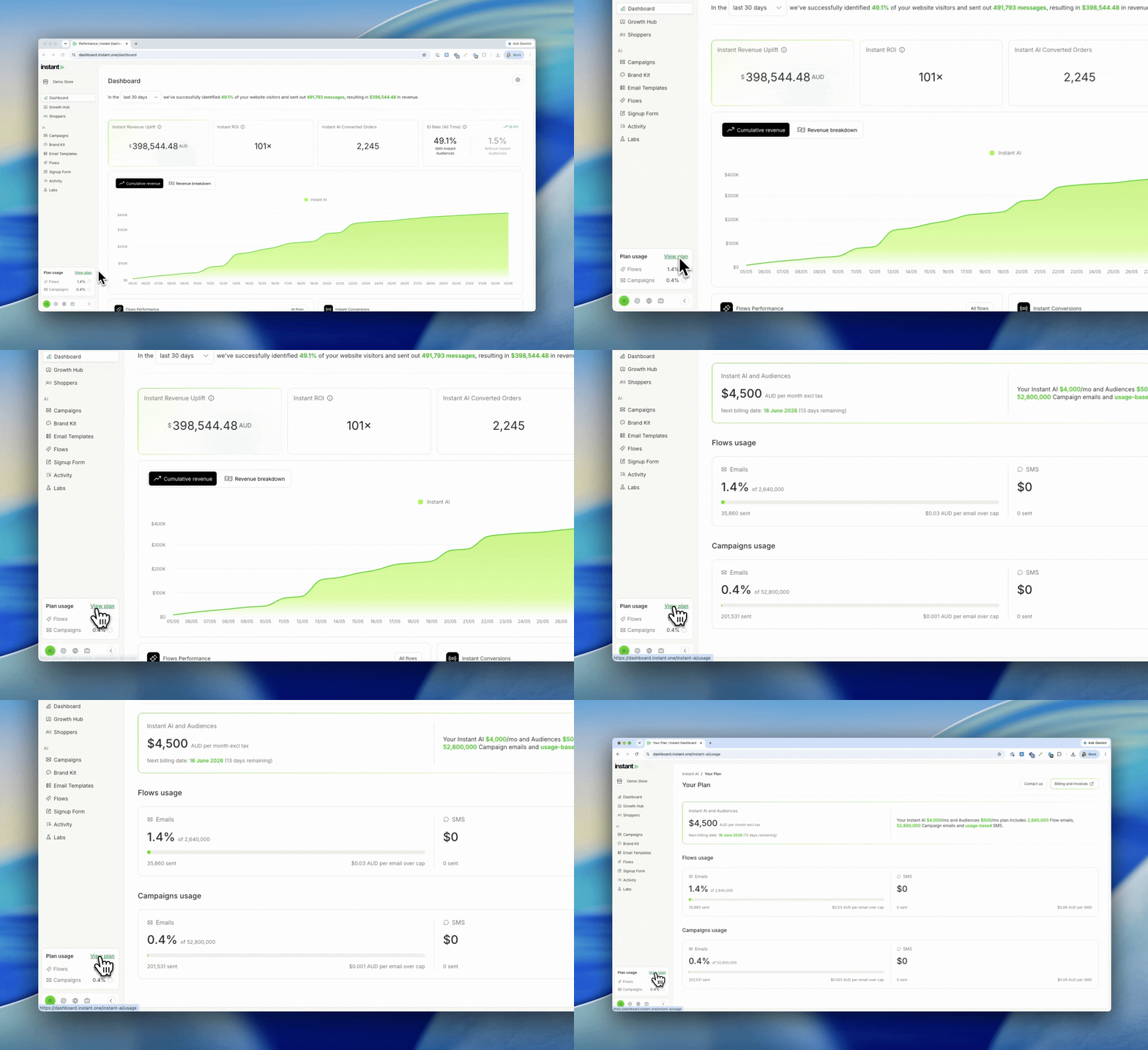
- See how much of your subscription you’ve used each month, with your total usage shown at a glance
- Click in for a full breakdown of the flows and campaigns usage you have left for the month, when your next billing period starts, and how to get in touch to upgrade
- SMS usage is included, so you can monitor your spend
- On a trial? You’ll see a temporary breakdown instead
Brand Kit
Released 3 June 2026
What’s new?
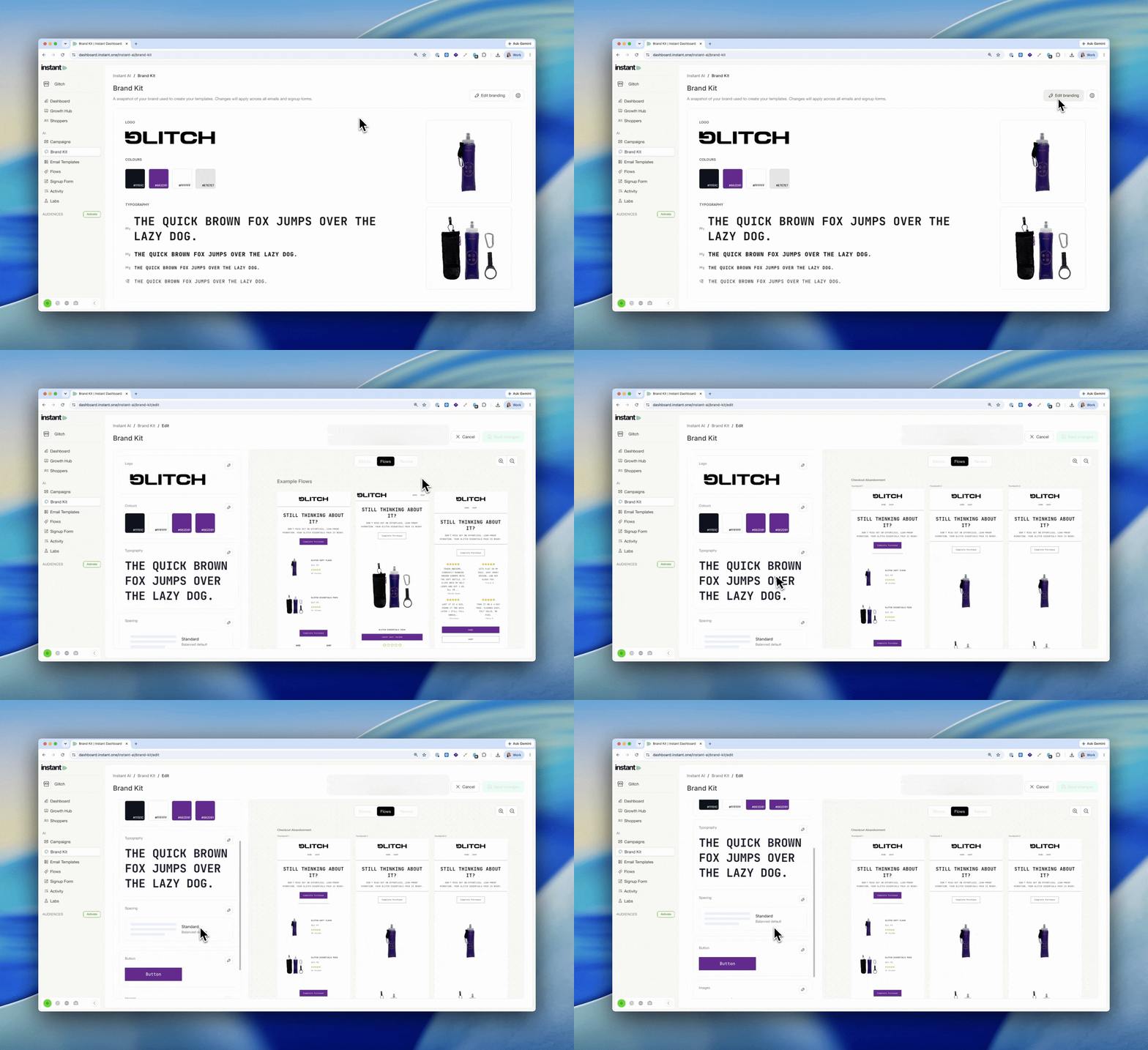
- Brand Kit is the home for controlling the look and feel of everything in Instant, all in one place
- We automatically build it from your store, so it already reflects your fonts, heading styles and brand details, applied to your emails
- It picks up the granular detail: H1/H2/H3 styling, whether your CTAs are uppercase, whether your images have curved edges, and more
- To change anything, open your Brand Kit and click edit
- Find it under [nav path]
Impact
Controlling how your emails look is one of the most common things brands ask us for. Small things like padding, bolding a line of text, or matching your heading styles to your site.
Brand Kit brings all of that into one place. You set your look and feel once and Instant applies it everywhere, instead of adjusting individual emails. And because we build it from your store automatically, your Brand Kit already matches your fonts, heading styles, CTA casing and image styling, so it’s working for you from day one.
How does the Brand Kit work? →
Brand Kit Fonts and Headings in the Text Editor
Released 3 June 2026
What’s new?
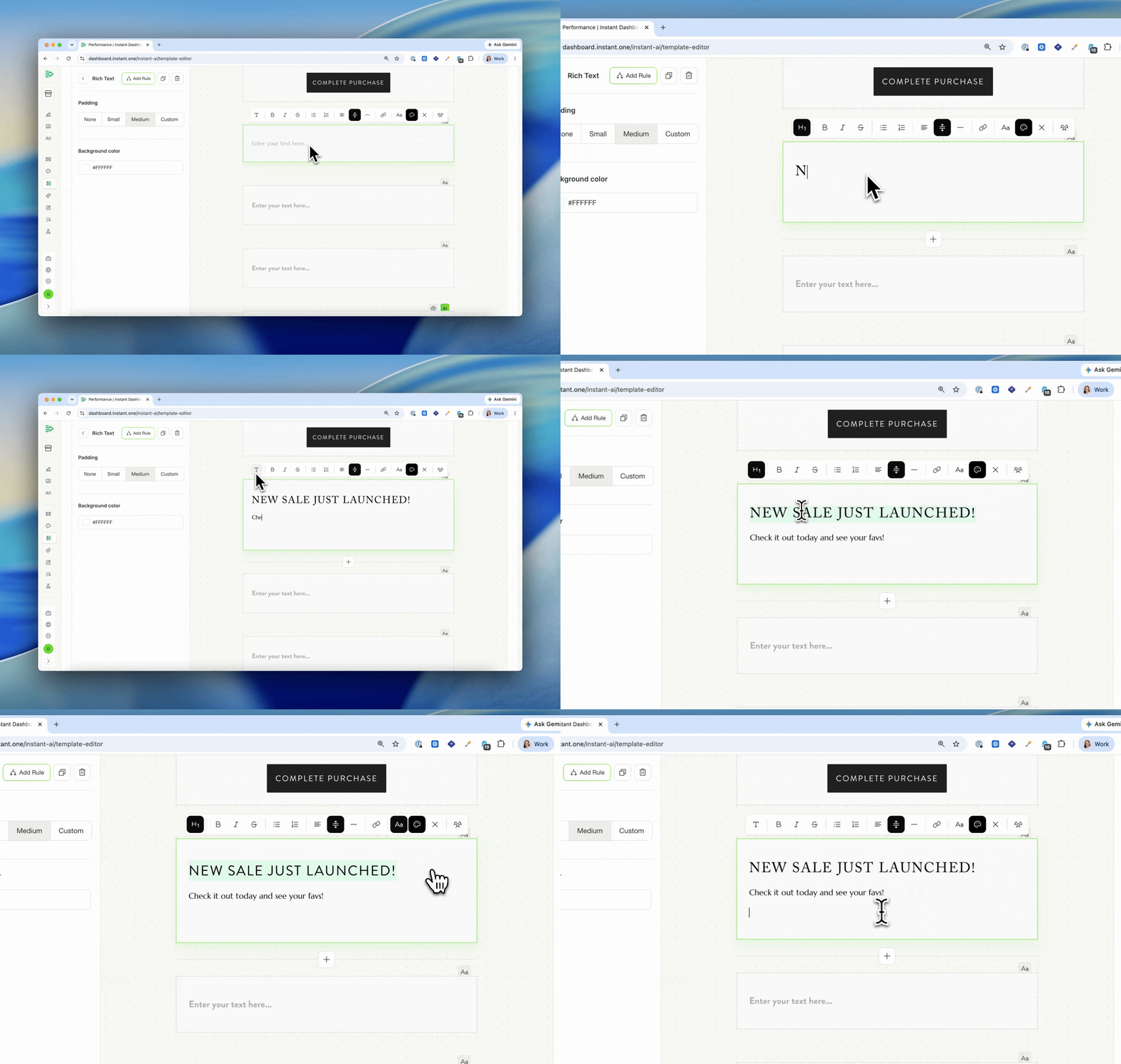
- Apply your brand kit H1, H2, H3, and body styles directly in the text editor with a single click
- Manually override to a custom font, including Google Fonts, whenever you need it
- Manage your headings and fonts in the brand kit: change a style there, or upload more fonts there, and they’re ready to select in the text editor for every future campaign
Impact
Keeping a campaign on-brand used to mean restyling each heading by hand. Now your brand kit’s H1, H2, H3, and body styles are a click away in the text editor. Change a style in the brand kit and it flows through to every future campaign, so you set it once and write content without fiddling with formatting. Need a font we don’t include by default? Upload it to the brand kit, or override to a Google Font directly in the text editor.
Smart Rules in Campaigns
Released 19 May 2026
What’s new?
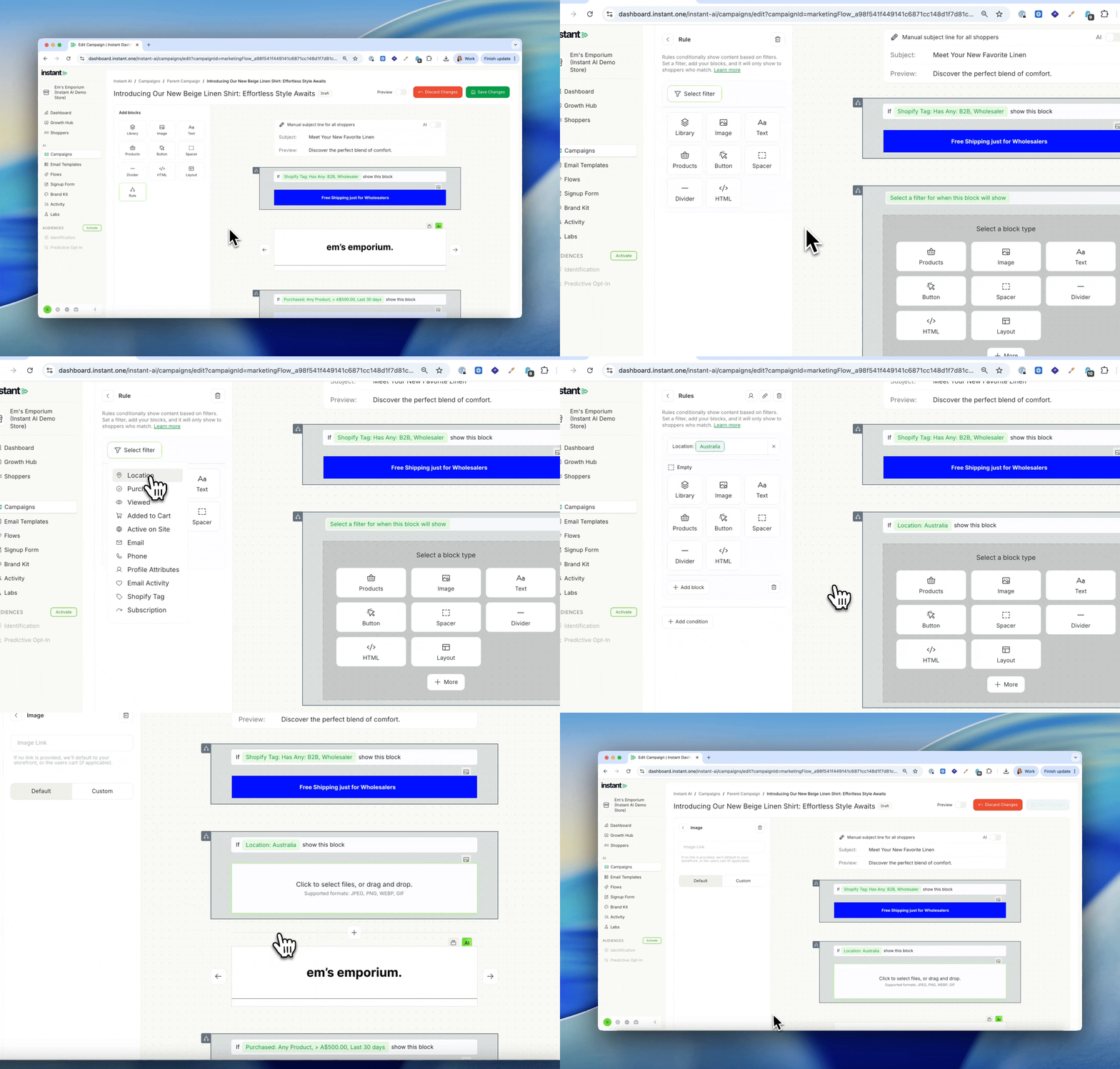
- Change parts of a campaign email based on who’s receiving it, so you can send one campaign with content tailored to different shoppers instead of duplicating it for each segment
- Add a Smart Rule block anywhere in your campaign and set a filter for who should see it
- Filter by location, purchase history, email activity, Shopify tag, or a scheduled date range
- Chain conditions together with If / Else if logic, so different shoppers can see different content in the same slot
- Preview any rule’s output with the Preview toggle before sending
- Works alongside your existing campaign segment, so you can target broadly and still tailor the content inside
Impact
Most marketers solve this problem by duplicating the campaign for every segment. One for US, one for AU, one for first-time buyers, one for VIPs. That’s a lot of campaigns to build, schedule, and report on for what is really one message with a few variations.
Smart Rules let you send one campaign with content that adapts to each shopper. A US-specific free shipping banner for US shoppers, an AU-specific offer for Australian shoppers, a VIP banner for repeat buyers, a first-time buyer offer for new shoppers, all in the same send.
One email, one analytics view, every shopper sees something written for them.
How to use Smart Rules in Campaigns →
AI Subject Lines in Campaigns
Released 19 May 2026
What’s new?
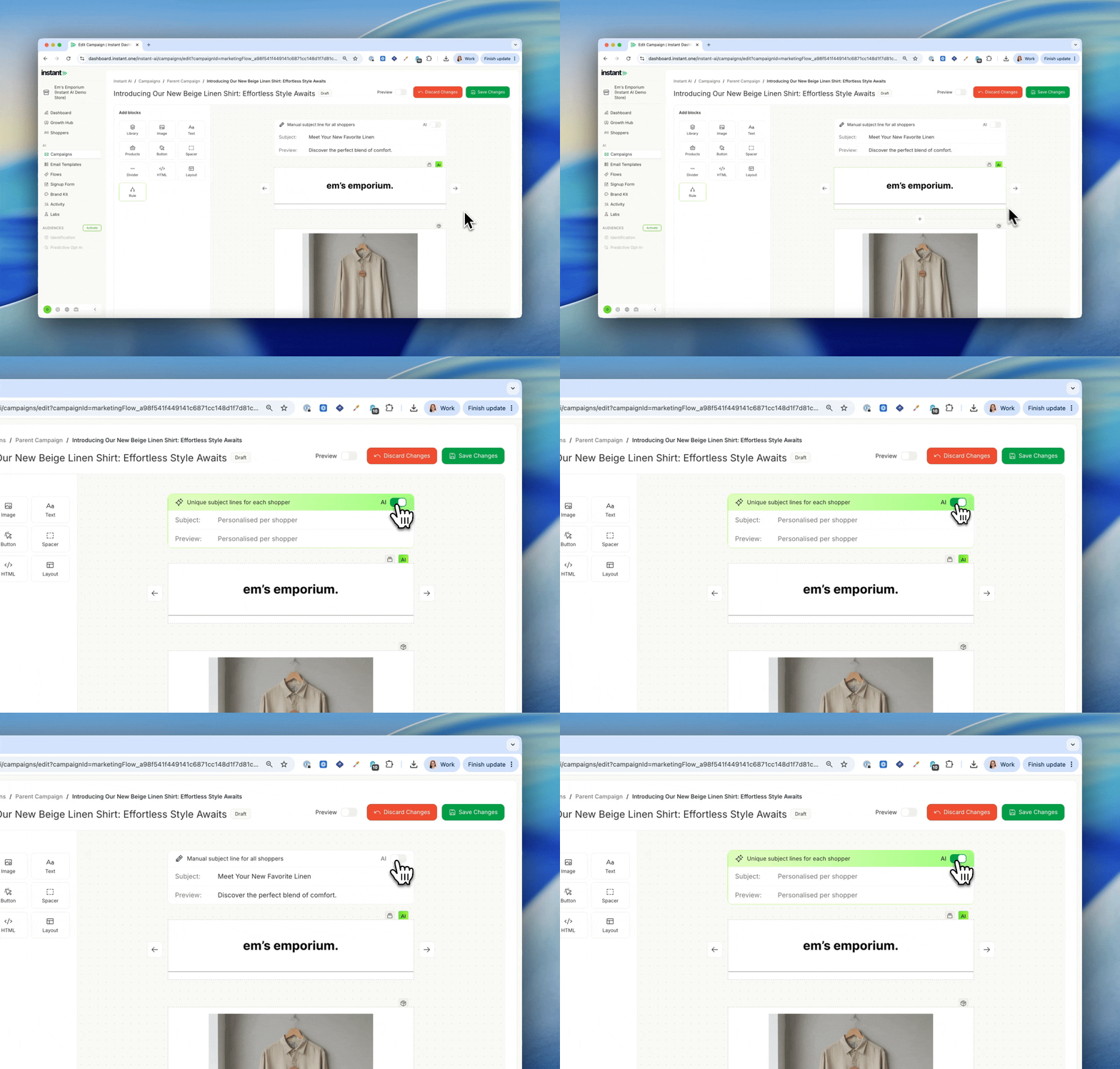
- Every shopper now gets a unique subject line and preview text, written for them, on every campaign you send
- Instant reads your full campaign (including text, images, and messaging) and combines it with what we know about each shopper, whether they’ve bought before, browsed recently, or abandoned a cart, to generate a unique subject line and preview tailored to your campaign and where they are in the buying cycle
- Turn it on with a single toggle in any campaign
- View a live log of every subject line in
Campaigns>Activityas emails go out - Works on every step of a multistep campaign
Impact
Personalised AI subject lines have always been one of the strongest parts of Instant AI in Flows. Now they work the same way in Campaigns.
For most brands, a campaign subject line is a guess. You write one line, send it to everyone, and hope it lands. Some brands A/B test, but that just means you pick the better of two guesses for one audience.
Now, every shopper gets a subject line written for them and the campaign they’re about to receive. A first-time visitor gets a different angle to a repeat buyer, who gets a different angle to someone who just abandoned a cart. One campaign, thousands of subject lines, one toggle.
How to use AI Subject Lines in Campaigns →
Custom Event Mapping
Released 8th May 2026
What’s new?
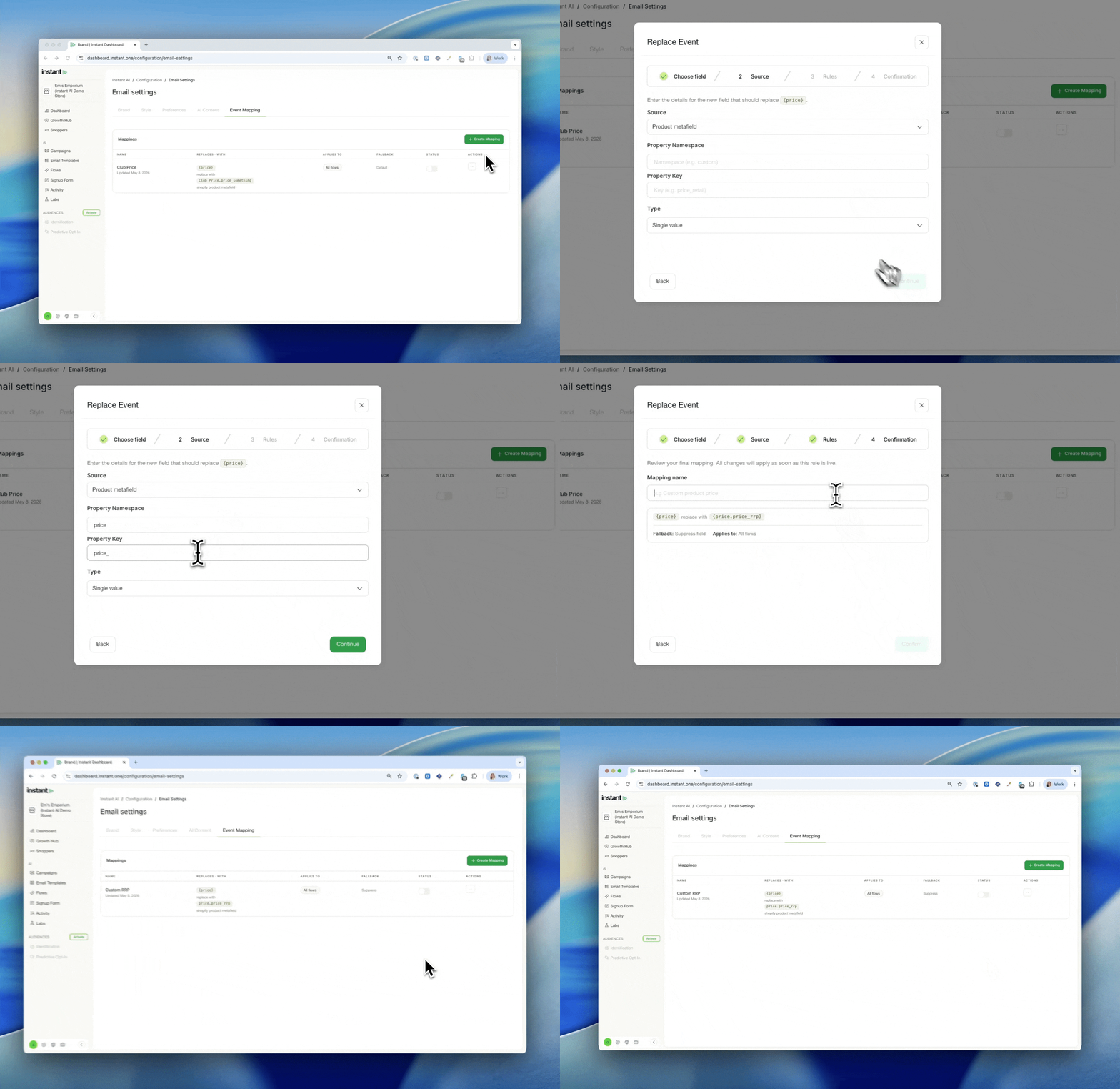
- Replace Instant AI’s default Shopify product data (price, image, name, description, compare at price) with values from your own product metafields
- Useful for stores that sell personalised or custom products, run member or wholesale pricing, use email-specific creative, or store rich product data in metafields
- Set the source for each field once, and Instant uses your custom data across every flow email automatically
- Supports both single-value and JSON metafields, with dot-notation paths to pull a specific value from structured data
- Choose what happens when a product is missing the metafield: fall back to the standard Shopify value, or suppress the field entirely
- Turn mappings on and off with a single toggle, no need to republish flows
- Find it under
Configuration>Email Settings>Event Mapping
Impact
For most stores, Shopify’s standard product fields are exactly right and emails work out of the box. But a few merchants have richer product data sitting outside the standard fields.
Brands may run VIP member pricing that needs to show in emails instead of their regular compare at price. Or maybe a custom print company need cart abandonment emails to display the actual custom photo a shopper uploaded during checkout, not a generic product mockup. These brands solve the same problem the same way, by storing the data they care about in custom fields instead of Shopify’s standard ones.
You can configure a mapping once, and everywhere we can, we’ll replace that event with what you want to use instead.
How to use Custom Event Mapping →
Unsubscribe Rates on Individual Campaigns
Released 8th May 2026
What’s new?
- You can now see the unsubscribe rate for each individual campaign in campaign analytics
- Previously, unsubscribe rates were only available as a combined total across all campaigns in the Deliverability Dashboard
- Open any campaign to see its unsubscribe rate alongside the other performance metrics
SMS in Campaigns
Released 5th May 2026
What’s new:
- Add an SMS step to any multi-step campaign, in any combination with email
- Apply one segment to your entire multi-step campaign and we’ll automatically work out who can receive SMS, who can receive email, and who can get both
- Brand prefix and unsubscribe line are added automatically, with character limits enforced live in the editor
- SMS revenue, clicks, and engagement report alongside email in your campaign analytics
- Every SMS is kept to a single message, so it’s a predictable cost, per SMS, every time
- Available for Australian phone numbers only. International numbers are skipped automatically.
Impact
The best marketing managers know it’s not about email vs SMS. It’s both working together. Most brands launching a sale will have different messaging for SMS and email, but use them together to make an announcement.
You might send a high volume of emails leading up to a sale to build hype, then add an SMS announcement the moment the sale goes live. Or you might use SMS for an extra nudge right before a sale ends to make sure you’ve maximised conversions.
That pattern is known to convert, and an SMS strategy should always be interwoven with your email strategy. That’s why every multi-step campaign in Instant supports both, in any combination, to help you drive the message home.
How to send an SMS Campaign with Instant AI →
SMS Prefix now supports up to 12 characters (for Australia)
Released 1st May
What’s new?
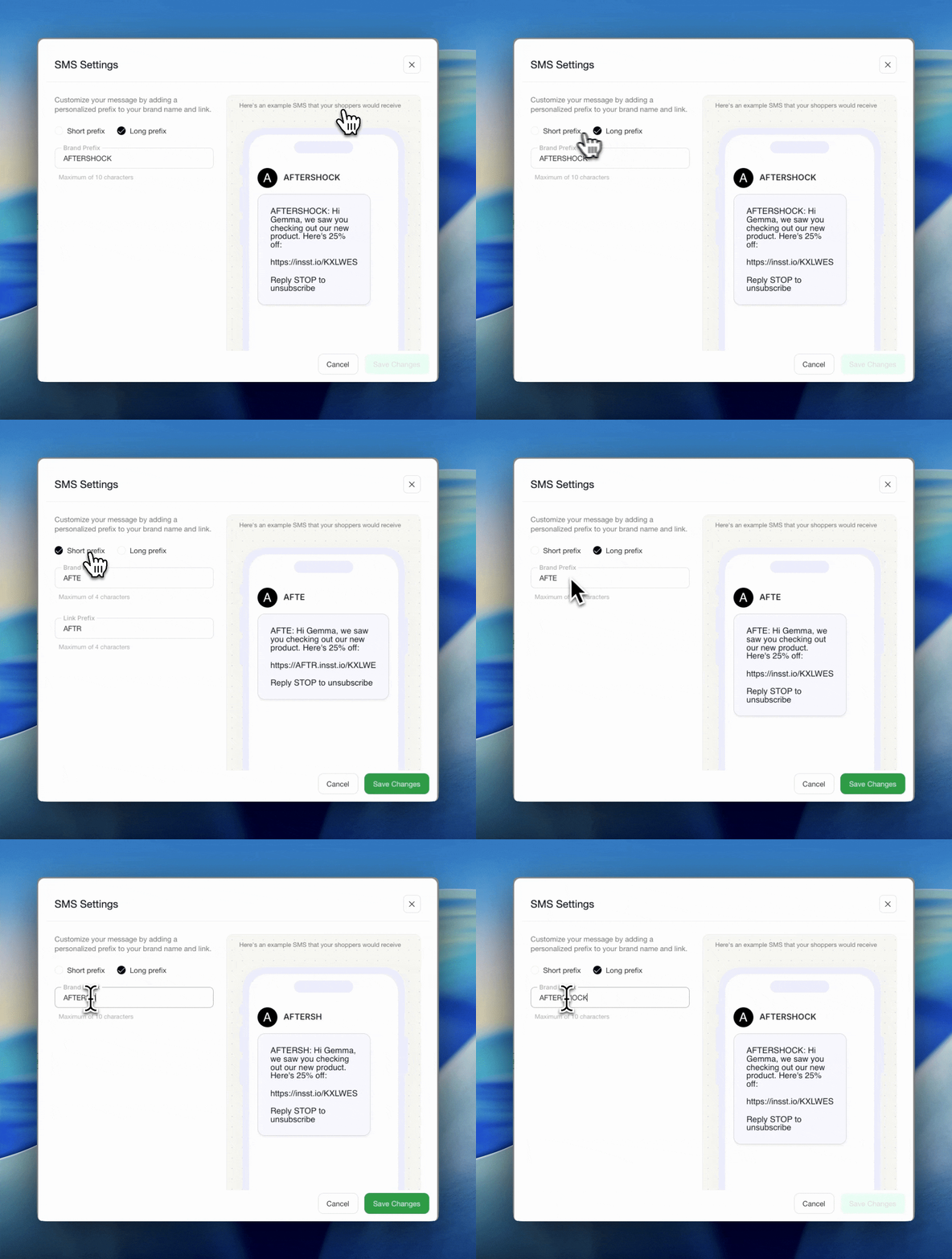
- All SMS from Instant AI require a brand prefix
- This aligns with Australian requirements every SMS must have the business name
- You can select a short prefix or long prefix
- If selecting a short prefix, you’ll be allowed up to 4 characters and can personalise the url link and your prefix name
- If selecting long prefix, you’ll be allowed up to 10 characters, but no customisations of the url link
- Any changes you make to your SMS settings will apply to every SMS sent including flows and campaigns
Improved breakdown of filters in past Campaigns
Released 1st May
What’s new?
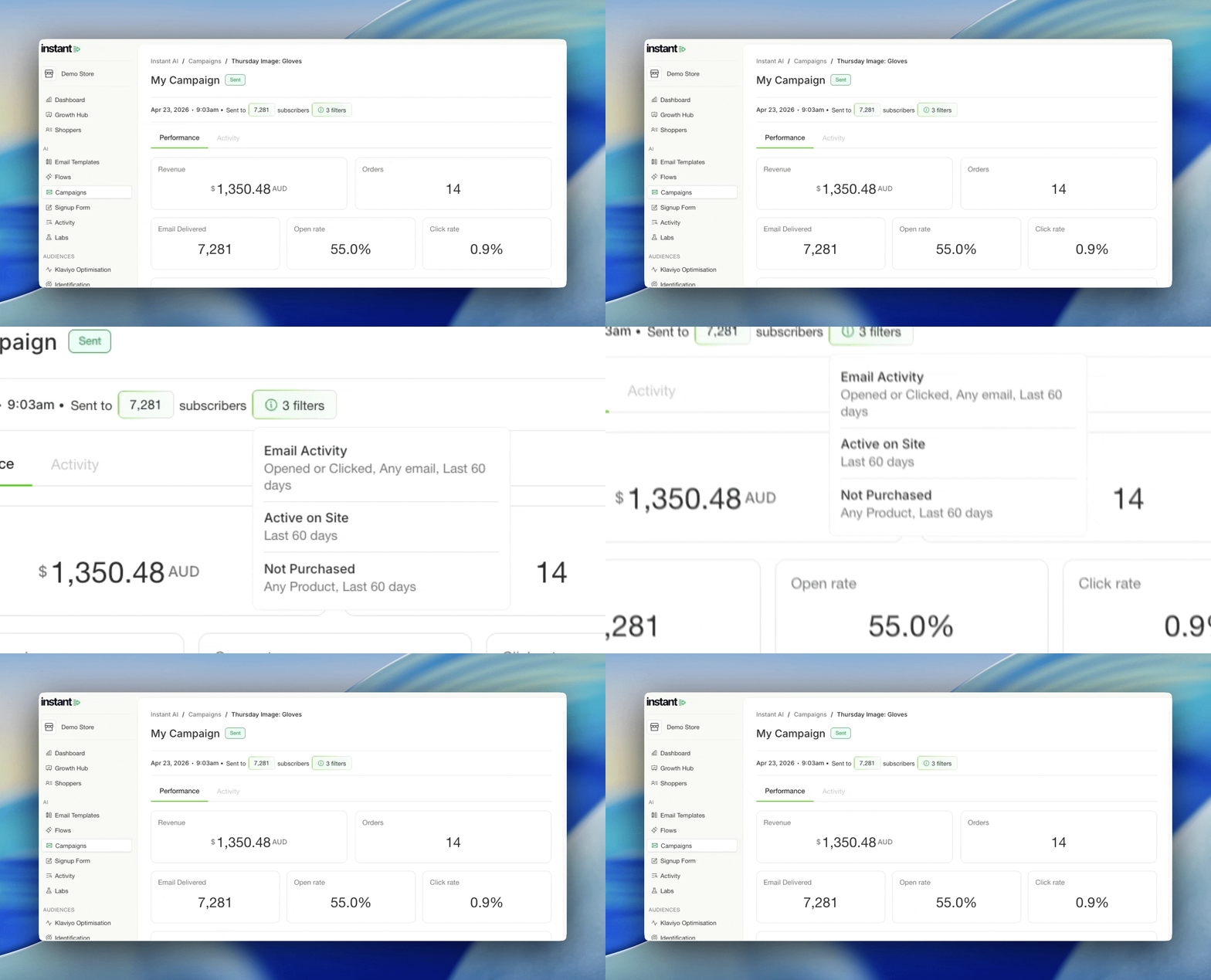
- Campaigns with long and complex filters are now easier to navigate with an easier UI
- If you have a long list of filters, simply hover over the filter chip to see a breakdown
Upload Custom Fonts
Released 28th April 2026
What’s new?
- You can now upload your own custom font file to use across your Instant AI emails
- Go to Settings > Email Settings > Custom Font, select Upload Font, and upload a WOFF2 file
- Add multiple weights (Regular, Bold, etc.) for the same font family
- Once uploaded, your custom font applies to all text in your emails — both headings and paragraphs
- Your Default Font is still required and acts as the fallback for email clients that don’t support custom fonts
Add a Google Font
Released 20 April 2026
What’s new?
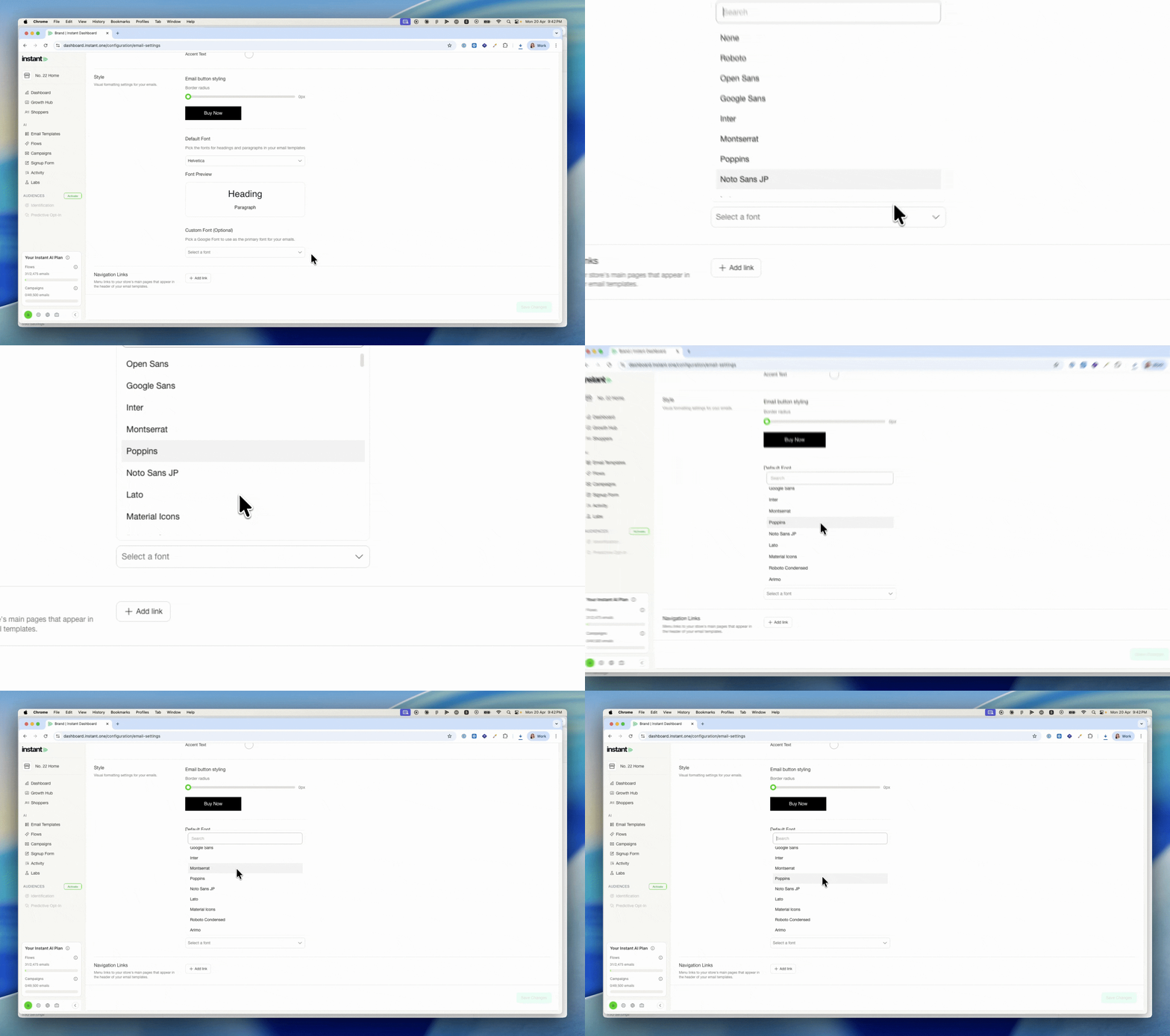
- You can now pick one Google Font and apply it across every email Instant AI generates
- It applies to everything, including all text across Flows and campaigns Campaigns
- Set it under Settings > Email Settings > Style > Custom Font (Optional)
- Your existing Default Font remains as the fallback, so recipients in clients that don’t support web fonts still see a clean, on-brand email
CSV Export
Released 14 April 2026
What’s new?
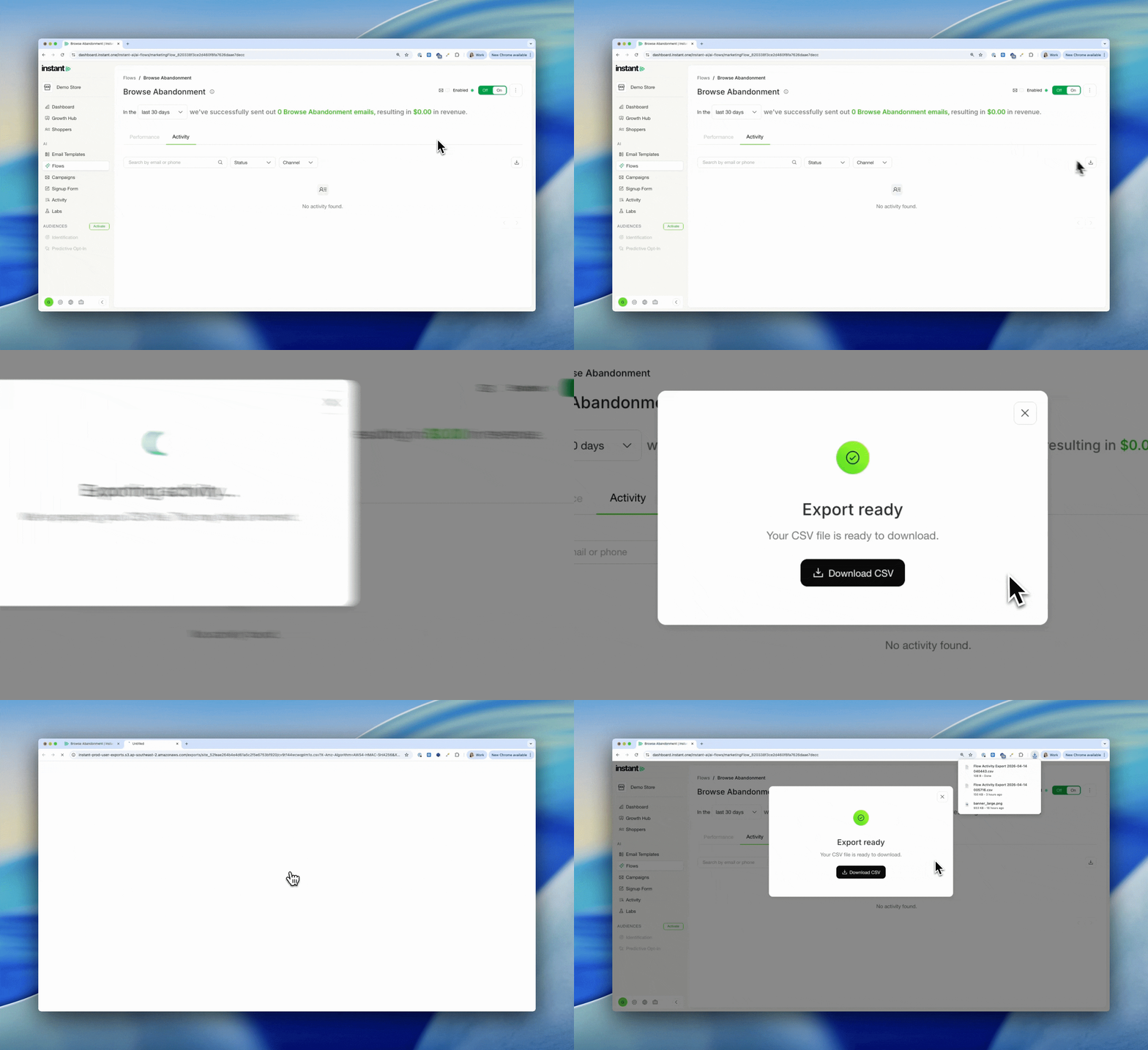
- You can now export your Shoppers list as a CSV directly from the Shoppers page
- Go to Shoppers > Select Menu in the right corner > Export as CSV
- You can also export Flow Activity from any flow’s Activity tab
- Go to Flows > Select Flow > Activity > Download button in right corner
- Both exports reflect whatever filters you have applied, so you can filter first and download exactly what you need
Custom Attribution Windows
Released 13th April 2026
What’s new?
You can now customise the attribution window Instant uses to measure email and SMS revenue, directly from your settings.
- By default, Instant uses a 5-day open/click window for email and a 1-day click window for SMS, matching Klaviyo’s standard settings
- Switch to Custom to set your own open and click windows independently for email and SMS
- Set either value to 0 to remove that interaction type entirely, for example, 0 open days and 1 click day gives you a 1-day click-only model
- Email and SMS are configured separately, reflecting how the two channels are measured differently across the industry
- Changes apply retroactively and immediately, your full dashboard and flow analytics update the moment you save, so you can compare what any period looks like under a different model
- Find it in Settings > Email Settings > Preferences > Attribution window
Learn more about how attribution works →
How to customise your attribution window →
More ways to conditionally show email content with Rules
Released 10th April 2026
What’s new?
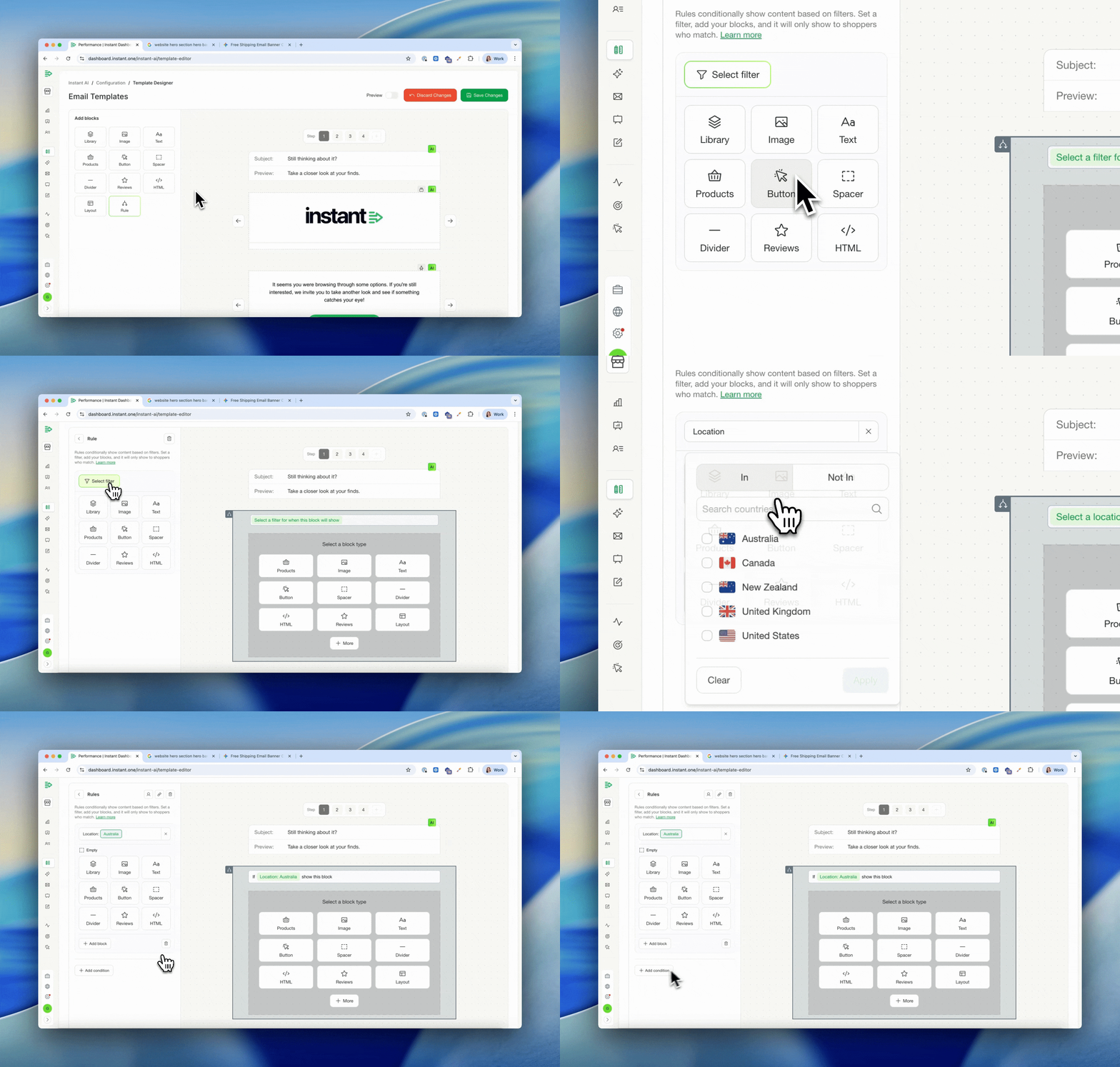
- Instant AI now lets you manually create dynamic content within your emails
- Instead of one email for everyone, you can now tailor the design based on who’s receiving it. Certain customers can get one image, others might get another.
- Use cases like, Show a sale banner only during your sale, then it auto-disappears, a different hero for repeat buyers, or exclusive content for subscription customers
- Rules are filters you apply to blocks inside your email, so we know which block we should use for which customer, without altering any flows
- There are two ways to use Rules: insert a new block that only appears when a condition is met, or replace an existing block with a different version for specific customers
- You can chain multiple conditions together — if the first isn’t met, Instant tries the next, and so on
- Filter by location, purchase history, email activity, Shopify tag, or a scheduled date range
- Date-based Rules activate and expire automatically — set it once and your emails update themselves
- Replacing an existing block updates it everywhere it appears across all your emails at once
Read more about how to manage rules with our documentation here
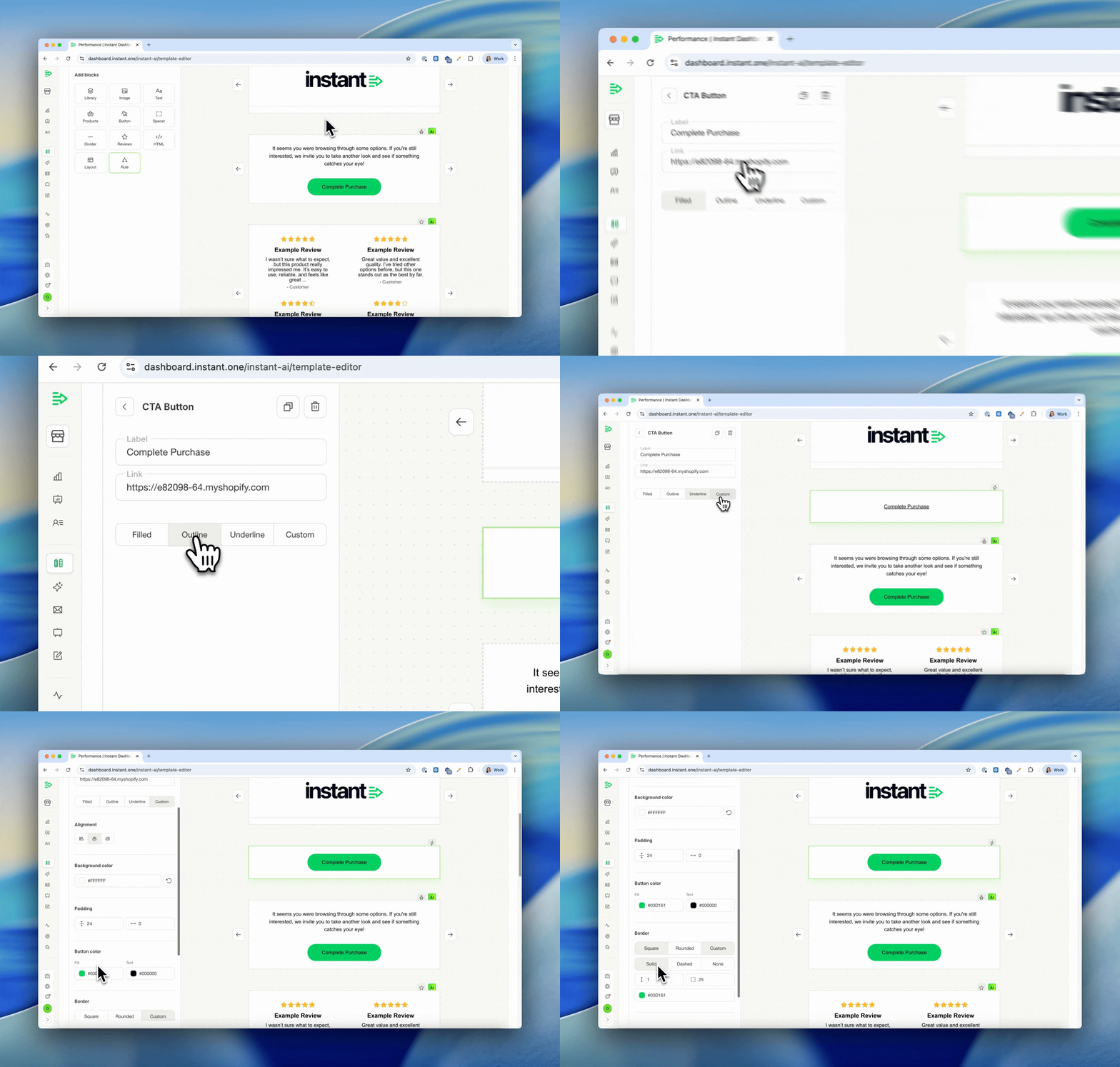
More design options for buttons and dividers
Released 10th April 2026
What’s new?
- There are now more design options when editing buttons and dividers
- This is useful when editing campaigns, and needing to override your brand defaults
- The new options show when editing colours, width, radius, outline, alignment & more
- These are once off overrides and won’t apply to other blocks or impact your brand